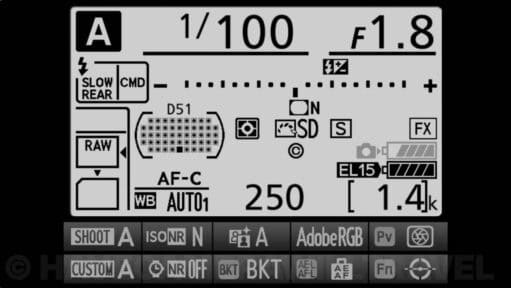
How to See the Charge Status of Batteries in a Battery Grip on a Nikon D850, D810, or D800
If you're using a battery grip on the Nikon D850, D810, or D800, here's how to see the charge status of both batteries.
If you're using a battery grip on the Nikon D850, D810, or D800, here's how to see the charge status of both batteries.

See exactly how the Nikon D810 handles low light and high ISOs. This gallery features real-world sample images shot from ISO 6400 up to 51,200, processed with zero noise reduction so you can evaluate the true sensor performance.

Even in the age of mirrorless, the 36.3MP Nikon D810 remains a favorite for its incredible base-ISO dynamic range. I’ve updated this gallery with sample images ranging from broad daylight to challenging low-light conditions to help you decide if this legendary DSLR still fits your workflow in 2026.
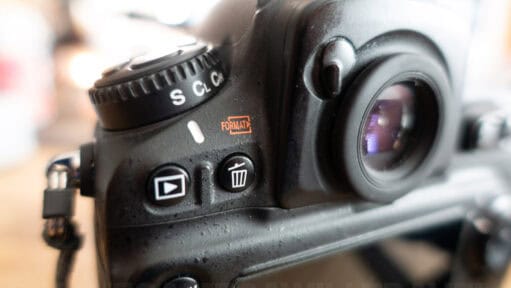
Nikon buries your shutter count in hidden photo metadata, not the camera menu — but you can pull the exact number for free in about a minute, on Mac or Windows, no software required.
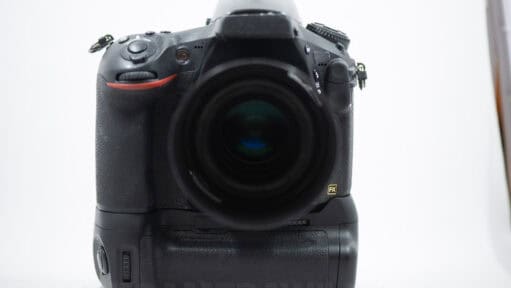
For the past few months I've been shooting a Vello BG-N7 battery grip on a Nikon D810. It retails for only a fraction of the cost of Nikon's own battery grip. Here's my hands-on review of the Vello grip.
When you are in the middle of a shoot, stopping to dig through menus just to wipe a memory card breaks your momentum. Fortunately, Nikon built a physical, two-button shortcut into many of its professional and enthusiast DSLRs — including the D850, D810, D800, D750, and D610. In my workflow, this is the only way I format cards in the field. Here is exactly how to use the quick format shortcut.

My name is David Coleman, and this is my site. I take photos for a living. Seven continents. Dozens of countries. Up mountains. Underwater. And a bunch of places in between. I'm based in Washington, D.C.
This site is where I post practical photography help, tips, and troubleshooting.
All posts and reviews on this site are written by me. And I only review gear with which I have personal hands-on experience. By a photographer, for photographers. More about me.


© 2009-2026 David Coleman | Have Camera Will Travel LLC
Photos by David Coleman. Please contact me for licensing images. Images are registered with the U.S. Copyright Office.
Have Camera Will Travel LLC | 901 N Glebe Rd, Arlington, VA 22203 | +1.703.942.9245

