Photo by David Coleman
Latest updates

The Hasselblad Battery Finder: What Each Body Takes and What Happens When It Dies
The classic Hasselblad V-system bodies need no battery at all, but the EL motor drives, 200 series, XPan, H1/H2 and digital X and H bodies do. Every entry comes from the camera’s own manual or spec sheet, with notes on what happens when a battery dies.

Bronica Camera Battery Compatibility Charts: Which Cell Does Your Body Take?
Nearly every Bronica ETR, SQ, GS and EC body runs on one 6V cell, sold as a 4SR44 or 4LR44. This chart, checked against the manuals, shows the exceptions and which bodies still fire with a dead battery.

Konica Camera Battery Compatibility Charts: What Each Model Takes Today
Konica’s Autoreflex cameras were built for mercury cells that no longer exist, but most have a cheap modern fix: the PX675 matches a standard zinc-air hearing-aid battery. Every battery here is verified against the camera’s own manual or spec sheet.

Agfa Camera Battery Compatibility Charts: Which Models Take One, and Which Cell
Most secondhand Agfa cameras need no battery at all, and even the Silette LK Sensor’s meter runs without one. Find your model by camera type and see which cells the electronic ones, like the Selectronic and Optima Sensor, actually take.
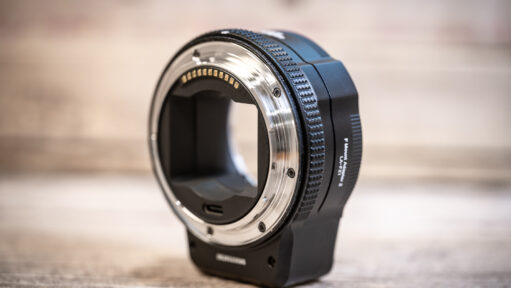
MonsterAdapter LA-FZ1 Review: Autofocus for Nikon AF-D Lenses on Z Cameras
The MonsterAdapter LA-FZ1 puts a focus motor in the adapter, so Nikon’s screw-drive AF and AF-D lenses autofocus on Z cameras again, which the FTZ II can’t do. Here’s how it handled a fisheye and a 24mm, where it falls short, and whether it’s worth $359.

Contax Camera Battery Compatibility Charts
Contax bodies span several eras, from a 6V cell that’s still made to button cells and modern lithiums. Every battery here comes from the camera’s own manual, and I note which bodies still fire when the battery dies.
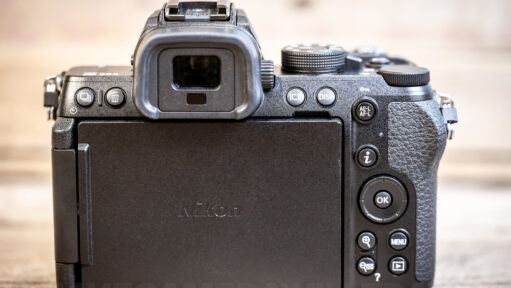
Nikon Z50 II Back-Button Focus: Turn AE-L/AF-L Into Your Focus Button
The Nikon Z50 II has no AF-ON button, but the AE-L/AF-L button can do the job once you change two settings, not just one. Here are the exact menu paths, what to do about exposure lock and video, and how to undo it.
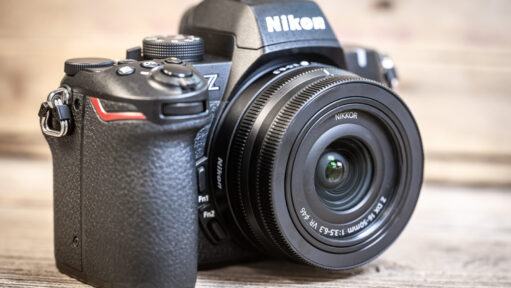
Nikon Z50 II Image Quality Settings: RAW, JPEG, HEIF and Image Size Explained
The Z50 II ships on JPEG normal, but one step up to JPEG fine at Large size is the best image quality setting for many people. Here’s what each option does, and the simple setup I’d start with.
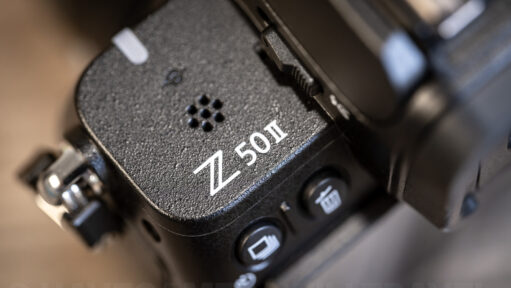
Nikon Z50 II RAW Files Won’t Open in Lightroom or Photos? What Will Probably Fix It
If your Nikon Z50 II RAW files won’t open on your computer, the cause is nearly always an outdated app or the camera’s default High efficiency compression. Here’s how to tell which, and how to rescue photos you’ve already taken.
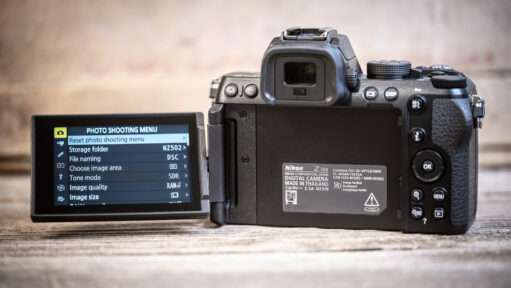
How to Reset the Nikon Z50 II: Every Option and When to Use Each
A full factory reset on the Nikon Z50 II can’t be undone, and it isn’t always the right fix. Here’s every reset the camera offers, what each keeps and erases, and how to back up your settings first.
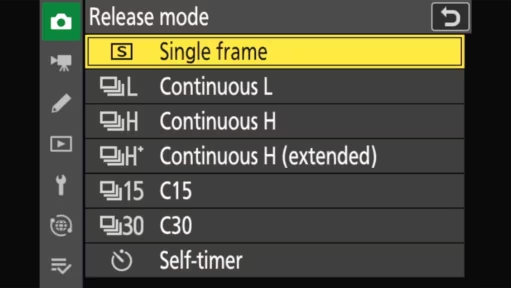
Getting the Most from the Nikon Z50 II’s Burst Modes
The Nikon Z50 II packs several burst speeds plus a Pre-Release Capture mode that saves frames from before you even press the shutter — but it comes with real trade-offs. Here’s which settings to use for action shots, and the limits (JPEG-only, battery drain, buffer caps) worth knowing first.

Yashica Camera Battery Compatibility Charts
Picked up an old Yashica camera and want to get it working? Here are charts for Yashica SLRs, the Electro 35 family, the T-series compacts and the Yashica-Mat TLRs, plus what to do about the Electro 35’s discontinued mercury cell.
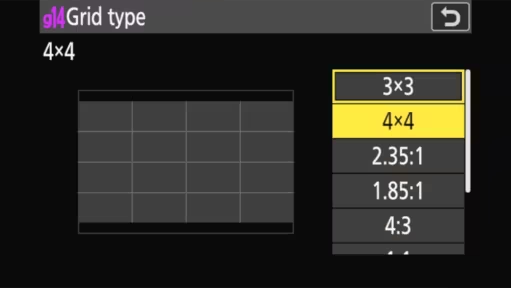
Nikon Z50 II Grid Lines Won’t Show? It Takes Two Settings
Adding grid lines to your viewfinder or back screen can be an extremely useful tool for composing your shots, helping with keeping lines level and key elements balanced in the frame. Here’s how to enable them in the Nikon Z50 II and the options that are available.
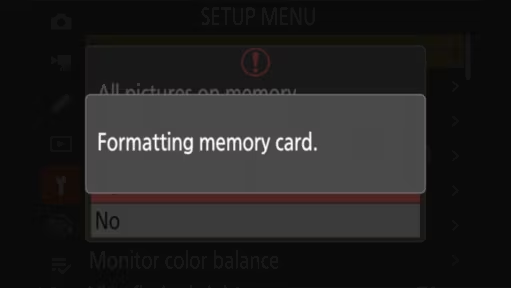
How to format an SD card in the Nikon Z50 II
I explain why further down this page, but it’s always best practice to format the memory card in the camera that you’re using it in. It’s quick and easy; here’s how to do it on the Z50 II.
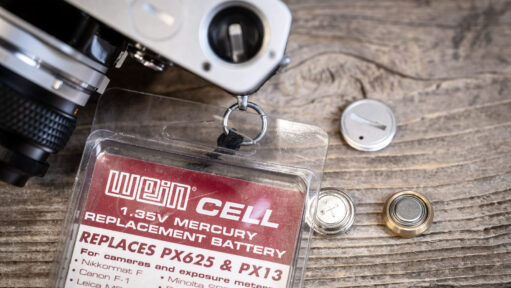
Mercury Batteries Are Gone: Four Ways to Keep an Old Meter Working
Mercury button cells like the PX625 haven’t been sold for 30 years, so old film camera meters need a workaround. Here are four replacement options, from cheap silver-oxide spacers to full meter recalibration, plus how to tell which one your camera actually needs.

Leica Camera Battery Compatibility Charts
Which battery does your Leica take? Charts for digital and film Leicas, from the M, SL, Q and S lines to the compacts, Leicaflex and R-series SLRs, all taken from Leica’s own manuals and data sheets. Plus which bodies can share spares, and the few rows that rest on weaker sources.
Memory cards
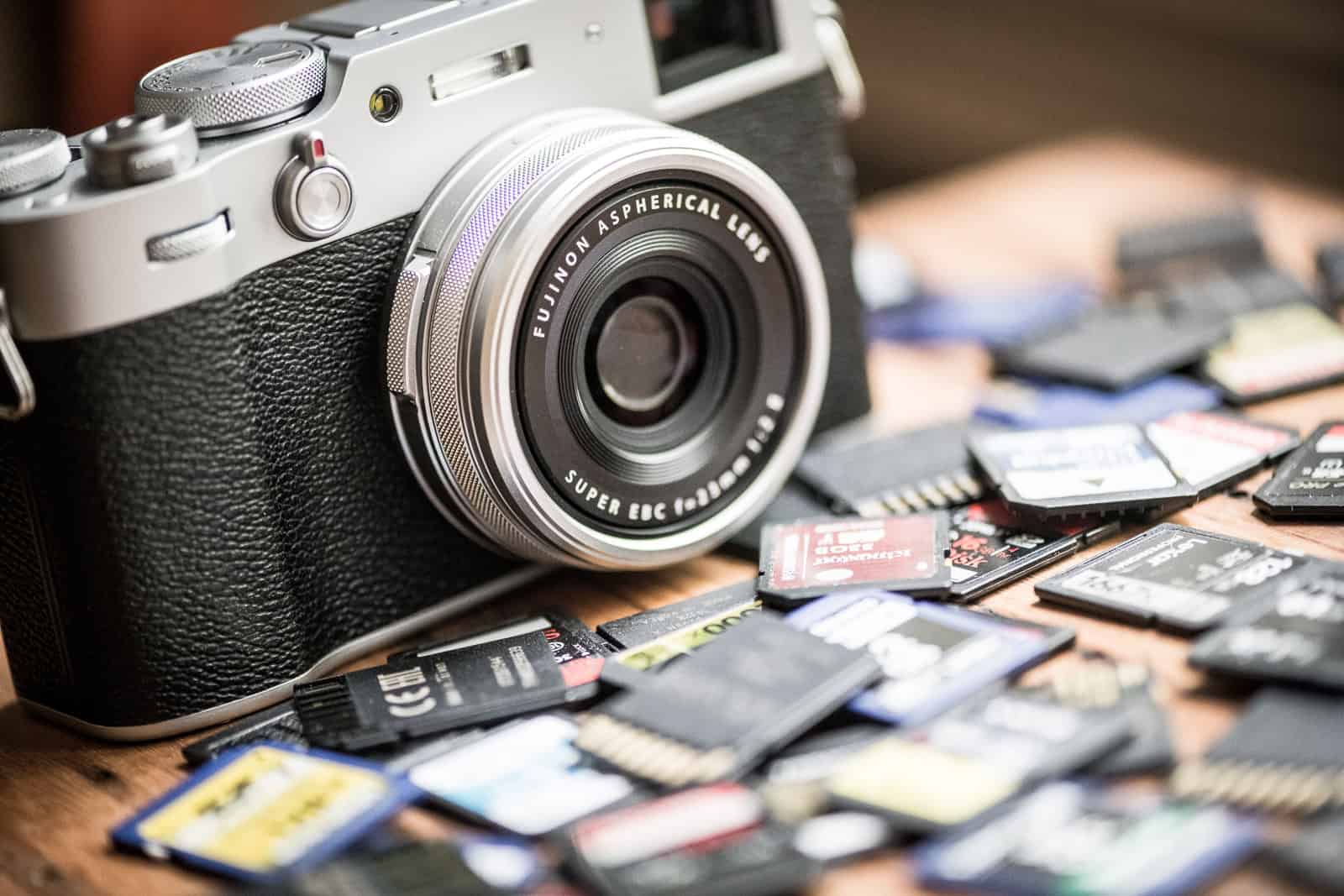
How to Recover Deleted Photos from an SD Card (A Photographer’s Guide)
That sinking feeling when you accidentally hit “Delete All” or format a card with photos still on it? I’ve been there. The good news is those photos are often still recoverable. Here is the step-by-step process (and the specific software) I use to get them back.

Can Memory Cards and Digital Cameras Go Through Airport X-Rays and CT Scanners?
Airport X-rays and the new CT scanners won’t touch memory cards, cameras, SSDs or hard drives, and the dose numbers show why. Undeveloped film is the exception.
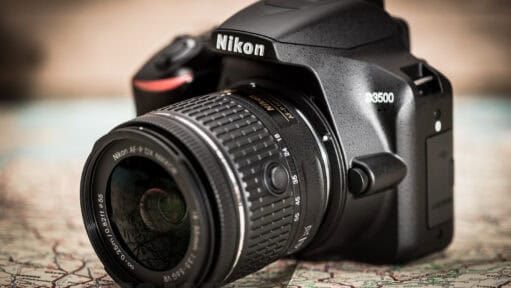
How to Download Nikon D3500 Photos & Videos to a Computer
At some point, probably sooner rather than later, you’re going to want to get your photos and videos off your Nikon D3500 and edit them on you computer. So here’s a straightforward guide on how to do that.
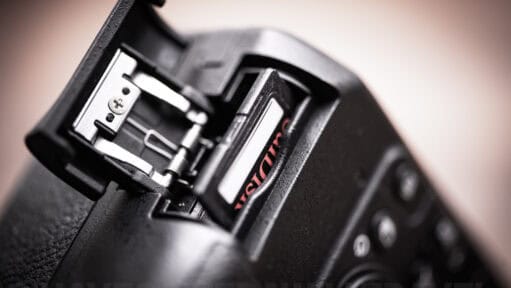
How to Put an SD Card Into a Nikon D3500: Insert, Format and Eject
The D3500’s SD slot sits on the right side at the bottom, and the card only goes in one way, label toward the front of the camera. Here’s how to insert, format and safely eject it, plus the flimsy door hinge to watch.
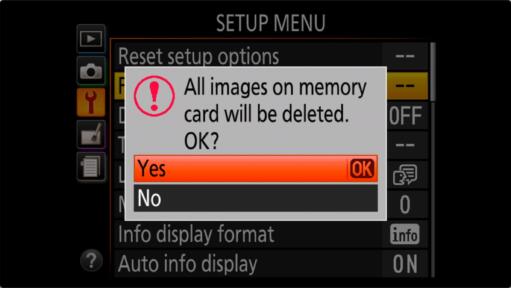
How to Format an SD Card in the Nikon D3500, Step by Step
Formatting in the D3500 takes a few menu clicks, but there’s no quick-versus-full choice, and a locked card can block it. Here are the steps, plus what to do if you format on a computer.

Fujifilm X-S10 Memory Card Recommendations
It’s not easy to know which is the right type of SD card for your camera. There are a lot of confusing codes and marketing hype to cut through. So here are my practical recommendations on good choices for the Fujifilm X-S10.
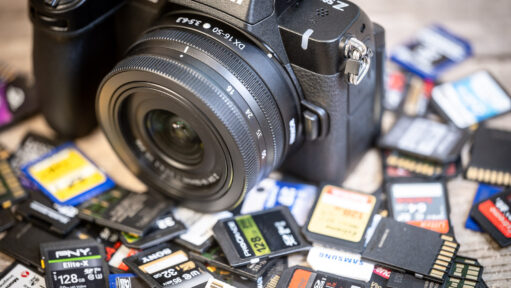
Nikon Z50 II Memory Card Guide: Why You Need UHS-II
The Z50 II is a video powerhouse, but its high-bitrate 4K modes will choke standard SD cards. Nikon’s manual is confusing, recommending “Speed Class 3” while actually requiring much faster speeds for top performance. This guide cuts through the jargon to tell you exactly which cards work.
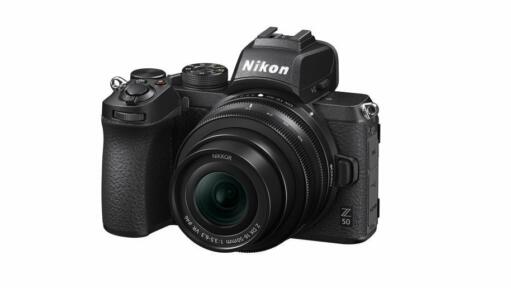
Nikon Z50 SD Card Recommendations, Sizes, and Specs Explained
Not sure which SD card the Nikon Z50 needs? Here are practical, tested recommendations covering compatibility, speed class, and card sizes so you can stop researching specs and start shooting.

Fastest SD Cards 2026: Real-World Speed Tests & Rankings
After independent speed tests of the top V90 UHS-II cards, a new leader has emerged. The updated SanDisk Extreme Pro (SDSDXDM) is the first card I’ve tested to genuinely hit the 300 MB/s write speed limit, setting a new benchmark for 2026.”

Choosing an SD Card for the OM-1 and OM-1 Mark II
Faster isn’t always better: the OM-1 and OM-1 Mark II don’t need the priciest V90 cards to hit full burst performance. Here’s the UHS speed class, capacity, and card picks that actually match what these cameras demand.

PGYTech Createmate Review: The Ultimate Travel SD Card Reader & Case
Most memory card readers are boring, utilitarian tools. But the PGYTech Createmate adds a clever twist by combining a high-speed UHS-II reader with a rugged, weather-resistant storage case for your SD and microSD cards. Here is my hands-on review of this clever travel essential.

Ricoh GR IV Memory Card Guide: microSD & Internal Storage
The Ricoh GR IV ditches standard SD cards for the smaller microSD format and adds 53GB of internal storage. Here are my practical recommendations on which memory cards to get for it.
Basics.Photography

What Is a Prime Lens? Prime vs Zoom, and When a Prime Is Worth It
A prime lens has no zoom, just a fixed focal length like 50mm or 85mm. That simplicity often means faster apertures and sharper images, here’s why that matters and which prime lenses are worth trying.

Canon Lens Codes Guide
Like most lens manufacturers, Canon uses codes in their lens names to identify key features and technologies of the lens. They might look like a look like a random jumble of letters, but they are actually a precise formula. Once you know how to read them, you can instantly tell if a lens will fit your camera, how fast it will focus, and whether it is weather-sealed.
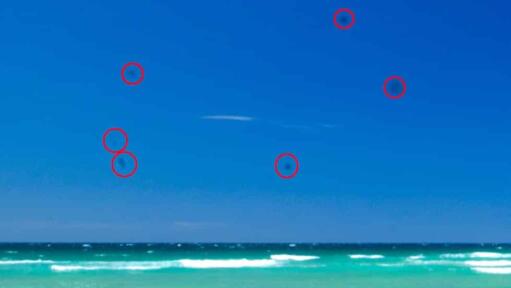
At War with the Dust Bunnies: Tips for Changing Lenses on the Go
Dust bunnies, which leave ugly dark spots and marks on your images, are one of the annoyances of digital photography. If you’re changing lenses on the go there are some tricks to minimize them.

Understanding Mirror Lockup on DSLRs: What It Is & When to Use It
That small vibration and click every time a DSLR’s mirror flips up is called mirror slap — and mirror lock up is the setting built to stop it. Here’s what mirror lockup (MLU) actually does, how it differs for shooting versus sensor cleaning, and when it’s worth using.

Fisheye Lenses: The Good, the Bad, and the Distorted
Fisheye lenses pack a dramatic, distorted view into the frame — great for tight interiors and immersive action shots, terrible for portraits and architecture. Here’s what to know before you shoot with one, including the two main types and what to avoid.

Tokina Camera Lens Codes Guide
Tokina lenses are legendary for their “built-like-a-tank” construction, but their naming system has undergone a massive overhaul recently. If you’re confused by the jump from “AT-X” to “atx-i” or “opera,” you aren’t alone. Here is the definitive guide to every code Tokina uses, including their unique Focus Clutch mechanism and their 2026 mirrorless lineup.

Tamron Lens Codes Guide: Every Acronym Explained
Tamron Di, Di II, Di III, VXD, SP — what do they actually mean on a lens barrel? This guide breaks down every current and legacy Tamron code, from sensor compatibility to autofocus motors and glass coatings.

Sigma Lens Codes Guide
Sigma lens names can be a mouthful of acronyms. Once you know how to read them, however, they are a powerful shorthand for identifying whether a lens is built for full-frame or crop sensors, DSLRs or mirrorless cameras. This guide demystifies the alphabet soup so you can quickly categorize any lens in their massive lineup.
Workflow

How to Deal with Lens Vignetting When Stitching Panoramas
The dark bands you sometimes see across a stitched panorama are usually lens vignetting — the slight edge darkening that most lenses produce, especially wide open. Here’s what actually helps: shooting choices that minimize it at capture, and the pre-stitch post-processing fixes that do a better job than patching the seams afterward.

How to Convert the GPS Coordinates in Lightroom’s Map Module to Decimal Format
Lightroom’s map module uses GPS coordinates in the degrees, minutes, and seconds format. If you need them in decimal degree format, here’s a quick way to convert them.
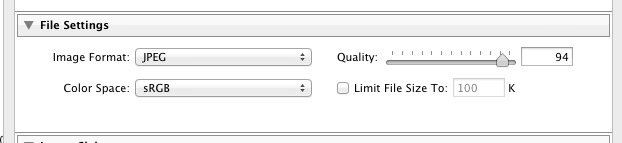
The Truth About Lightroom’s JPEG Export Quality Settings
Lightroom’s export slider goes from 0 to 100, but fine-tuning by a single percent doesn’t actually work. The compression operates in hidden bands, meaning a 93% export is byte-for-byte identical to a 100% export.
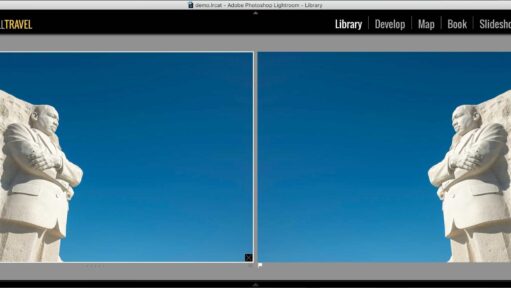
How to Flip an Image Horizontally or Vertically in Lightroom
Flipping an image horizontally or vertically to create a mirror image isn’t hard, but Lightroom’s tools for it might not be where you expect.

TIFF Compression Options: ZIP vs LZW (or, Why You Should Never Use LZW for 16-Bit TIFF Files)
A guide to using ZIP and LZW compression for TIFF images, along with real-world examples.
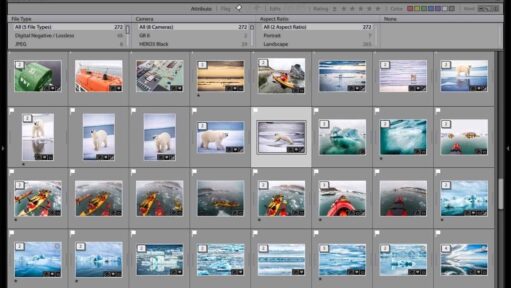
How to Filter by Portrait or Landscape Orientation in Lightroom
Whether you need a vertical shot for a cover or a landscape for a web banner, hunting for orientation is a waste of time. Here is the easiest way to use Lightroom’s metadata filters to find exactly what you need.

How to Use ImageMagick to Generate a Contact Sheet
Of the three main ways to make a digital contact sheet, the ImageMagick method gives you the most control and works best at scale — large image batches, automated workflows, archive processing. Here’s the montage command that handles it, with every option explained and a label token reference so you can customize the captions to whatever you need.
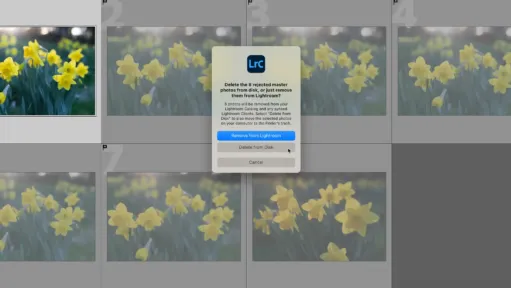
How to Delete Rejected Photos in Lightroom Classic
Here’s how to quickly delete rejected photos in Lightroom to help speed up the culling part of the workflow.
Calculators

How Much 4K Video Your Memory Card Can Actually Hold
A 128GB card can hold anywhere from under an hour to 8 hours of 4K footage, depending entirely on your camera’s bitrate. Use the calculator and charts below to work out your exact recording time by card size.

Angle of View, Explained: Calculator, Charts, and Why Diagonal Matters
Enter a focal length to see its angle of view across full-frame, APS-C, and Micro Four Thirds sensors, with charts for quick reference and an explanation of why the diagonal measurement is the one lens makers actually quote.

Memory Card Speed Converter (X-Rating to MB/s)
Memory card marketing is littered with jargon, but the “x-rating” multiplier is one of the most confusing. Here is a simple tool to convert those outdated speed ratings back into a standard MB/s format so you can accurately compare cards.

How Many Megapixels? A Quick Calculator for Photographers
A simple calculator to convert pixel dimensions into megapixels — handy for photographers working out print sizes, checking how much headroom you’ve got for a heavy crop, sizing files for stock agencies, or staying under Lightroom’s 512-megapixel import ceiling.

How Much Will Be in Focus? A Depth of Field Calculator
A practical depth of field calculator for photographers. Punch in your sensor, focal length, aperture, and subject distance to see your near and far limits, total depth of field, and hyperfocal distance. Useful for landscape work, portraits, macro, and group shots where you need to know exactly where the sharpness falls off.

Mbps to MB/s Converter: Camera Bitrates vs. Memory Card Speeds
The difference between a flawless 4K recording and a locked-up camera often comes down to a single capitalized letter. Here is how to quickly translate your camera’s Mbps video bitrate into MB/s memory card speeds.

The Crop Factor Calculator: Find Your True Focal Length
Mount the same lens on a full-frame and an APS-C body and the framing changes, but does your aperture really change too? Use the calculator below to find your true equivalent focal length and depth of field, and see why exposure stays the same.

The Aspect Ratio Calculator: Perfect Crops for Print & Web
You shoot a perfectly framed 3:2 portrait, but the client orders an 8×10 print. If you don’t calculate the aspect ratio and crop it yourself, the lab’s automated software will do it for you — usually right across your subject’s forehead. Here is how to take control of your output dimensions.