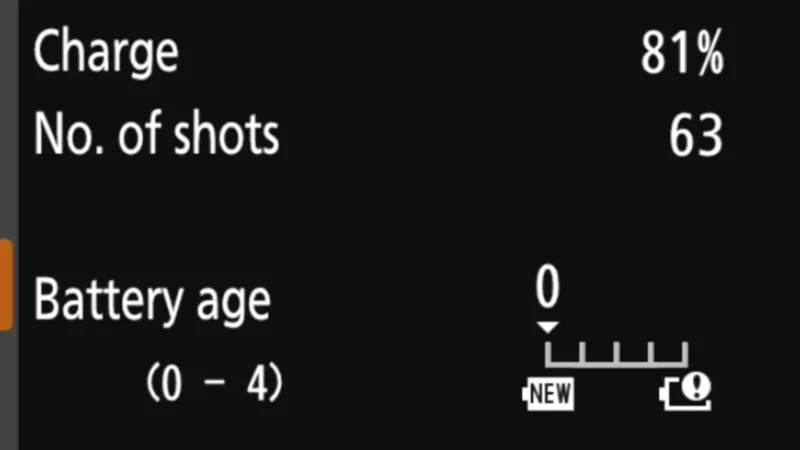
Modern lithium batteries like these are far better than the old NiCad batteries. They don’t suffer the same kinds of memory effects, and they tend to last longer. But their performance still degrades over time.
If your battery doesn’t seem to hold its charge well, it might be time to replace it. (It might also be that you’re trying to use it in very cold conditions; lithium batteries don’t work well in the cold.)
But you don’t have to just guess.
Camera batteries are expensive, after all. And you can’t tell if the battery needs replacing just by looking at it. But the Nikon Z8 can help take the guesswork out of it with its built-in battery health check.

What I’m talking about it here isn’t the regular indicator that tells you if the battery needs charging. Instead, what I’m focusing on here is whether the battery needs to be completely replaced. That is, it’s a health check rather than a charge check.
You can find it under:
SETUP MENU (wrench/spanner icon) > Battery Info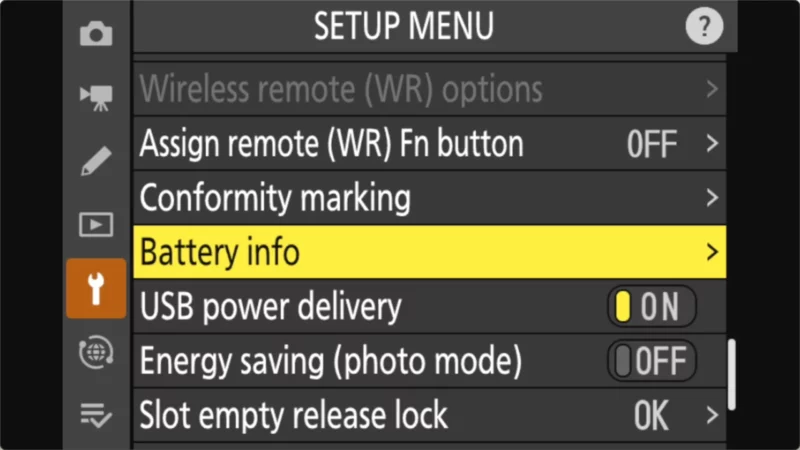
That screen is entirely informational; it’s not one you can choose settings or interact with. But it tells you two important things.
Battery charge status
It tells you how much the battery is currently charged. As a percentage, it’s much more granular than the simple bar indicator on the camera’s shooting display screens.

The “No. of shots” indicator isn’t showing what I expected. I would expect that to show the number of shots you could expect to get on the remaining charge. Instead, Nikon says it “shows the number of times the shutter has been released.” This is just the number of shots that have been taken on that battery since the battery was last charged. It resets every time you connect the battery to charge.


Battery age (battery health check)
The bottom section is where I’m focusing attention here. That’s the battery health check section.
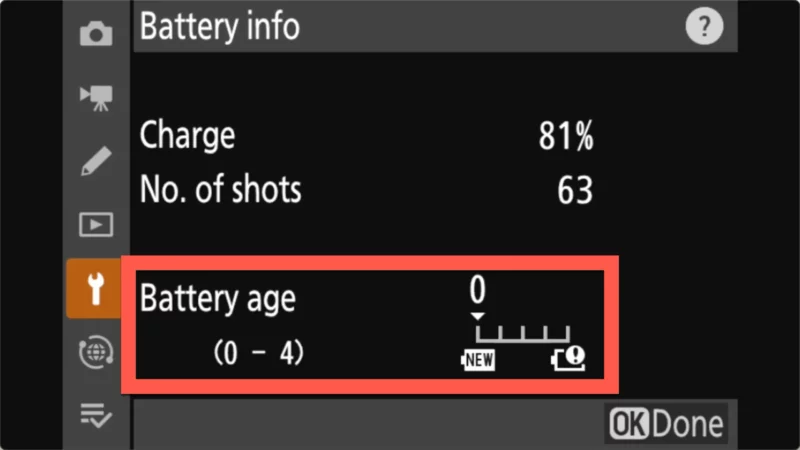
It’s a 5-point scale from 0 to 4.
- 0: The battery is in top condition. No degradation.
- 4: The battery has reached the end of its life and needs to be replaced.
Batteries for the Nikon Z8
The Nikon Z8 takes Nikon EN-EL15C batteries.
There are a couple of important things to note about this model.
- The “C” Variant: You can use older EN‑EL15a and EN‑EL15b batteries in the Z8, but you won’t get as many photos per charge, and it’s possible you might see degraded performance in some of the higher-end shooting modes. If you’re buying new ones, stick with the “C” version.
- Aftermarket Compatibility: Not all third-party EN-EL15c batteries work in the Z8. In my testing, the only reliable third-party option has been the SmallRig EN-EL15c.
Nikon Z8 essentials
Resources
Manuals: PDF Manual | Online Guide
Firmware: Official Download Center (Latest: v3.10) | Update Guide
Batteries (EN-EL15c)
The Z8 uses the EN-EL15c. Always carry spares — mirrorless cameras are hungry.
Top Picks: Nikon OEM (Best) | SmallRig (USB-C Port) | Watson
Memory cards
The Z8 has two different slots. See detailed recommendations here.
- Slot 1 (CFexpress Type B): SanDisk Extreme Pro, Lexar Gold, or ProGrade Digital.
- Slot 2 (SD UHS-II): SanDisk Extreme Pro V90 or Lexar Gold 2000x.
FTZ II lens adapter
Required to use F-mount DSLR lenses on the Z8 without image quality loss.


