Quick Summary
- The Feature: The Nikon Z8 features a sensor shield to minimize dust on the sensor during lens changes.
- The Function: The shield covers the sensor when the camera is turned off.
- The Default: By default, the sensor shield feature is disabled on the Z8.
- The Fix:
Setup Menu > Sensor shield behavior at power off > Sensor shield closes - The Trade-off: Nikon says it may make the camera slightly slower to start up.
- Warning! Don’t touch the sensor shield — it’s very fragile!
Dust on the sensor can make for some ugly splotches on your photos. Sure, editing tools are getting better at removing them — and Lightroom Classic even has an AI-assisted tool for doing it automatically, now (although I haven’t found it especially useful, myself) — but this is one of those many situations where prevention is better than cure.
The built-in sensor cleaning function, which shakes the sensor at very high speed, does an OK job. But it is a long way from perfect. And you can also minimize the visual effects by using large apertures, but that’s not always a good solution if you want to shoot with a greater depth of field or at a sharper aperture (or slower shutter speed). A better bet is to keep dust off the sensor to begin with.
But that’s easier said than done. Every time you change a lens, there’s a good chance of some dust sneaking its way in there. And that’s even more likely when you’re out and about shooting in dusty environments, obviously. And with their static charge, digital camera sensors are literal dust magnets.
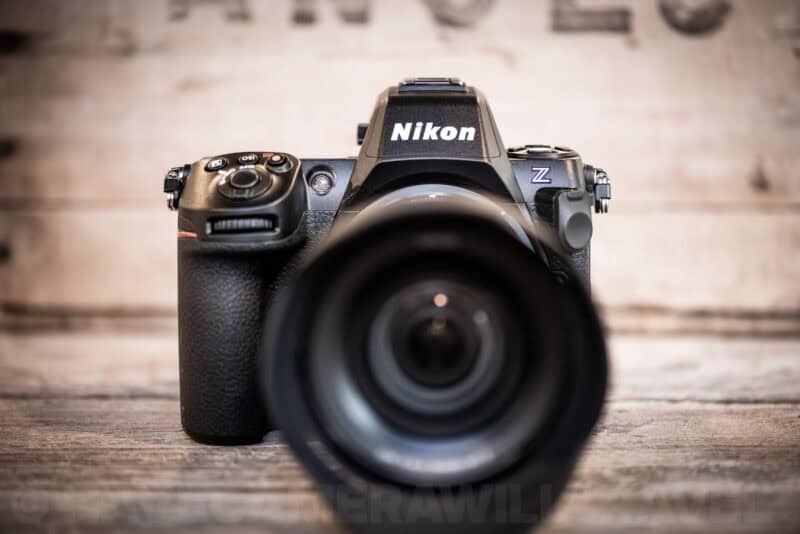
With DSLRs, there’s at least a mirror there to help intercept floating dust particles. It’s definitely not a complete solution — plenty of dust can still find its way onto the sensor.
But with a mirrorless camera, the sensor is fully exposed. It’s made even worse by the shortened flange focal length of mirrorless cameras, which makes the sensor even more exposed.
The Nikon Z8 comes with a solution. Because the Z8 has no mechanical shutter (it uses a purely electronic shutter to take photos), Nikon installed a dedicated mechanical blind specifically for this purpose. It snaps shut to protect the sensor the moment the camera is powered down. When you’re changing lenses, this makes a huge difference, because any dust is going to hit the gray curtain rather than the sensitive glass of the sensor itself.1
But, somewhat oddly, the feature is disabled on the Z8 by default.


It’s easy to do, but it can make a real difference in how often you have to deal with dust bunnies when you edit your photos.
NB: Before doing this, make sure the sensor is free of dust as much as possible by using a bulb blower on it, if necessary.
How to enable the sensor shield on the Nikon Z8
You can find the setting under:
MENU > SETUP MENU > [Sensor shield behavior at power off]
When you go to the submenu, you get these two options. The default selection is Sensor shield stays open.

To enable the sensor shield, choose Sensor shield closes.
The one trade-off is startup time. Nikon’s manual notes that closing the shield at power off may increase the camera’s startup time.

You’ll get this popup information.

Help! The shield didn’t close!
WARNING! Do not touch the sensor shield, even to try to clean it. It’s very fragile — much more fragile than a regular mechanical shutter — and if you bend the blades, it’s a major repair that will require sending it in for servicing.
Once you enable this, you might eventually run into a situation where you turn the camera off, take off the lens, and realize the shield is still open. Don’t panic — your camera isn’t broken.
It will stay open in two specific scenarios:
- The card is still being written: If the memory card access lamp is still lit (the camera is still saving images), the camera isn’t fully off yet. Give it a moment after you switch off before taking the lens off.
- Sleep Mode vs. Power OFF: This is the most common “gotcha.” If the camera simply goes to sleep (standby) while the power switch is still ON, the shield stays open to allow for an instant wake-up. You must physically rotate the power switch to OFF to trigger the shield.
Changing lenses with the shield closed
With the shield closed, take a little more care when you mount a lens. Nikon’s manual says to insert the lens perpendicular to the mount, straight on rather than at an angle. A lens that goes in at an angle can touch the shield and damage it, or the sensor behind it.
In practice: line up the mounting marks, bring the lens in square to the camera, and only then twist it to lock.
Video version
If you’d prefer a video version, here’s a quick guide I put together:

Clean image sensor
There’s another feature that works well in conjunction with the sensor shield. I’ve covered it in more detail separately, but here’s the short version.
The Nikon Z8, as with many digital cameras in recent years, includes a built-in sensor cleaning function. The gist is that it momentarily vibrates the sensor to (hopefully) shake free any dust particles clinging to the sensor. It can be useful, although it’s not a whole solution by itself.
By default, this setting is to clean the image sensor every time the camera is powered off. If you want to manually engage it or turn the feature off, you can find it in the adjacent menu item.

Things worth knowing (and a warning)
- It is NOT a Shutter: This is critical. The shield is a lightweight, fragile barrier designed for dust, not impact. Never touch it. Do not poke it with a finger, and definitely do not try to clean it with a wet swab. If you bend the blades, it’s a major repair that will require sending it in for servicing (and probably paying for it).
- How to Clean the Shield: If you see dust on the shield itself (which is good — better there than on the sensor!), you can clean it, but be gentle. Use a manual bulb blower (like a Rocket Blower, which is what I use) and give it a few gentle puffs with the camera facing down, so the dust falls out. Don’t blast it: Nikon’s manual specifically warns against aiming powerful air currents from a blower at the sensor or the shield.
- No Canned Air: Don’t ever use those pressurized gas dusters. The pressure is too high for the fragile blades, and the propellant can leave a nasty residue.
- Cleaning the Sensor: To get at the sensor itself, the shield has to be open with the camera off. Switch this setting back to Sensor shield stays open first; Nikon’s own manual-cleaning steps start there. (The Clean image sensor menu item only vibrates the sensor to shake dust loose. It doesn’t open the shield.) For the rest, see my post on how to clean the Nikon Z8 sensor.
Frequently asked questions
Is the Nikon Z8 sensor shield on by default?
No. The default is Sensor shield stays open. Change it in SETUP MENU > Sensor shield behavior at power off.
Does the sensor shield close when the camera goes to sleep?
No. It closes only when you turn the camera off with the power switch. When the standby timer puts the camera to sleep, the shield stays open.
Does the Z8’s Clean image sensor setting open the sensor shield?
No. It vibrates the sensor to shake dust off. To get at the sensor for manual cleaning, set the shield to stay open first.
Nikon Z8 essentials
Resources
Manuals: PDF Manual | Online Guide
Firmware: Official Download Center (Latest: v3.10) | Update Guide
Batteries (EN-EL15c)
The Z8 uses the EN-EL15c. Always carry spares — mirrorless cameras are hungry.
Top Picks: Nikon OEM (Best) | SmallRig (USB-C Port) | Watson
Memory cards
The Z8 has two different slots. See detailed recommendations here.
- Slot 1 (CFexpress Type B): SanDisk Extreme Pro, Lexar Gold, or ProGrade Digital.
- Slot 2 (SD UHS-II): SanDisk Extreme Pro V90 or Lexar Gold 2000x.
FTZ II lens adapter
Required to use F-mount DSLR lenses on the Z8 without image quality loss.
Notes & References:
- They’re not the only cameras to do it; a handful of others, like higher-end Sony cameras, also have a sensor shield. [↩︎]


