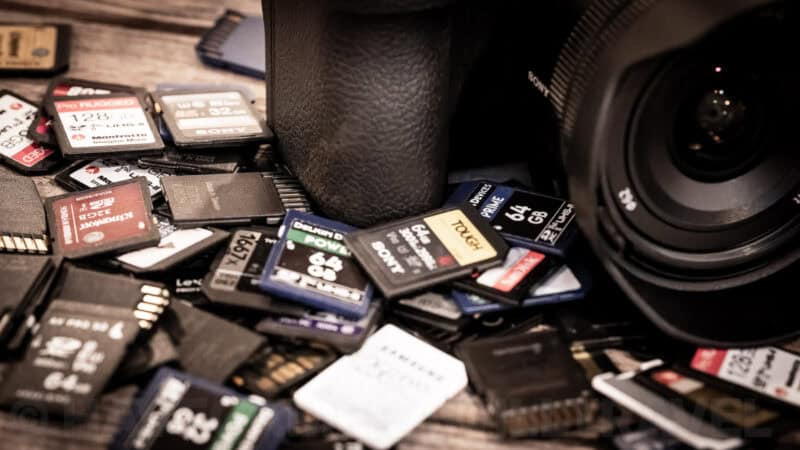
The short answer: yes, they do. But maybe not in the way you might think.
Camera memory cards are surprisingly tough little things. In many cases, much more resilient than the camera itself.
They can tolerate a lot more than most cameras can. They can breeze through airport security X-rays without a hitch, don’t mind being dropped, are immune to magnets, often emerge unscathed from an accidental run through a washing machine, and, if you’re really lucky, can even last for a good stint submerged in sea water.
Manufacturers even go so far as to officially claim on the packaging and marketing materials that their SD and microSD cards are:
- waterproof
- temperature proof
- x-ray proof
- magnet proof
- drop proof
- wearout proof
That’s a lot of proofs!
But all flash memory cards can wear out. Not easily, and not quickly, but eventually.
Physical wear & tear isn’t the problem
The problem isn’t physical wear and tear. That’s rarely going to be an issue in practice, although it is possible for the contacts to become dirty or develop a thin layer of grime on them that can interfere with data transfer.
I’m focusing here on SD cards and microSD cards, but other memory card types with different form factors typically also have ruggedized builds.
All use NAND Flash memory, which is susceptible to the same kinds of write cycle limitations.
Here’s an example of the kind of internal testing that manufacturers put their cards through in order to be able to make their claims. In this case, it’s Samsung’s testing of microSD cards:1
- Water: 72 hours in one-meter depth of seawater
- Wearout: a durability test of 10,000 swipes
- Drop: up to 5 meters (16.4 feet)
- Magnet: up to 15,000 gauss (equivalent of a high-field MRI scanner)
- X-ray: up to 100mgy (equivalent of airport X-ray machines),
- Temperature: -13°F to 185°F (-25°C to 85°C) operating, -40°F to 185°F (-40°C to 85°C) non-operating.
The problem is erase cycles
But if physical wear and tear isn’t really a concern, a more serious risk in the long term is wear and tear on the NAND flash.


It’s not a short-term risk; these cards are designed to handle tens of thousands or hundreds of thousands of hours of video data being written to them (also expressed as Total Bytes Written, or TBW).
But it is something to be aware of nonetheless, for two reasons:
- To anticipate that old, heavily used memory cards will eventually need replacing.
- To minimize unnecessary wear and tear from excessive full-format operations.
Write cycles end of life
NAND Flash memory, which is used in memory cards, thumb drives, and SSDs, has a finite lifespan in terms of how many times data can be written to it.
To be clear, it’s a lot of data that most photographers will only reach over the course of years. But there is nevertheless a finite endpoint. And now that we’re decades into the age of digital photography, it’s entirely possible for us to have memory cards from years ago.
If a card does hit its absolute limit, it enters an End of Life (EoL) state. The card’s controller will permanently lock the drive to prevent data corruption. If you are lucky, it locks into a “read-only” state, allowing you to recover your files. If you aren’t, the card simply dies.
There are, however, several precautions that are built into the actual memory card itself to help maximize the lifespan of the card. They have built-in algorithms that control what’s known as wear leveling, essentially spreading the load evenly across the sectors of the card to reduce the risk of a single area bearing the brunt of the workload.2
NAND Flash has limited program-erase cycles available. Reaching that limit means the device is in EoL state, meaning that it is no longer reliable. Endurance varies depending on the NAND cells’ configuration.3
Full format vs quick format
I have a more detailed description of the difference between quick format and full format options that your camera might offer, but the short version is that, for day-to-day use, a quick format is sufficient for most uses.
In a quick format, the camera (or host device) will delete the references to the data, but it won’t actually overwrite the underlying data itself. It simply wipes the File Allocation Table (FAT), meaning this process is nearly instantaneous and causes virtually zero wear on the card’s memory cells.
Some cameras also offer the option of doing a full format (also known as a low-level format). That’s a much more thorough process that actually overwrites the underlying data by writing zeros to every single block on the card. It takes longer. It’s more secure. It can help with maintaining the health and efficiency of the memory card if the card has been glitching. But because it forces a heavy write operation across the entire drive, used excessively, it can also reduce the lifespan of the memory card.
Anticipating potential problems
Unfortunately, though, as low as the risk of wearing out a card is, if the card is going to go, it will probably go suddenly without warning.
So it’s a good idea to build sensible precautions into your workflow to minimize the risks of losing large numbers of images if something goes wrong.
That means having backup cards on hand, downloading your images regularly, and formatting the cards in the camera after downloading the images.
There’s no hard-and-fast rule on how often you should replace your memory cards; it’s something to start thinking about when you’re getting up into the millions of images on a card (or hundreds of thousands if your card is an older model). Of course, if you’ve shot that many images, chances are you also have to start worrying about the failure of the camera itself. But that’s another story . . .
Tips for using and caring for your memory cards
- Like just about any product, especially an electronic one, it is possible for a brand-new memory card to be faulty. So always check that it’s working normally before you head off on that once-in-a-lifetime trip.
- Always format the card in the camera rather than on your computer. While the latter might well work, camera and card manufacturers usually recommend doing it in the camera to avoid data errors. It’s the safer option.
- Always download the images to your computer as soon as practicable and edit and archive from there. Trying to edit images directly on the memory card can lead to problems, and flash memory cards are not designed for long-term archival storage. The editing process introduces just the type of unnecessary write cycles described above. Treat them as a temporary step between your camera and your fully backed-up image archive.
- Always have a spare. Or two.
- Replace the cards on a schedule that makes sense for the type of shooting you’re doing. If you only take occasional snapshots, every couple of years might be fine. If you’re a working pro wedding photographer or sports photographer taking hundreds or thousands of shots day in day out, much more often is a better idea.
Notes & References:
- “Samsung Unveils New PRO Endurance Memory Card Optimized for Surveillance and Dashboard Cameras,” Samsung Newsroom, 3 May 2022; “Samsung micro SD UHS-I Card: EVO Plus Lineup: 2023 Data Sheet (Revision 1.0)” Samsung, undated. [↩︎]
- In addition to wear leveling, these built-in processes also include block management, garbage collection, and error control. Wear leveling works better the more space it has to work with, meaning that high-capacity storage can have higher endurance. [↩︎]
- Kingston Technology, “eMMC Life-Cycle Estimating, Validating & Monitoring,” January 2023. [↩︎]



Using XD cards in security cams seems to life test them in about 9-18 months. The cams (Yi Home) will then refuse to initialize with the cards in them. A new card fixes the problem. But the “failed” cards will format and seem to work in my PC just fine. What is actually failing in the card that causes the cams to reject them. I’m a tech by trade.
I have had my SD card in my Canon A430 Powershot camera for about 10 years and maybe taken only 5000 excellent images. At a funeral recently I took a dozen pictures and they all turned out as blue smudges, a complete disaster. It was a 40c day (107F). This is the only reason I can think of that caused the failure. Since then all new images are at a very low resolution or have a yellow wash effect. I will try a new card to see what happens.
There are surprisingly few articles on this topic online. Thanks for the summary.
I might add the durability is going to vary by manufacturer. I would stick to name brands and read reviews to get a feel for which cards tend to hold up better. Common sense would say that the harder you use them, the sooner they are likely to fail. Also, consider how willing you are to lose the photos that are on the card.
Personally, as a former computer consultant and now a photographer doing work for clients, I never rely on any one media to store anything. My workflow is to download my photos from the SD card to my computer as soon as I get back from the shoot into a folder in my Google Drive, which will then sync automatically to the cloud. Before I do a new shoot, I reformat the card in the camera that will be doing the shooting.
Also, I would think that video is going to be harder on SD cards than still photos because it’s a constant write to the card and the camera is going to get hotter. Heat is the enemy of electronics of any kind. Also, the files are much larger, so the potential of a corrupted file goes up. If you do a lot of video, I would consider replacing more frequently.
It’s been about 18 months since we bought our last cards for our business and I may start replacing them soon, just to be extra cautious. Spending a couple hundred bucks every year or two to prevent footage that can never be retaken from being lost is a no-brainer to me.
Importing images from a Lexar Multi slot reader into Final Cut ProX is, after years of no problems whatsoever, now importing in duplicates.
It’s not recording duplicate in my Canon XF300….so something is happening either with the cards (it’s happened on 3 different cards) or the Reader. Lexar say it’s not their problem. The problem seems to have started when Mac moved to Sierra. Any advice would be gratefully received
I’ve not run into that issue before, but it doesn’t sound to me like a fault with the cards, especially since you’ve tried three of them. There have also been two updates to Final Cut Pro in the last 6 weeks–a big one in late October and a smaller bugfix since then–and I wonder if it had something to do with that. It would be worth trying to import from the cards using Mac OSX’s built-in Image Capture app to see if it does the same thing.
Wearing out is one issue. The controllers have to deal with more errors and slower performance as they get older. It may not be a card per se, but one of my SanDisk USB flash drives is getting slower and slower. It’s still reliable, but sometimes it takes a half minute just to open a directory.
The other issue is that some people buy memory cards and think that they’ll be OK for archival purposes. Even no bit location is written to more than once, there is the issue of charge leakage. Some memory card/drive controllers will eventually move around data to fight charge leakage before it leaks enough such that it’s unreadable. Since it’s written to another area, the charge is refreshed.
Good points, both. Especially about long-term archiving.
The pictures taken with my digital camera are not a clear [crisp] anymore as they once where
what could be the reason for that? I’ve had the camera since 2007 and have taken about 35 CD’s full of pictures. Could the memory card be getting weak?
No, it’s very unlikely to be anything to do with the memory card. It could be something smeared on the lens, perhaps the image sense has been knocked out of place, the AF system isn’t working properly, or a host of other mechanical issues.
Unless there is actual corruption in the picture (like missing pixels or entire sections of the image missing), it’s going to be a physical problem with the camera, like a dirty lens or dust in the sensor. Digital is an either/or thing – 1’s or 0’s. It’s either there or it’s not.