
The cameras in the Sony RX100 range of high-end compacts have maintained remarkably consistent designs since the original. But one of the bigger changes with the RX100 VI was a greatly expanded zoom range. Whereas the V had a 24-70mm (35mm equivalent) zoom range, the VI had a 24-200mm optical zoom and then digital zoom extensions.
Looking for sample photos rather than zoom specifics? See my RX100 VII sample images.
I’m focusing here on the Sony RX100 VII. It keeps the previous model’s longer zoom range. So just like the VI, the RX100 VII has a 24-200mm (35mm equivalent) optical zoom. Then it has two types of digital zoom. One uses proprietary algorithms and is called Clear Image. The other is a more general Digital Zoom.1
From their names, it’s not immediately clear what each of these zoom types does. So what I’m aiming to do here is lay out the differences and provide some practical examples in the hope that it might be useful to someone trying to see if the RX100 VII’s zoom fits with what you’re after.
The short version: the 24-200mm optical zoom is the only one that costs you nothing in sharpness. Clear Image Zoom pushes about 2x past that, so roughly 400mm-equivalent, with a mild quality hit. Plain Digital Zoom goes to about 4x past 200mm, roughly 800mm-equivalent, and that’s where the softness gets obvious. Both digital modes only work when you’re shooting JPEG.
Optical zoom
The RX100 VII has a ZEISS Vario-Sonnar T* 24-200mm lens — an 8x optical zoom. The actual focal length of the lens is 9-72mm; the 24-200mm figures are the 35mm-equivalent. That 24-200mm part refers to the optical zoom; the digital zooms extend beyond that.
The optical zoom is what amounts to “real” zoom. It adjusts the glass lens elements to change the focal length. When you zoom in and out using optical zoom, you’ll see the lens itself move. When shooting photos, optical zoom is available when shooting both RAW and JPG.
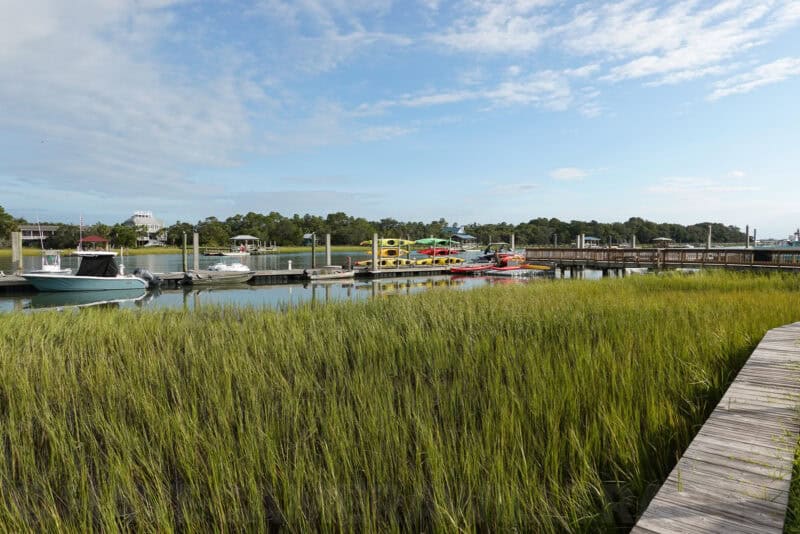
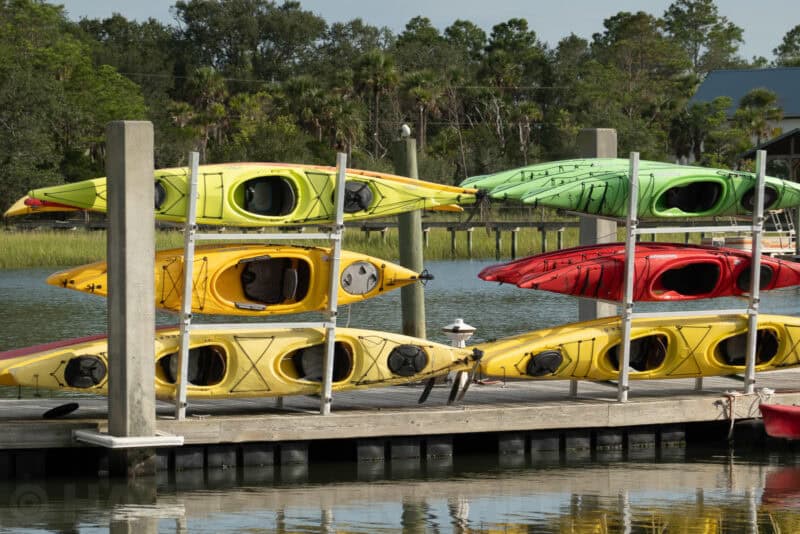
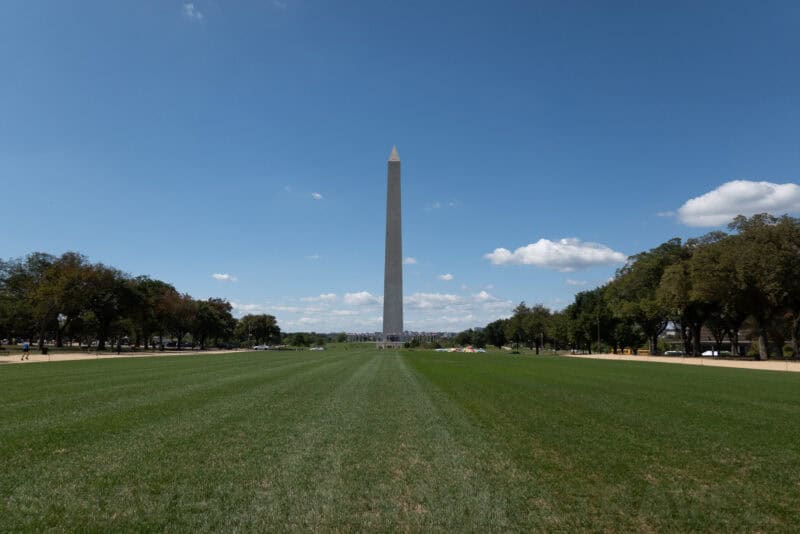
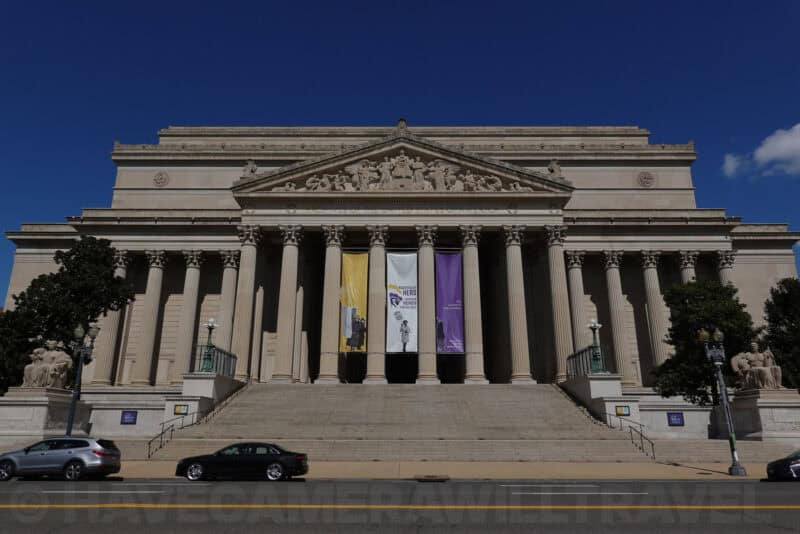
The Sony RX100 VII’s optical zoom doesn’t get you as close to the subject as the digital zooms, but it does give you the maximum quality in terms of image sharpness. Here’s an example of the optical zoom range from fully zoomed out at 24mm to fully zoomed in at 200mm.2


Digital zooms
The Sony RX100 VII has two types of digital zoom. Both work as extensions to the optical zoom to go further. Put another way, the optical zoom goes up through 200mm, and the digital zooms kick in to go beyond that.
Digital zoom is essentially a crop. That is, it’s a software approach rather than an optical one, so it can push the effective reach well past 200mm — but with a real cost to image quality. Clear Image Zoom uses Sony’s algorithm to add detail back in as it enlarges, so the sharpness loss is much less noticeable than with plain Digital Zoom.
Digital zooms are JPEG-only
Something that’s important to note is that the digital zoom is only available if you have the image format set to JPG. It doesn’t work with RAW or the RAW+JPEG settings.
There are a few other places the digital zooms drop out even when you are shooting JPEG. They’re not available in High Frame Rate mode, and they’re unavailable during continuous shooting when Shutter Type is set to Auto or Electronic Shutter — so you can’t combine the extra reach with the 20fps burst. When any of the digital zooms is active, metering is also locked to Multi.
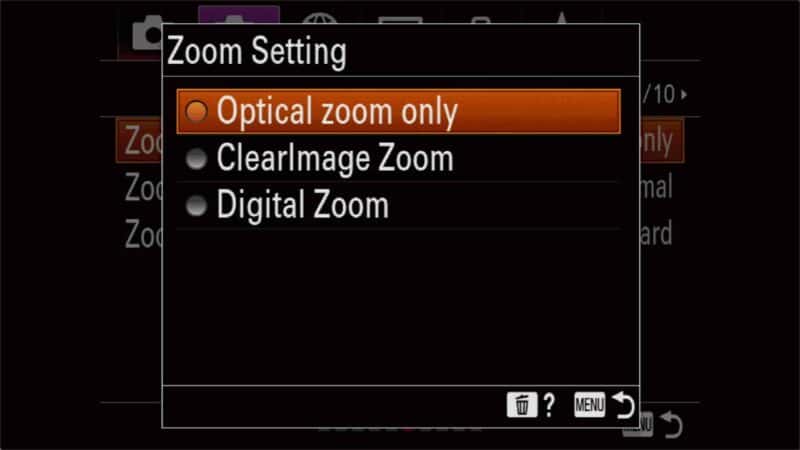
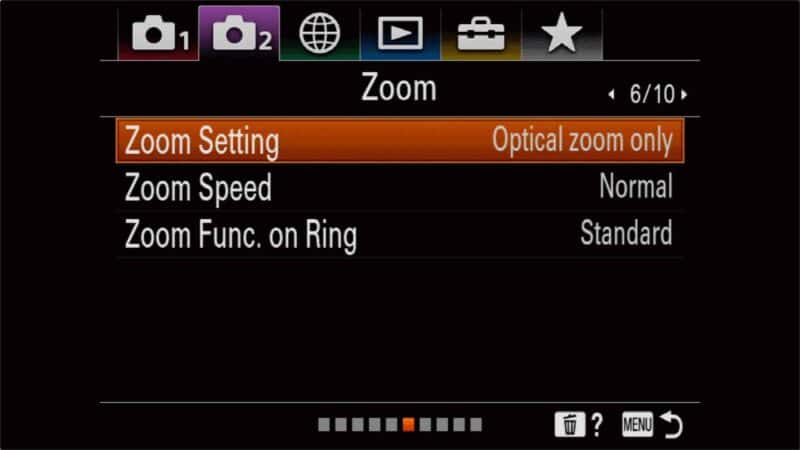
If you’re using JPEG as your image format, you can also set whether the camera will use only optical zoom or use digital zoom as well. You can find the setting under Camera2 > Zoom (page 6/10) > Zoom Setting. The options are Optical Zoom only, ClearImage Zoom, and Digital Zoom.
Those maximum reach figures apply at the full-size L:20M JPEG setting. Drop the JPEG image size and both digital zooms go further: Sony rates the total zoom at about 22x for Clear Image Zoom and 44x for Digital Zoom at 10M, and about 32x and 64x at 5M, against the lens’s 8x optical. Choosing M, S or VGA also brings in a third mode, Smart Zoom, which simply crops into the sensor rather than enlarging, so it doesn’t soften the image the way the other two do.
Digital zoom (standard)
With the Digital Zoom setting on, the 24-200mm range still uses the optical zoom, and then digital magnification extends it further — up to 4x beyond the 200mm optical end, so roughly 800mm-equivalent at maximum. That’s the farthest reach the RX100 VII can manage, but it’s also the softest: view the result at full size and you’ll notice it doesn’t have the same sharpness and level of perceived detail as the optical zoom or Clear Image Zoom.
ClearImage zoom
With the ClearImage zoom, you don’t get as much digital magnification — only up to 2x beyond the 200mm optical end, so roughly 400mm-equivalent — but you get the benefit of some fancy Sony software algorithms giving image enhancements. The results are pretty good — you can see some examples below.
Sony RX100 VII zoom sample images
Here are some practical examples of the zoom ranges in the various zoom modes. You can click on each image to open a full-size version to get an idea of image sharpness. These were all taken with the JPEG / Extra Fine / L:20M settings.


How to zoom on the Sony RX100 VII
There are two ways to control the zoom on the RX100 VII. Here’s a quick rundown of each of them. But first, here’s what the lens looks like when zoomed. The first shot is at its widest end (ie. 24mm). The second is zoomed in fully to 200mm.


Zoom lever (default)
The zooming mechanism uses a small lever on the top surrounding the shutter button. It’s not an especially precise way to do it, and it’s relatively slow. You can, however, control the speed by how much you move the switch. If you move it just a little, the zoom moves slowly. Switch it all the way across and it accelerates.
There’s also an option to control the zoom speed. You can find that setting in the menu under Camera2 > Zoom (page 6/10) > Zoom Speed.
Control ring
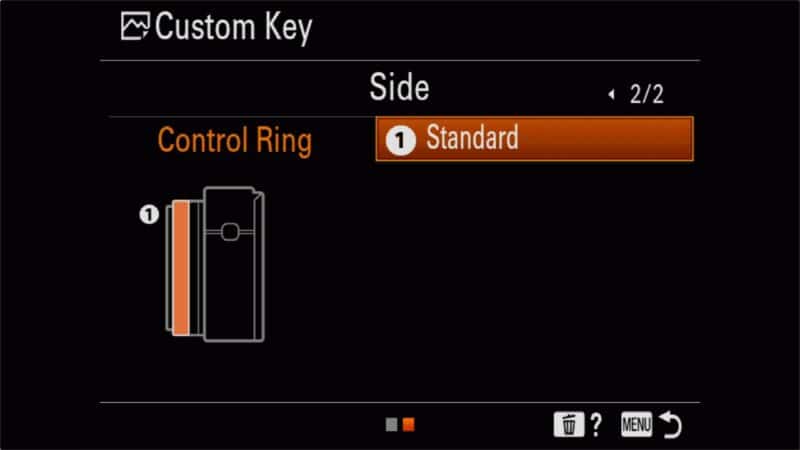
There is an alternative way to control zooming on the RX100 VII that provides more precise control and might be more intuitive for many photographers. That’s by taking advantage of the ability to assign functions to the control ring around the lens. By default, it handles the most obvious setting for that shooting mode, such as the aperture in Aperture Priority mode or the shutter speed in Shutter Priority mode. But you can override that in the settings and have it control the zoom.
It’s not immediately self-evident how to change the behavior of the control ring, and the manual isn’t much help beyond saying that it’s possible.
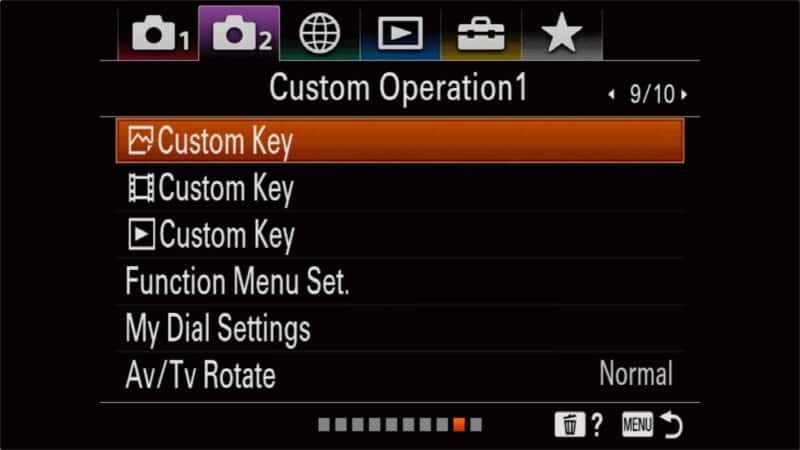
You find the setting under Camera2 > Custom Operation1 (9/10) > Custom Key. You’ll see three Custom Key settings listed; the first is for still images, the second for shooting video, and the third for playback. You can have different behavior for each of these modes.
Things worth knowing
- The aperture is not constant throughout the zoom range. At its very widest, at 24mm, the aperture is f/2.8. But as soon as you zoom in beyond that, it will start moving down toward a maximum aperture of f/4.5 at the 200mm end.
- You can find the manual for the Sony RX100 VII here.
- If you zoom while recording video, the onboard microphones will pick up the sound of the zoom mechanism work. It’s especially noticeable when Zoom Speed is set to Fast and Zoom Func. on Ring setting is at Quick.
The digital zooms work while you’re recording video too, but the limits are different. Sony rates Clear Image Zoom at about 12x total in 4K and about 16x in HD, and Digital Zoom at about 32x.


Accessories
It’s possible to add filters to the RX100 VII, but not with a Sony first-party adapter — the VFA-305R1 kit is designed for the fixed-lens RX0 and RX0 II, and it doesn’t fit the RX100 VII’s retracting 24-200mm zoom. Instead, third-party options like the Lensmate Quick-Change Filter Adapter Kit (52mm, designed specifically for the RX100 VI/VII) or a magnetic clamp-on adapter let you add filters. These attach around the lens barrel rather than to a front thread, since the RX100 VII’s lens has no built-in filter thread.
The Sony RX100 VII doesn’t come with a memory card as standard. I’ve put together a detailed post of Sony RX100 VII memory card recommendations separately.
Notes & References:
- The Sony RX100 VII is also sometimes listed as the DSC-RX100M7. That’s what you’ll see in the EXIF metadata in the images created by the camera, for instance. It’s just an alternate model number reference for the same camera. [↩︎]
- These are equivalent focal lengths that Sony refers to. You’ll see different information in the EXIF information that the camera writes into the image files: 9mm to 72mm. The 24-200mm figures are converted to 35mm equivalent (ie. full-frame). [↩︎]



Okay now, so I am on the fence about getting one of two cameras. Ricoh GR III vs Sony Rx 100 VII.I want to get one of them to be able to document (mostly with photos) my trip to national parks in the USA. On top of that I need it to be good family and vacation and everyday camera to have on me. Occasionally I would propably shoot some movie or maybe even record a video of me making music/playing guitar and singing but it is an add-on here. I like things simple and effective.
My final round here after researching long hours is: Ricoh GR III vs Sony Rx 100 VII. Since you have experience with both of them, can I politely ask you to brighten my head up about it a bit? I don’t know if it is in my head, but i see it like Ricoh has something special about photos it is taking, but maybe it is just marketing and again – my head :D.
Well, I can try. :)
They’re both excellent cameras, but they also have different strengths. Based on your mention of traveling around the National Parks and general travel/family photos, I suspect you’d find the Sony a more versatile option. It has many more features that you’re likely to find useful in those situations, such as the zoom, the higher resolution video, and the really good auto-focus. That’s going to be useful for anything from wildlife to scenic landscapes to family candid shots. It’s simply a more feature-rich camera, and some of the features are ones that you’d find very useful in those types of situations. If I was choosing one camera for myself to take along for what you describe, that’s the one I’d go with.
That said, I do *love* my GR III. But the lack of any zoom makes it less convenient in situations where it’s just not possible to get closer to the subject. For urban shooting, I’m more likely to reach more my GR III. But the Sony’s zoom would come in *very* handy in the great outdoors.
I am curious to see how a shot from an a6x00 at 50mm zoomed 2x using clear image zoom compares to that of the RX 100VII at 100mm. Do you think you can test that?
Sorry, but I don’t have the gear on hand right now to do that specific test.
Sorry, I can’t think of a solution off the top of my head. I digitized by slides and negs years ago, back when dedicated slide/film scanners were easier to find. Since then, I’ve digitized some using high-res flatbed scanners. But I haven’t done much in the way of digitizing via camera, I’m afraid.
Hi David and thanks for a very nice summary on clear zoom features of the Sony RX100 VII with examples. It cleared up some misunderstanding I had regarding the digital zoom.
I’m interested in also using my Sony RX100 VII for 35mm slide copying. I am able to get part of the way there using a the camera’s minimum focusing distance to view and focus on the 35mm slide. Illumination in my setup is provided by a white diffuser in front of an all white jpeg on an iPhone. But the resulting image requires semi-custom cropping which causes a loss of resolution and doesn’t lend itself to volume copying. Are there some tricks or aftermarket attachments that can be employed? I had a routine I used with lower resolutin Nikon Coolpix P7000. But that camera is no longer functional.
Perhaps slide copying with digital cameras is a topic for another instructional session – there are lots of us out there with 1000’s of slides demanding a quick archival method.
Hi, I have a Youtube sailing channel. I am looking to buy a new camera to shoot mostly video. 95% of the video is going to be outside. I know this camera does not have the sd card. Would you still recommend it? Is there another camera, maybe the Sony A6400 or Cannon M50? I am pretty much a beginner photographer, and would appreciate a lighter camera due to the fact it will be on a boat. Thanks so much!
I’m not sure I understand the reference to the SD card. It doesn’t come with one–most cameras don’t as standard–but you can easily pick one up separately. So that wouldn’t be a reason I wouldn’t recommend.
And, actually, this would be a decent choice. The very large zoom could come in handy, although that’s not going to be as useful on a moving platform like a boat because it will amplify any bumps and movement.
The other two you mention would also work well, and you’d be able to get good quality footage out of either of them or a bunch of other cameras.
If it was me, there are also some more specialized options I’d look at since you’ll presumably be filming a lot in and around water. The Olympus TG-6 is one. While it has more limited video capabilities, it’s rugged and waterproof, which could become enormously useful if you’re shooting out on the water. I’ve got a detailed review of the previous model here.
A step up in some ways would be tiny Sony RX0 II. It looks like a GoPro, but it actually has very impressive quality. It’s also waterproof. Again, I have info on the previous model here. The new version, which I also have, is very similar, with a couple of notable upgrades like a flip-out screen and better video recording.
GoPros would also work well, but they can be a bit quirky to shoot with.
Hope this doesn’t add more confusion–there really area a lot of good options that will work well–but if it was me, I’d be leaning toward waterproof options. Not only would it give you the peace of mind that the camera can handle it, but it would open up a lot of new opportunities for shooting in the wet.
Thank you so much for the reply! Darn spell check…I had typed nd card and it changed it to sd
Ah! :)
This camera is absolutely amazing for a compact cameras which in y experience don’t perform that well. I have worked in a studio where sometimes i would use this camera for some projects and the photos are near as good as dslr. Some of my work I have used this camera for can be seen here https://www.onenorthstudio.co.uk/
Recommend this camera to anyone starting photography but is after a good image quality and extended sontrol options.
When I talked to Sony about the rx 100 VII they said it’s optical zoom was limited to 10x. That the effective zoom which includes digital equivalents of 50x. I have the Sony hx400v. Compared optical zooms to each other and found that Sony is correct, the optical zoom on the rx100 VII is 10x.
Yes. Examples above.
Hi. I’ve heard that the view finder is not too good to use on the RX 100 V1. I’m hoping it’s not too bad though, as I do like using a viewfinder and have more or less decided on buying this camera. Would appreciate your thoughts on that. I previously tried the Panasonic TZ 200 camera and that view finder wasn’t too bad really. Maybe it’s similar to that one or even better.
Thank you if you have a chance to reply.
Hi Ken. I guess it really depends what you’re expecting. It’s very small and definitely not up there with a higher-end model like the Sony a7R IV, but I’ve found it to work well enough when I’ve needed it. But with a small camera like this, I rarely use the viewfinder unless there are particularly bright conditions that make the back screen hard to use, especially since you have to pop out the viewfinder to use it (ie. it’s slower than just moving the camera up to your eye).
Thanks David for your reply. That’s what I thought really. Why bother with the viewfinder if it’s difficult to use. In the end I went with a bigger camera. Fuji XT30 and may buy a cheap used compact another time.
I’m pleased to notice that the couple sat in deck chairs are not in focus. You can see the focus is on the foreground. It took me by surprise that the depth of field can be quite shallow at the 200mm end and I’ve had quite a few problems with missed focus on landscapes at 200mm. Did you focus on the couple or did you take less care like I did, assuming the DOF on a 1 inch sensor would be adequate?
Yes, I wasn’t really trying to focus on them in the initial optical zoom shots. It wasn’t until they filled the frame with the digital zoom that I did that.
Will the zoom mechanism sound be audible on video if using external microphone?
If yes, then how much so? Video would be m primary concern.
I.e. Rode Videomicro
I haven’t tested that, sorry. My suspicion is that the reason that the onboard mic pics it up has mostly to do with the sound/vibration traveling through the body of the camera, which shouldn’t be an issue with an external mic. But it’s not something I’ve tested.
Can u extend the 200mm zoom further?
You can’t extend the optical zoom beyond the 200mm, but the digital zooms pick up as extensions beyond that point.