
When most people think GoPro, they think action sports and video. Surfing, skydiving, snowboarding, mountain biking — that’s the bread and butter. And yes, you’ll probably be shooting video for those activities.
But here’s the thing: they can be surprisingly interesting for shooting travel-style and “regular” photos too, even without that rush of adrenaline.

Have Camera Will Travel Newsletter
Practical field notes, hands-on gear tests, and the fun of exploring the world with a camera in hand.

That includes the GoPro HERO12 Black, which is the one I’m focusing on here.
To be clear, this isn’t a replacement for a more traditional camera, and I’m not here to do some technical optical test comparing it to interchangeable lens cameras. If you apply the usual image quality criteria to a GoPro, especially compared to larger cameras, it’s going to come off rather poorly. That’s not really the way to be thinking about the HERO12 Black. There are definitely times and places that I will take only a GoPro and not my larger cameras, but that’s generally an intentional decision for specific uses, such as out on the water.
Instead, my objective is more along the lines of sharing what I’ve been doing with it — maybe it’ll give you some ideas, maybe it won’t. I’m not deluding myself that this is a showcase of the best photography that can be done with this camera; in fact, I quite deliberately want this to be, for want of a better word, “ordinary.” I’m trying to focus on very doable results without too much effort and without going overboard on post-processing. Because the types of shots I take with my GoPro are not ones where I’m aiming for much post-processing. And I’m trying to include in this selection a cross-section of scenes and styles that might set it apart from a more traditional camera.
But the gist is that the HERO12 can be a really fun camera to shoot with, and it occupies that interesting in-between space that neither traditional cameras nor smartphones can quite fill.
Sample images
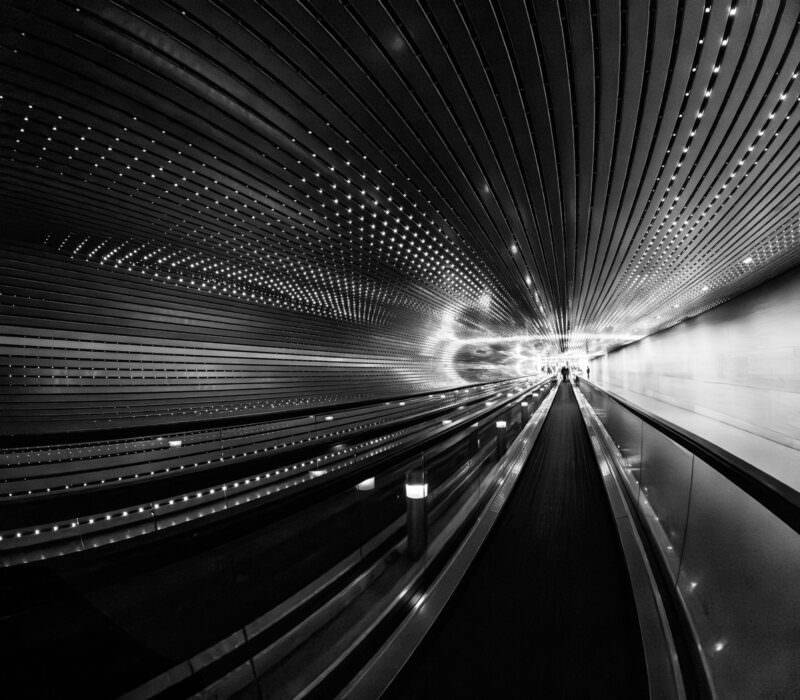
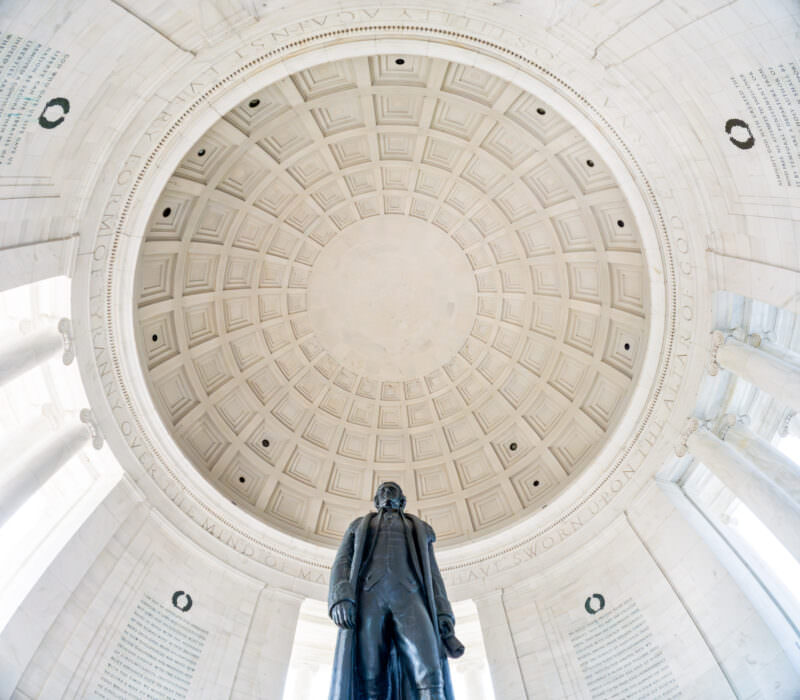
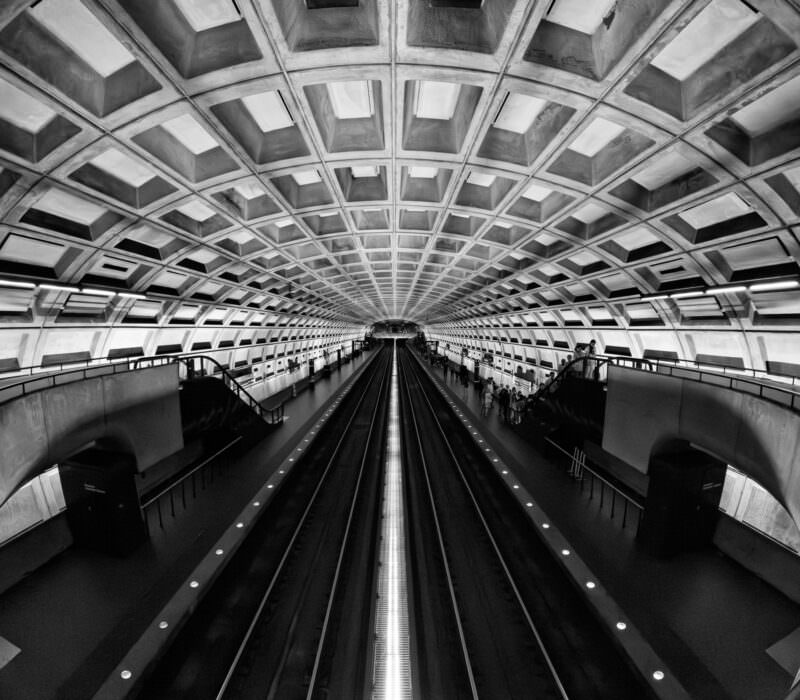
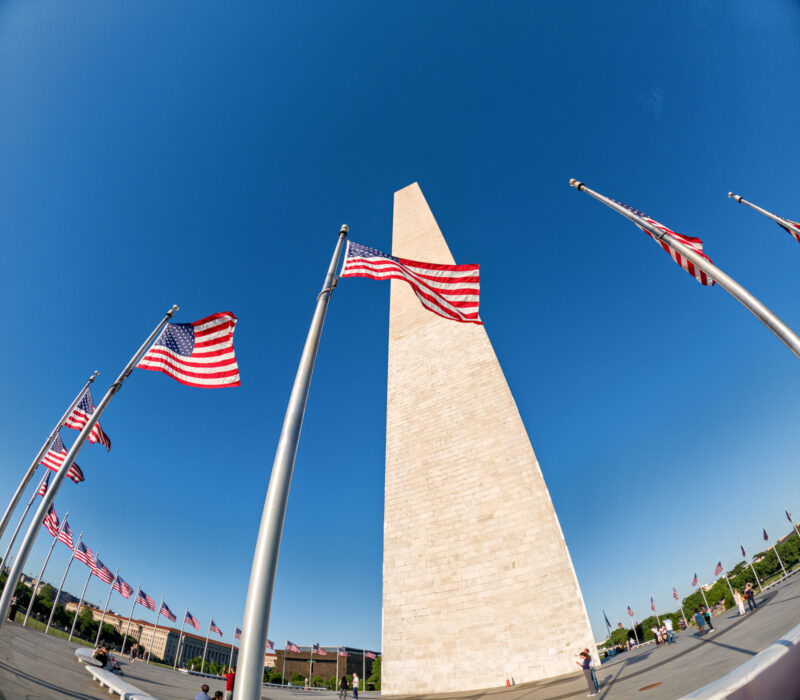
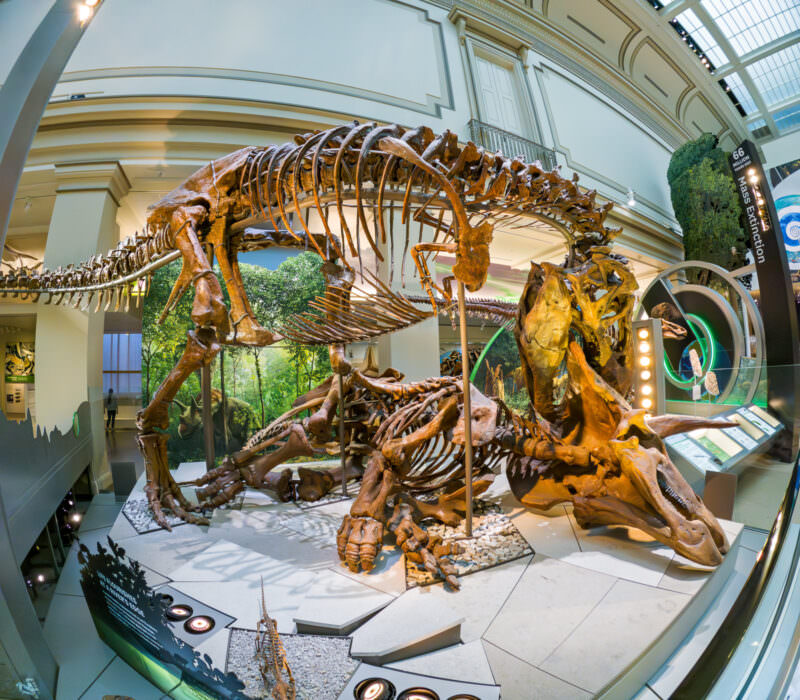
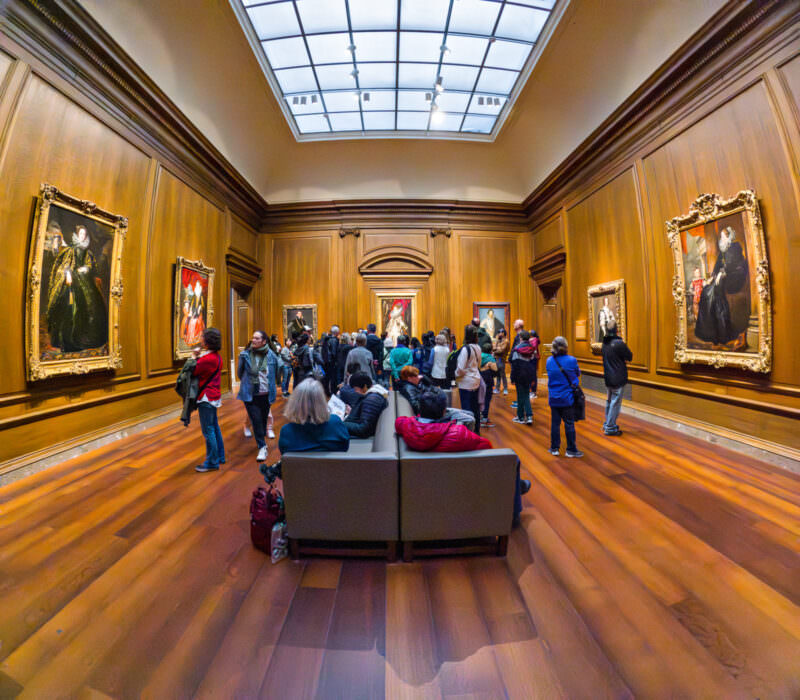
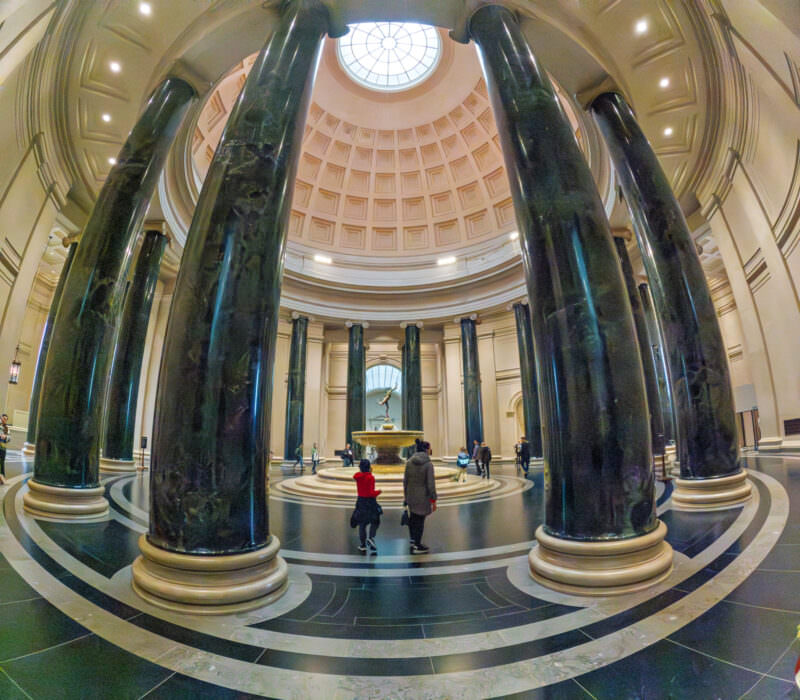
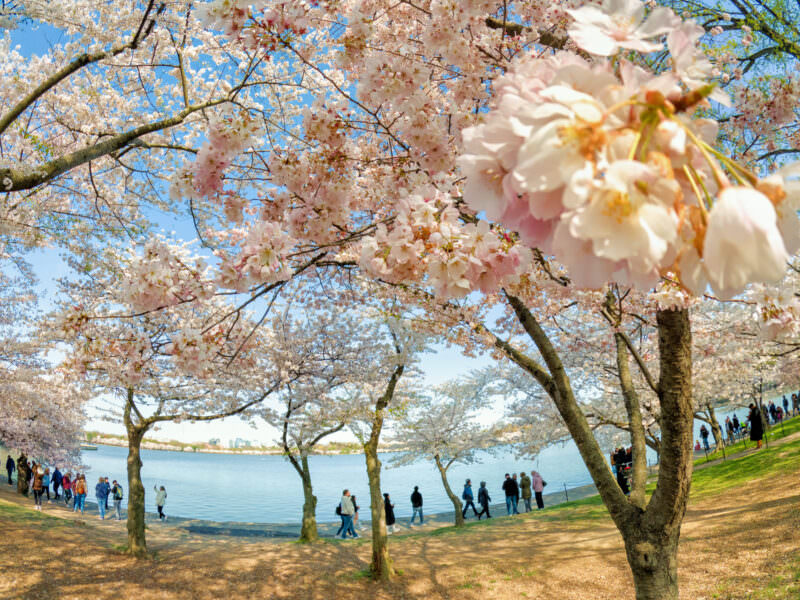
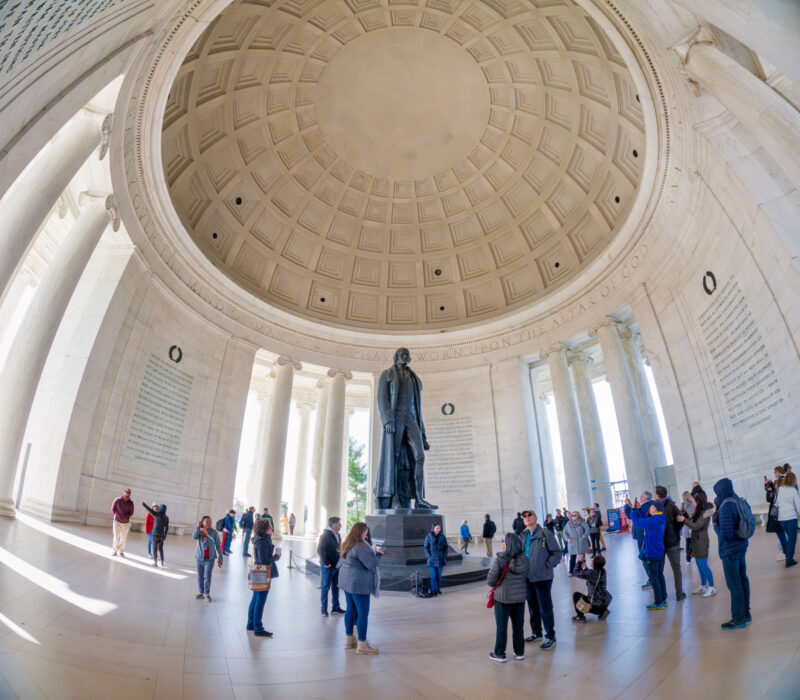
Here’s a selection of sample images I’ve shot with the HERO12 Black under a range of shooting conditions. These were shot with either RAW or JPG (which is what GoPro calls “standard” in its menus). None of them were using the special in-camera processing modes, because I personally don’t find them especially effective.






What it’s good for (and what it’s not)
The HERO12 Black works best as a complement to your existing camera setup, not a replacement. It’s not going to replace your interchangeable lens camera, or even probably your compact camera. But it can do some things that those cameras can’t, and that’s where it gets interesting.
The obvious limitations are worth mentioning first. Low-light performance isn’t great — images indoors or in low light are highly likely to suffer from pretty strong image noise. And distortion? Well, there’s a whole lot of it. That fisheye look is baked in.
I know there’s a Linear FOV that digitally compensates for the distortion, but I like to play to the fisheye look’s strengths and distinctiveness. I treat it as a feature, not a bug. It’s part of what makes GoPro photos different and fun.
Image quality and shooting approach
The HERO12 Black has some fancy-pants photo modes that apply in-camera processing — SuperPhoto and HDR. I’m sure they can be used to good effect, and yes, it’s definitely convenient being able to share an image straight from the camera. But I’ve never been happy with the results I’ve gotten out of them, and I find them tedious to use. For one thing, they’re slow. For another, you basically lose much of the flexibility you otherwise get for processing them later. So I never use them.
Instead, I prefer to go back to basics. I shoot most images in RAW (the .gpr format), as I would for just about any camera I pick up. For those images, especially those in lower light, I apply Lightroom Classic’s Denoise to the files. And that makes a big difference to the strong image noise that GoPro images can get. RAW images need processing anyway, and this is just one more tool to apply with a checkbox.
But there are cases I do not shoot RAW. There are two reasons. One is that GoPro’s in-camera JPGs are actually pretty good — as good or even sometimes better than I can easily get in post-processing. The other is that when using burst mode, I find the RAW setting to be way too slow. The camera puts the sequence you just shot into its internal buffer, but it’ll wait until that entire buffer is saved before the camera is ready to shoot again. And RAW files take a lot longer for the camera to save than JPGs. So for burst modes, I will nearly always shoot JPG (or Standard, as the HERO12 calls it) rather than RAW.
That unusual 8:7 aspect ratio
Recent GoPro models have shipped with a fixed 8:7 aspect ratio when shooting photos. Not quite square, but barely rectangular. It’s not at all a typical aspect ratio, and good luck finding an off-the-shelf picture frame that will fit the entire image neatly.
You can’t change that in-camera, but you can very much change it in post to something more traditional, like 3:2, 4:3, or 16:9. All of those will involve cropping.
For most of my shots, though, I don’t crop at all. I like the something-different aspect (pun intended!) of it. It combines very nicely with the fisheye lens distortion. I tend to leave it all in and have even printed some for my wall, making custom frames for them.
The aspect ratio does bring in a somewhat sneaky side of the resolution spec. Because the resolution is calculated by multiplying the pixel dimension height by the pixel dimension width, that 27MP resolution is for this non-standard aspect ratio. So it’s not a direct comparison to most other cameras with native aspect ratios of 4:3 or 3:2.
Pros and cons
Pros:
- Rugged and waterproof
- Tiny, take anywhere
- Distinctive 8:7 aspect ratio creates interesting compositions
- RAW support with decent results when processed with modern denoise tools
- Complements rather than competes with traditional cameras
Cons:
- Won’t match image quality of larger sensor cameras
- Poor low-light performance with significant image noise
- Heavy barrel distortion (though I consider this a feature)
- RAW processing slows down burst mode significantly
- Poor battery life
Who this is for
The HERO12 Black isn’t for everyone, and it shouldn’t be your only camera. But if you’re someone who already has a main camera setup and wants something that can go places and do things that your regular gear can’t, it’s worth considering. It’s for people who appreciate the distinctive look it produces and don’t mind working within its limitations.
It’s also great for anyone who wants a truly rugged camera that can handle water, sand, drops, and extreme conditions without a second thought. If you find yourself in situations where you’d be nervous about bringing your main camera, the HERO12 fills that role perfectly.
Technical specifications
| Specification | Details |
|---|---|
| Resolution | 27MP |
| Aspect Ratio | 8:7 (fixed) |
| File Formats | RAW (.gpr), JPG/Standard |
| Lens | Fixed ultra-wide with fisheye distortion |
| Field of View | Linear FOV available (digital correction) |
| Special Modes | SuperPhoto, HDR |
| Burst Mode | Available (JPG recommended for speed) |
| Sensor | Type 1/1.9″ CMOS |
| Mounting | Built-in mounting with folding fingers, 1/4-20 mount |
| Dimensions | 71.8 x 50.8 x 33.6 mm (2.83 x 2.0 x 1.32 inches) |
| Weight | 154g (5.4 oz) |
Wrap up
The GoPro HERO12 Black isn’t trying to be a traditional camera, and that’s exactly what makes it interesting for photography. It’s rugged and waterproof right out of the box, and it occupies its own creative space with that distinctive fisheye look, unusual aspect ratio, and ultra-portable form factor.
Yes, it has limitations if you judge it on the traditional criteria; the low-light performance and image noise are real. Its battery life isn’t good.
But when you work within its strengths and embrace what makes it different, it can produce images that stand out from the crowd. It’s not about replacing your main camera; it’s about adding a new creative tool to your kit. And it can be fun to shoot with in surprisingly interesting ways.


