GoPro HERO13 Black & HERO12 Black Video Bitrates, Mode by Mode
The GoPro HERO13 Black and HERO12 Black video bitrates: the 120Mbps High setting, which modes offer it, and per-mode estimates worked out from GoPro's own recording-time figures.
Tips and tricks related to shooting and working with video on GoPro cameras.
The GoPro HERO13 Black and HERO12 Black video bitrates: the 120Mbps High setting, which modes offer it, and per-mode estimates worked out from GoPro's own recording-time figures.

That 14-character code is easy to overlook until support, registration, or a firmware update demands it. Here are five ways to find your GoPro's serial number, including methods that work with a dead screen, a broken camera, or even a lost one.

Confused about NTSC or PAL on your GoPro? The right choice stops lighting flicker and can unlock an extra 40fps of slow motion, and switching it takes seconds once you know where to look on the HERO13 through HERO9.
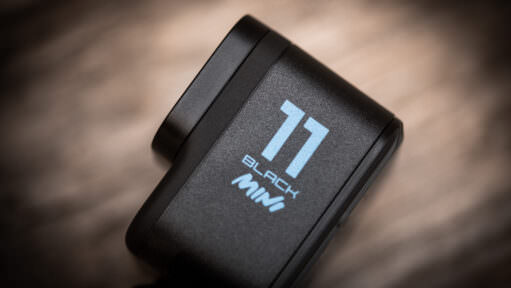
These charts show the video bitrates in various shooting modes for the GoPro HERO11 Black Mini. This has implications for the video quality you can expect as well as the type of SD card you should get.

Video bitrate is a crucial factor in video quality. The HERO11 Black has the highest video bitrate of any GoPro to date. But it doesn't use the same bitrate with every combination of settings. Here's are charts showing what bitrate the HERO11 uses with what settings.

GoPros from the HERO7 on rotate footage automatically when you turn the camera. Here's how to lock the orientation on each model, from the HERO13 Black back to the HERO7.
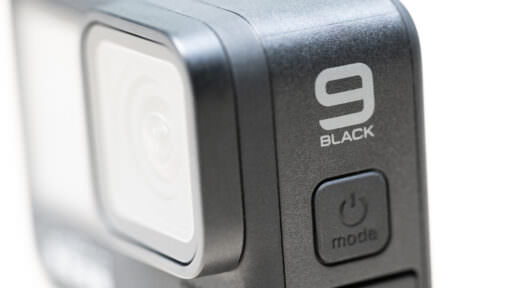
Not all video modes on the HERO9 Black use the maximum video bitrate of 100 Mbps. Here's what bitrate is used with which settings.

GoPro cameras save long recordings as a series of smaller chapter files. Here's how to use VideoProc Converter to join those chapters into a single video file.
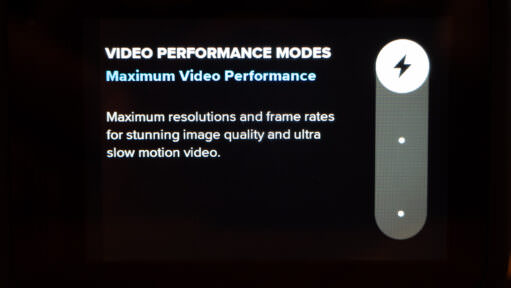
Here's a master list of the bitrates used for the various video modes of the GoPro HERO10 Black. I've updated it for the new Video Performance Modes that were released with a later firmware update.
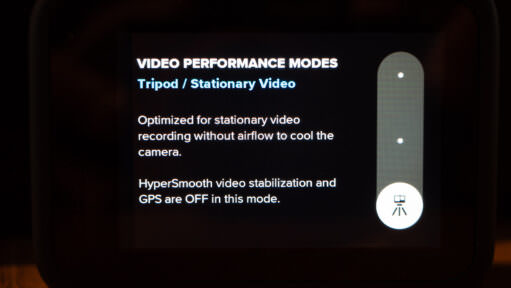
The GoPro HERO10 Black now has a Tripod/Stationary Video mode as part of the new Video Performance Modes. Here's what it does and when to use it.
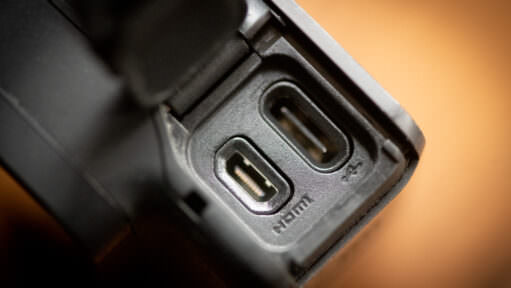
Connecting your GoPro to a TV or monitor isn't always straightforward. Some models have a built-in micro-HDMI port, some need a Media Mod, the MISSION 1 series sends HDMI out over USB-C, and some have no HDMI at all. Here's which cable each model needs.
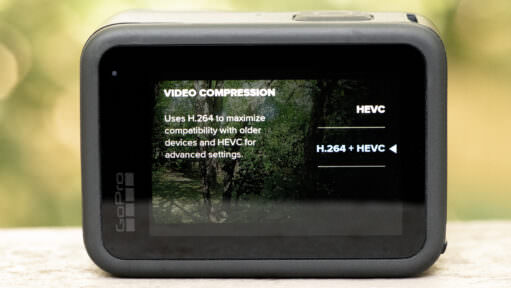
GoPro has quietly killed off H.264 on newer cameras like the HERO13 and HERO12. If your computer is struggling to play your latest footage, or you are seeing a black screen with audio, the new HEVC standard is likely the culprit. Here is how to fix it.
GoPro has released their latest and greatest flagship action cam, the HERO9 Black. Here's a rundown of the features and modes available when shooting video with it.

Most people try the GoPro Webcam App, get frustrated by the lag, and give up. But there is a better way. Whether you want the free USB setup or the broadcast-quality HDMI rig, here is the complete guide for every modern GoPro.
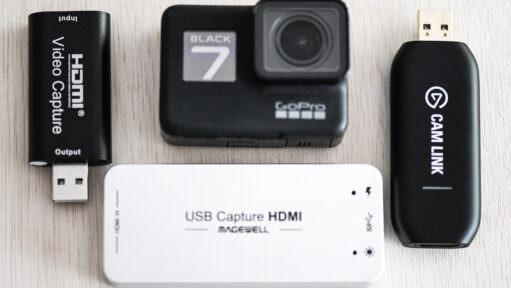
Newer GoPros have "Webcam Mode," but the HERO7, 6, and 5 Black were left behind. Don't worry — their sensors are still top-tier. Here is how to unlock their webcam potential using the HDMI port.
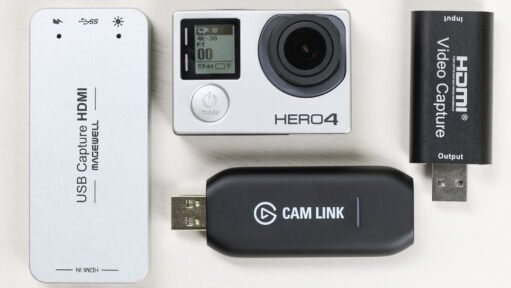
You can use a GoPro HERO4 Black or Silver as a webcam or for real-time capture to a computer. But it's not quite as simple as just plugging your camera in with a USB cable. Here's a guide on how to do it.
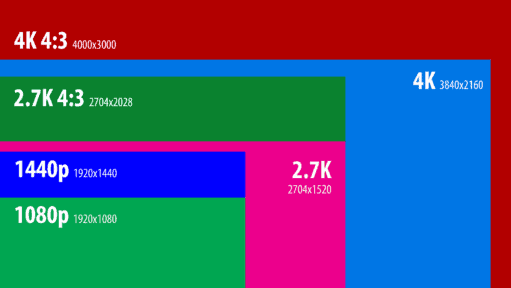
A rundown of the video modes and features on the GoPro HERO8 Black.
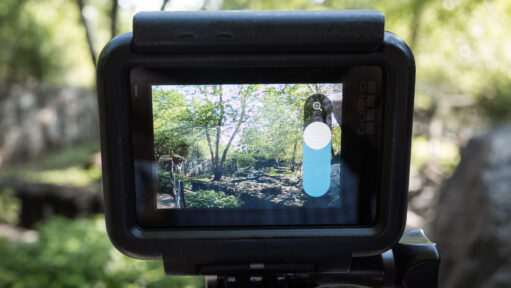
Yes, most GoPro Black models since the HERO6 can zoom, but it's a digital crop, not a true optical zoom. Here's which models have it, how it actually works, and real side-by-side examples of the results.

Both the DJI Osmo Action and GoPro HERO7 Black have in-camera video stabilization to create smoother video footage out of the camera. GoPro has HyperSmooth. DJI has RockSteady. Here's how they compare side-by-side.
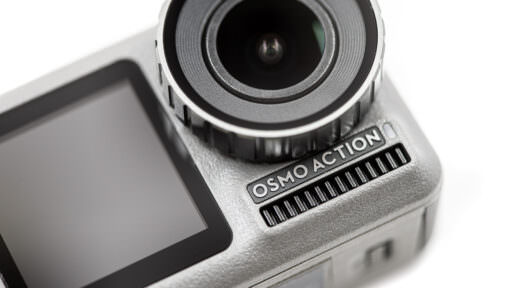
Now that I've been out shooting with the new DJI Osmo Action, here's a detailed rundown of its features and capabilities for shooting video.

SuperView is GoPro's extra-tall, extra-wide field of view for video. Here's how it compares to Wide, with side-by-side examples.

Here are straightforward explanations of what each setting does and when to use it, as well as showing what Protune settings are available on which GoPros.
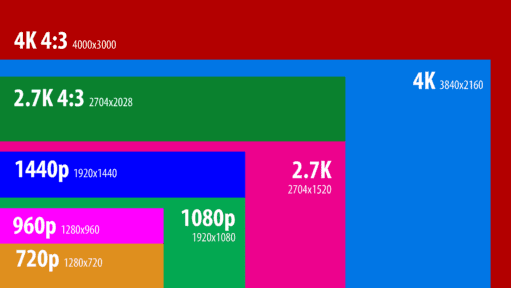
Here's a rundown of the various video modes and options available on the GoPro HERO7 Black, including resolutions, framerates, resolutions, and special shooting options like Protune.
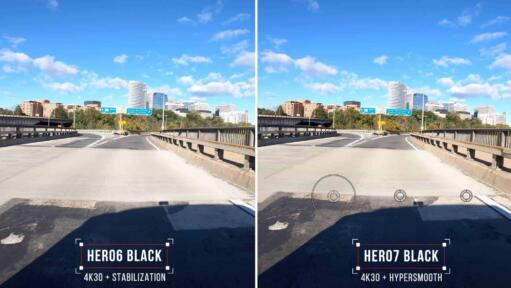
GoPro claims that the new HyperSmooth in-camera electronic stabilization of the HERO7 Black is much improved over the previous generation in the HERO6 Black. So I've been putting it to the test. Here are some side-by-side examples.
The GoPro HERO7 Silver is the middle model in the three cameras in the HERO7 lineup. Here's a detailed rundown of its video features and options.

Here's a rundown of the video resolutions, framerates, fields of view, and modes that are available on the GoPro HERO (2018).
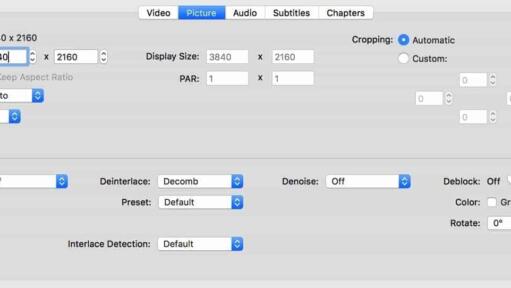
If you're getting an error message on your computer when you try to open a video shot on the GoPro HERO10, HERO9, HERO8, HERO7, or HERO6 Black, it might be because it isn't compatible with the HEVC (H.265) codec used in some of those cameras' video modes. Here are some workarounds.

If you're wondering why your image is suddenly cropped when you turn on the video stabilization feature, here's an explanation.
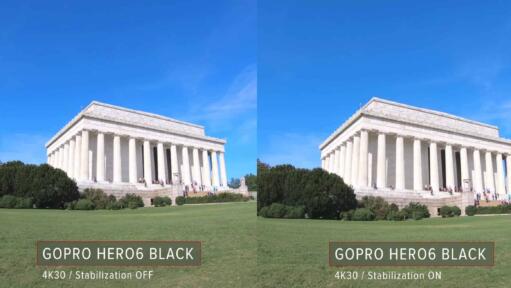
One of the headline features of the GoPro HERO6 Black is better in-camera video stabilization to smooth out shaky footage. Here are some side-by-side examples to illustrate its effectiveness.
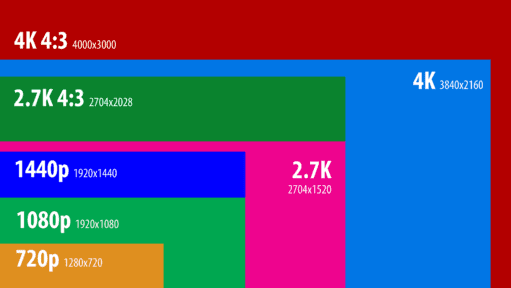
The GoPro HERO6 Black has headline features of 4K60 and 1080p240 video modes. While there's a lot of overlap with the HERO5 Black, there are also some new options and some that have gone away.

The GoPro spot meter exposes for a small area instead of the whole frame — handy for backlit windows or faces in shadow, but not something to leave on by default. Here's how it works, how it became Exposure Control on newer GoPros, and which models skip it entirely.

Every GoPro video comes with two extra files you never asked for: a .LRV proxy and a .THM thumbnail. Here's what each one actually does, why the camera creates them, and what breaks if you delete them.
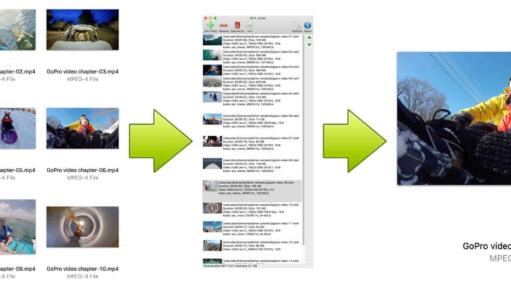
GoPros split up large video files into chapters. Here's a quick method for joining them back together.
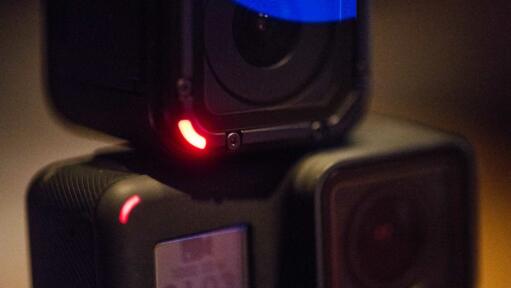
Whether you are filming a quiet stage performance or skittish wildlife, a beeping, flashing camera is a disaster. Here is how to silence your GoPro and turn off the lights for true discreet recording.
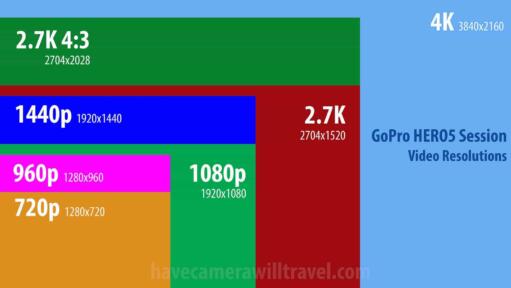
The HERO5 Session shoots up to 4K30 in a tiny cube with no preview display, only a small status screen. Here's every resolution, frame rate, and field of view it offers, plus where stabilization and Protune apply.
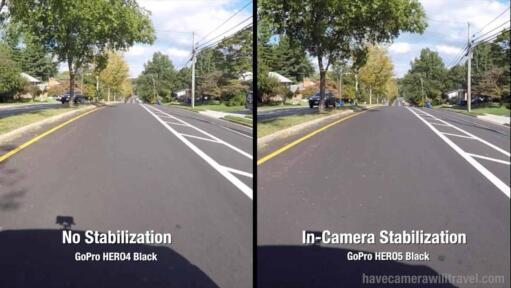
A headline feature of the new GoPro HERO5 Black and HERO5 Session is the addition of built-in video stabilization. So I've put it to the test. Here are the results.
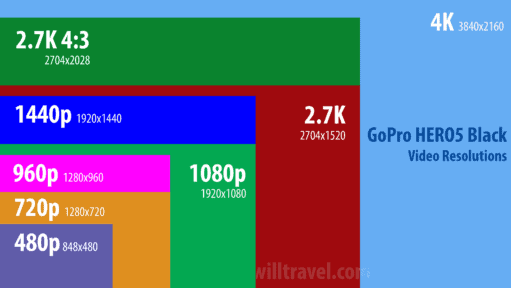
A rundown of the various video modes, resolutions, framerates, fields of view, formats, bitrates, and stabilization options available on the GoPro HERO5 Black.
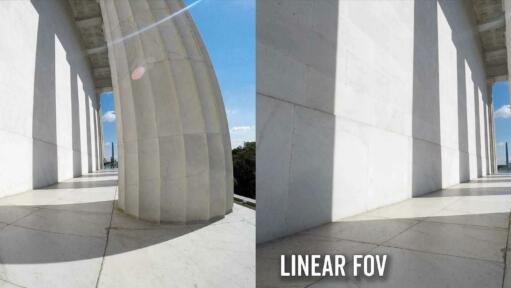
Some newer GoPros have a new in-camera feature for something you could only do in post-production before: correcting fisheye in photos and videos. It's called Linear FOV.
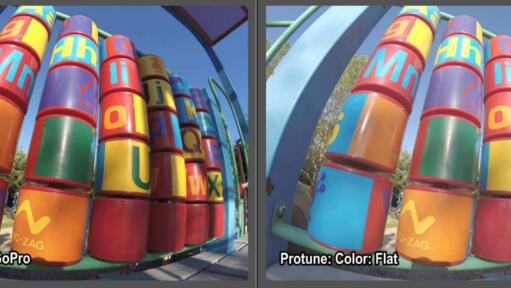
Some GoPros, like the HERO9 Black, offer a choice between two color modes in the photo mode: GoPro and Flat. Here are some examples I've put together along with some suggestions on when I think they're best used.
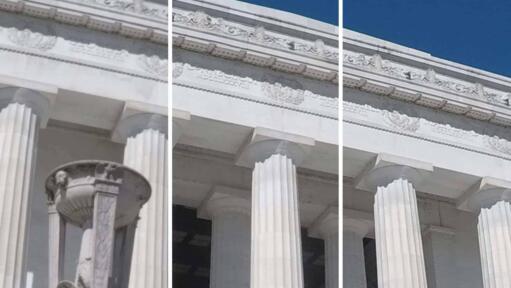
Some GoPro models give you the option to choose between high, medium, and low levels of sharpening. Here are some examples to help demystify what these different settings do.

Yes, a GoPro can take good travel photos — I've been shooting them for years. Here's an honest, hands-on look at where GoPros excel, where they fall short, and how to work around the quirks.
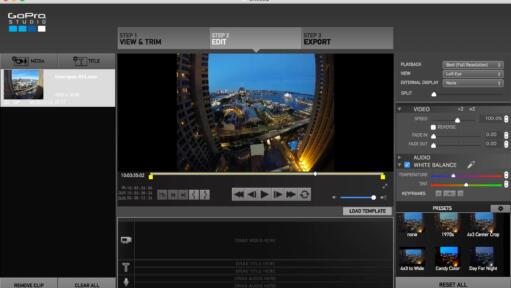
If you're exporting GoPro Cineform MOV files from GoPro Studio, you might have trouble playing them on other systems. Here's how to fix it.

It’s a moment of panic for every new GoPro user: you recorded a one-hour video, but your SD card shows ten separate files. Don't worry, your footage is safe. Here is why GoPro "chapters" your video files and how to stitch them back together.

Practical action cam help, tips, and troubleshooting.
My name is David Coleman, and this is my site.
I take photos for a living. Seven continents. Dozens of countries. Up mountains. Under water. And a bunch of places in between. I'm based in Washington DC.
I've been shooting with GoPros since the HERO2 and have personally owned nearly every model since then. I find them particularly interesting as go-anywhere cameras, and there's nearly always one in my camera bag when I head out on my travels.
All posts and reviews on this site are written by me. And I only review gear with which I have personal hands-on experience. More about me.


© 2009-2026 David Coleman | Have Camera Will Travel LLC
Photos by David Coleman. Please contact me for licensing images. Images are registered with the U.S. Copyright Office.
Have Camera Will Travel LLC | 901 N Glebe Rd, Arlington, VA 22203 | +1.703.942.9245