
Real-world clips of the HERO6 Black’s in-camera stabilization: walking, low light, and trying to hold still, at 4K — where it works impressively, and the 10% crop it costs with the default Wide field of view. The examples are below.
Context: the HERO6 Black came one generation before GoPro’s HyperSmooth stabilization, which arrived with the HERO7 Black; the lineage is in HyperSmooth vs standard stabilization and the crop math in why stabilization crops.
One of the headline features of the GoPro HERO6 Black is better in-camera video stabilization to smooth out shaky footage.
Compared with the HERO5 Black, the HERO6 Black’s stabilization is significantly better; the HERO6 Black vs HERO5 Black comparison covers the other differences between the two.
But here I’m focusing on a more basic question: how well does it work compared to not using it?
So I’ve shot a series of short clips under different conditions to compare how well the stabilization works compared to having it turned off.
These comparisons were shot using two GoPro HERO6 Black cameras. They were mounted side-by-side in a dual frame. One had the stabilization turned on; the other had it turned off. The settings were otherwise identical.

Have Camera Will Travel Newsletter
Practical field notes, hands-on gear tests, and the fun of exploring the world with a camera in hand.

I’m focusing here on the in-camera stabilization feature.
Obviously, there are other ways to smooth out shaky footage ranging from external stabilizers like gimbals to plugins and features of video editing apps.
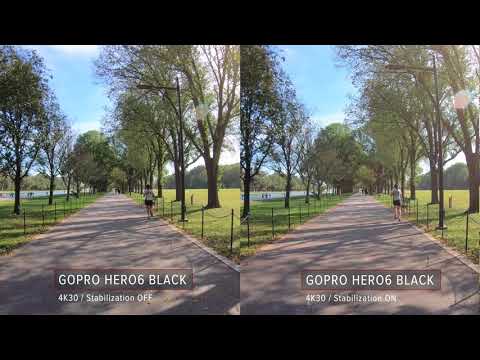
Test #1 / walking at 4K30
It’s worth explaining why this, along with some of the following clips, were shot at 4K30 and not at the camera’s higher frame rate of 4K60. That’s because the in-camera stabilization isn’t available in some of the highest video modes of the HERO6 Black, including the 4K60, 1080p240, and 2.7K120 modes. I have a detailed breakdown of which video modes stabilization is available in here.
Test #2 / walking at 4K30
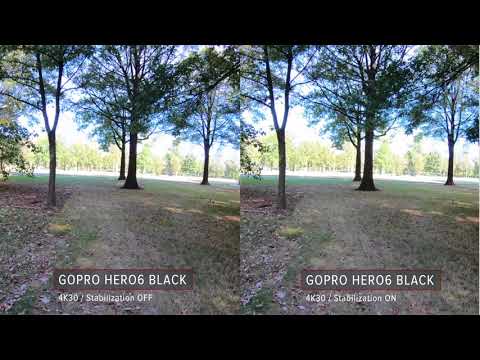
The trees in this one offer a good reference point to see whether the stabilization results in that distinctive jelly look that can sometimes happen with software stabilization.
Test #3 / walking at 4K30
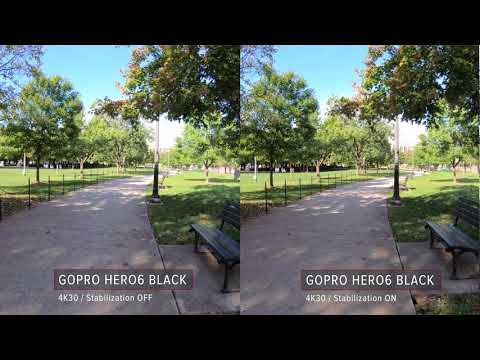
Another similar one, with the curved path providing a good reference point.
Test #4 / low light at 4K24
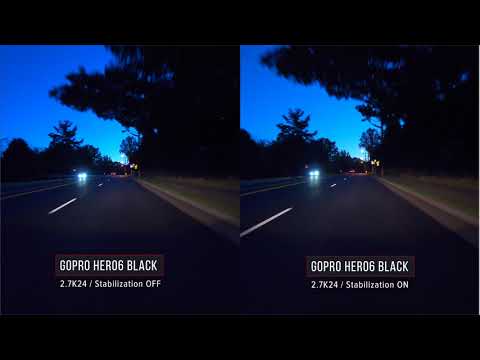
This was shot with the cameras mounted on the hood of a car using a magnetic mount in the low light before sunrise. Dark scenes like this can sometimes prove problematic for software-based stabilization algorithms, but I’ve found the HERO6 Black’s to work surprisingly well in low light as well as bright sunshine.
Test #5 / hand-held trying to hold still
In this one, I was trying to prevent movement. It was shot hand held of a static subject, trying to hold it as still as possible. Obviously, using a tripod is going to be ideal for a shot like this, but that’s not always convenient if you’re just trying to get a quick shot on the go.
This also serves as a good example of the slight zoomed-in cropping you get when you use the in-camera stabilization with the default Wide FOV. That’s because the stabilization feature is cannibalizing some of the image from the edges of the frame in order to work its magic.
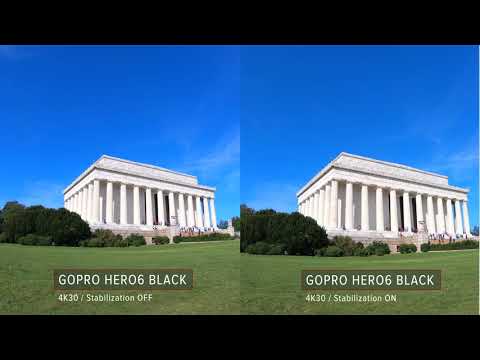
Cropping in 4K
You’ve probably noticed that several of these seem to be zoomed in slightly. That’s because in the 4K mode the software stabilization cannibalizes from the edges of the images to try to keep the main part of the image still. The video that’s output still has the same dimensions–it’s just that it is digitally zoomed in a little.
Does the GoPro HERO6 Black’s stabilization work?
As you can see, the HERO6 Black’s stabilization feature works well. The results aren’t always perfect, but turning the stabilization on results in significantly smoother footage.


