
GoPro likes giving their features catchy names. Names like HyperSmooth, TimeWarp, Protune, SuperPhoto, and SuperView. But it’s not always clear what each does. The one I’m focusing on here is SuperView, a video field of view that GoPro has offered since at least the HERO4 Black and still offers on the HERO13 Black, in some video modes.
So what is SuperView, anyway?
SuperView is GoPro’s name for an extra-tall, extra-wide field of view, or FOV, for video.1 From the HERO6 Black through the HERO10 Black, it’s the widest built-in option. GoPro’s manuals for the HERO4 Black through the HERO7 Black call it “the world’s most immersive field of view.”2 The HERO8 Black through HERO10 Black manuals changed the wording to “widest and tallest field of view.” Starting with the HERO11 Black, GoPro added an even wider option called HyperView. So on the HERO11 Black, HERO11 Black Mini, HERO12 Black and HERO13 Black, SuperView is the second-widest choice.
It’s also not the same thing as SuperPhoto, which is GoPro’s name for some photo enhancement features first launched in the HERO7 Black.
The default field of view for shooting video with GoPro cameras is known as Wide. It has that distinctive fisheye look that can give an immersive feel, and it’s the perspective we’re most used to when we see GoPro footage.
The SuperView FOV is an even wider and more distorted perspective. The biggest difference is height. It records a taller 4:3 picture, so you get more at the top and bottom of the frame. In the examples below, you can also see a little more at the sides.
To fit that taller picture into a standard 16:9 widescreen frame, the camera stretches it. GoPro’s manuals put it simply: 4:3 footage stretched to fit a 16:9 screen. That stretching is why things look more distorted than they do in Wide.
SuperView isn’t available on every camera, and even on cameras that have it, it’s not available in every resolution and frame rate combination. On the HERO7 Black, for example, you only get it in 16:9 4K, 2.7K and 1080p, and never at the fastest frame rate for those resolutions: no 4K60, 2.7K120 or 1080p240. (You can find the details in the video modes table on this page.)
SuperView practical examples
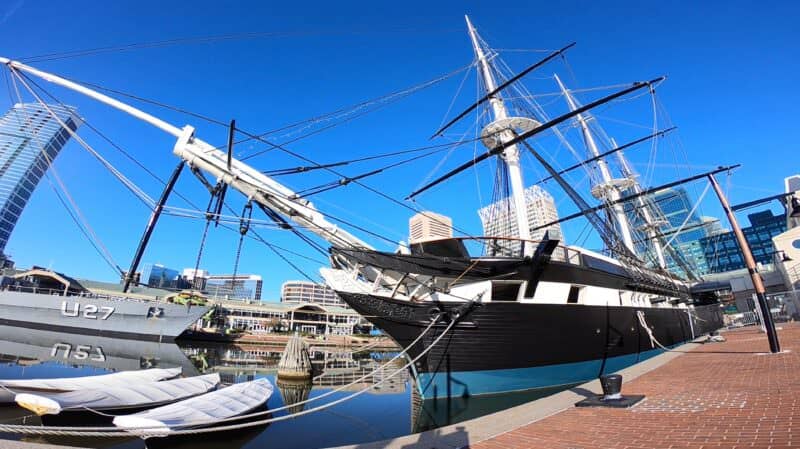
Here’s a practical example of what it looks like compared with the default Wide FOV. The left image is the standard Wide FOV. The right is the SuperView FOV. These are screen grabs from footage taken on the HERO7 Black with the HyperSmooth stabilization turned off (the stabilization crops the frame slightly).

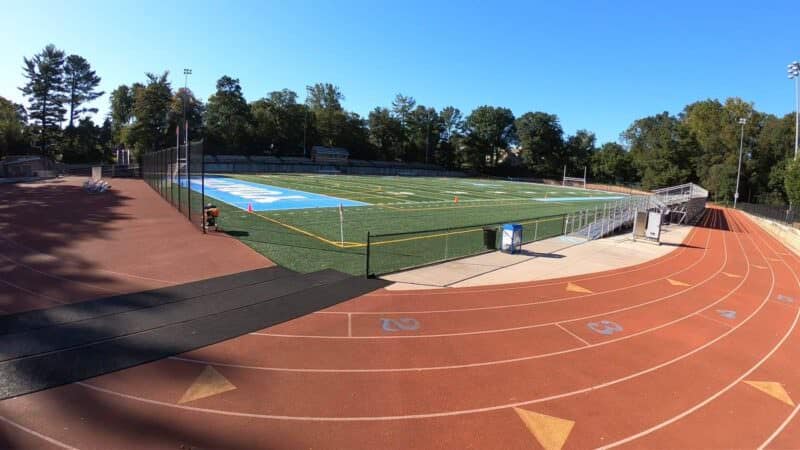
Here’s another example, this time shot on a HERO6 Black:

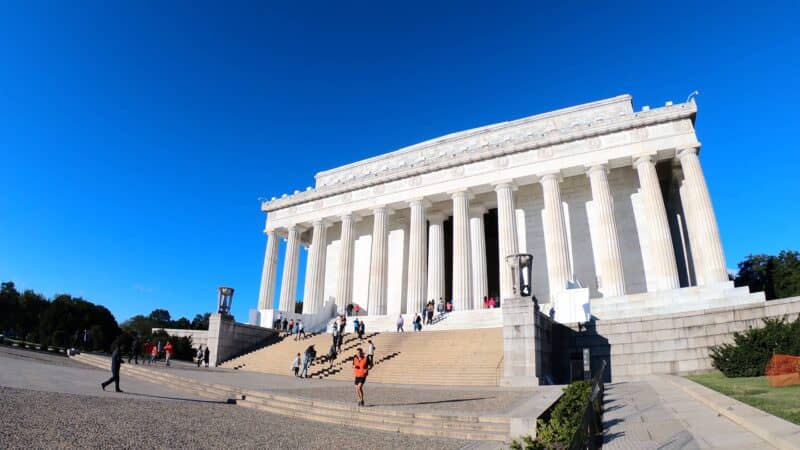
And another, again with the HERO7 Black:

When to use SuperView
There are no hard and fast rules on which field of view to use when — that’s very much a creative decision — but the extra room SuperView gives you suits two common situations. One is when you can’t compose the shot precisely and want to make sure your subject stays in the frame. It’s a simpler version of the capture-everything, frame-it-later idea behind the 360° Fusion (GoPro calls it OverCapture) and the MAX (Reframe). Another is when you’re shooting in a tight space and want to capture as much of the surroundings as possible. GoPro’s manuals recommend it for body- and gear-mounted shots, which fit both of those situations.

Have Camera Will Travel Newsletter
Practical field notes, hands-on gear tests, and the fun of exploring the world with a camera in hand.

What it’s not especially useful for is any time that the highly distorted and compressed look is going to appear strange. So you wouldn’t usually use it for standard people shots, for example, where it’s going to distort their face and body in a distracting way.


Hi there,
Is it possible to use Superview mode on a GoPro 8 while on Webcam mode?
I only seem to be able to use Wide mode or narrower ones only.
Thank you.
Can you use super view on full zoom on gopro 7 black ?
No, you can’t use SuperView and the zoom at the same time.
The article states, What it’s not especially useful for is any time that the highly distorted and compressed look is going to appear strange. So you wouldn’t usually use it for standard people shots, for example, where it’s going to distort their face and body in a distracting way.
I use my Go-Pro only for recording my amateur football team’s matches. Will the superview make the match footage look too unnatural?
For something like that, where the action is far away from the camera, you’re not going to notice much, if any, extra distortion. You’ll notice it most if the subject is close to the camera, such as with selfies or group shots, and interiors, etc.