
To add a pan or rotation to a GoPro time-lapse you need a turntable that turns the camera slowly: the options range from a wind-up Ikea kitchen timer hack, through compact clockwork heads like the Camalapse4 and Flow-Mow and the motorized MOVO MTP-10, to programmable units like the Syrp Genie Mini. What each does and their limits are below.
Some of these are older products; the approach hasn’t changed, and any unit with a 1/4" thread works with a GoPro tripod adapter. For the time-lapse itself see long time-lapse with a GoPro and time-lapse photography basics.

Have Camera Will Travel Newsletter
Practical field notes, hands-on gear tests, and the fun of exploring the world with a camera in hand.

Adding motion to a time-lapse can make the results much more compelling to watch. There are several methods to accomplish it, but the two most common are panning, where the camera is stationary and rotating relative to the subject, and tracking, where the camera itself is moving along a path along with something like a slider. And, of course, you can combine the two with endless variation.
While it’s possible to fake some motion in post-production, it’s not a real substitute for adding the motion as part of the original time-lapse capture.
There are sophisticated motion control devices that can accomplish it. The two I use with larger cameras and for commercial clients are the Syrp Genie and eMotimo TB3, but they’re much more expensive and complicated devices that are really overkill for many users. They’re also huge–at least, relative to a GoPro camera. (eMotimo has since discontinued the TB3.) Syrp also made a smaller option that’s a better fit for GoPros, the Genie Mini, but it’s still not what you’d call cheap.
What I’m looking at here are much simpler and less-expensive solutions. These are all devices that rotate the camera–they don’t add any lateral tracking movement by themselves, although you can combine them with a separate tracking device.

One thing to note with these is that they’re really designed for small and light cameras. They’re ideal for gear like GoPros, smartphones, small point-and-shoots, or smaller mirrorless cameras. Some are rated to support larger mirrorless cameras and perhaps even small DSLRs, but it’s important to note that the weight ratings are for a balanced rig. That’s important–if the center of gravity of the camera and lens is much away from the center point of the device, there’s a good chance of it toppling over or even not rotating at all.
None of these will make the time lapse for you. They’re all designed to rotate the camera. And with one exception, none of these devices can control the actual shooting of the camera. All of these are designed to be used in combination with a tripod or other mounting option.
Camalapse4
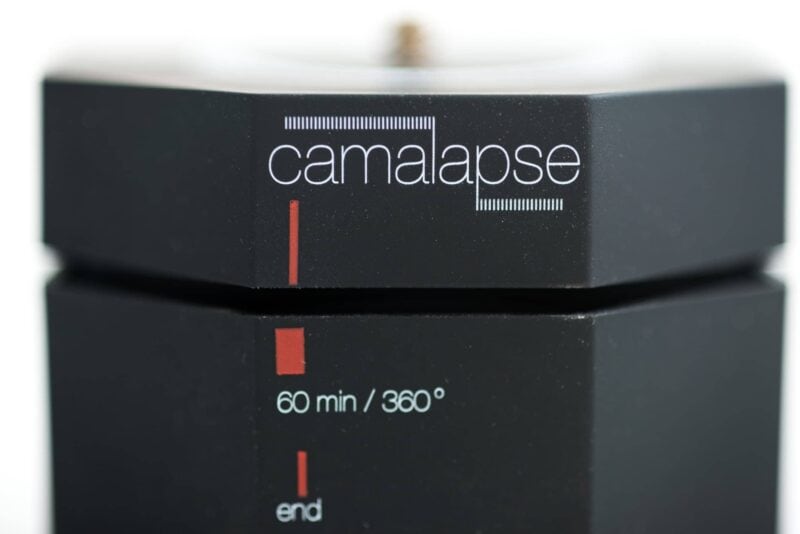
The Camalapse4 rotates 360° in one hour. You can also stack more than one to speed up the rotation speed. It rotates counterclockwise.
It’s very simple to use–there are no batteries or power. You simply twist the top part separately from the bottom, just like with an egg-timer or old-school wind-up clock.
The device is small and very lightweight plastic, which is a positive for packing in your camera bag but less useful for stability. It supposedly supports balanced cameras up to 5 pounds, although because of the bit of give you get between the top plate and the main body, you’ll need to use care to avoid even that tiny bit of wobbling interfering with capturing smooth footage. If you want to use it with anything larger or unbalanced you’ll need to use a balancing plate to adjust the center of gravity. If you’re using it vertically or upside-down, they don’t recommend doing that with cameras heavier than 1 pound.
The Camalapse4 is a simple, inexpensive, and effective option, but I have found it to have quite a noisy tick-tock sound that might be problematic in places where quiet is important. And there’s a little bit of give between the two plates that can be an issue in wind.
Weight: 3.7 oz / 104g
Flow-Mow
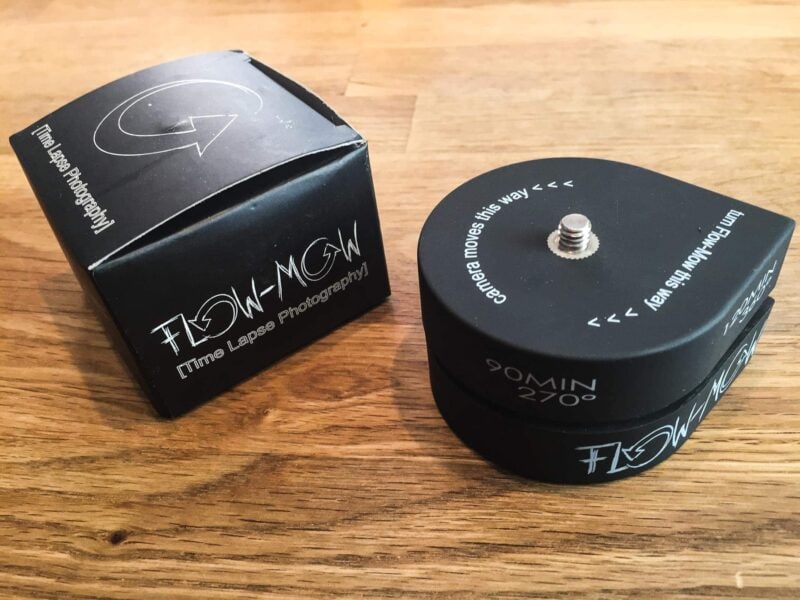
The Flow-Mow works the same way as the Camalapse4, but its distinctive feature is that it rotates more slowly than most of them. Instead of the usual 360-degree rotation in one hour, it rotates at half that speed, rotating 360 degrees in 120 mins. It rotates counterclockwise.
It’s very simple to use–there are no batteries or power. You simply twist the top part separately from the bottom, just like an egg-timer.
Like the Camalapse4, it’s lightweight and small, making it convenient to pack but less than ideal for stability. It too has quite a noisy tick-tock sound that might be problematic in places where quiet is important.
Weight: 2.7 oz / 76g
MOVO MTP-10
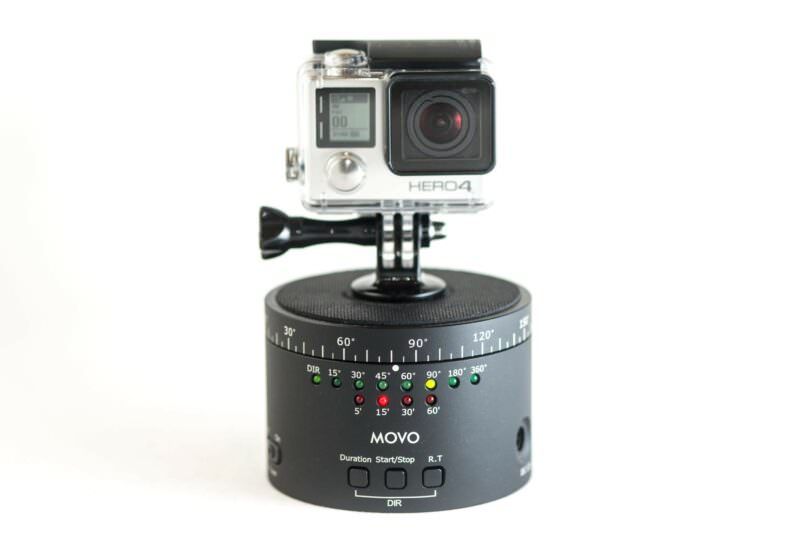
The model I’ve used here is the MTP-10. They’ve since released a newer version, the MTP-11, that is basically the same but is designed for slightly heavier loads.
The MOVO MTP-10 is more sophisticated than most of the others here. It’s also motorized and runs on an internal rechargeable battery. You can set the rotation amount in degrees, the duration of the rotation, and the direction. In addition to the extra control you get over the rotation options, on the plus side, it’s practically silent. On the minus side, you’ll need to keep it charged–although with its designed use the battery is rated to last for around 6 hours of use.
Its rotation is smooth, and is more solid and has better manufacturing quality than the previous two (which is also reflected in the higher price). And it’s practically silent in operation.
Syrp Genie Mini
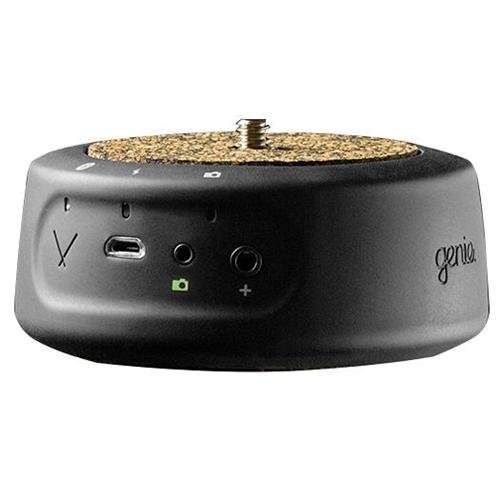
I’ve used the full-sized Syrp Genie since their original Kickstarter campaign product shipped. The New Zealand company put together a really nice product. The Syrp Genie Mini is its much smaller sibling: a motorized pan head you set up from a phone app over Bluetooth. Syrp’s products have since been folded into Manfrotto’s range, and the original Genie Mini was followed by the Genie Mini II.
Ikea kitchen timer
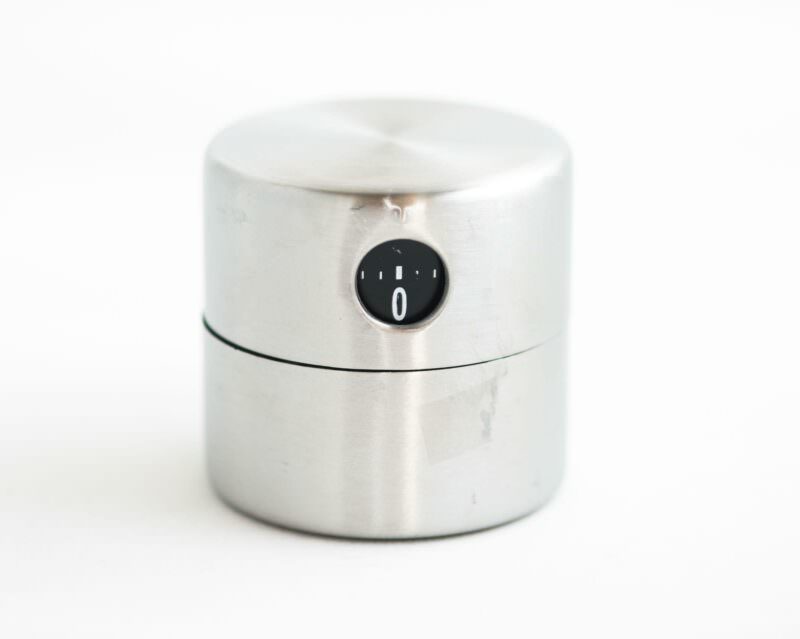
This is the DIY option and can work out the cheapest. Basically, you buy an Ikea kitchen timer and find a way to attach a mount point to it. With something like a GoPro, that’s simple–you can just use a self-adhesive clip mount. Other fittings might require a bit more ingenuity.
On the plus side, it’s cheap and doesn’t require batteries. On the negative side, because it’s a little taller than some of the other options, as well as being slightly top-heavy even without a camera, it can be a little less stable. And it doesn’t come with any way to mount it on a tripod, so if you want to do that you’ll have to do some more DIYing on the bottom of it.
It also has the usual loud tick-tock of a mechanical kitchen timer, along with a bell to tell you that it’s finished–both might be a problem in situations where quiet is important.


Damn boy – EVERY SINGLE TIME I type something with the word GoPro in the google search for the last couple of days – your articles are either first or second in results.
Latest was “moving time lapse for gopro” – low and behold https://havecamerawilltravel.com/action/timelapse-panning-rotation-gopro-camera/
:)