
Like most cameras, the Nikon Zf doesn’t come with memory cards included as standard. So unless you’ve picked up a bundle that a retailer has put together that includes accessories, you’ll have to pick them up separately.
The Zf takes one full-size SD card in Slot 1 and one microSD card in Slot 2, and the two are not equally fast: Slot 1 is UHS-II, Slot 2 is UHS-I only. So putting just any old SD or microSD card in your Zf might lead to disappointment. To take full advantage of the camera’s high-speed burst shooting and 4K video features, you need cards that can keep up.
Quick recommendations: Best cards for the Nikon Zf
The Nikon Zf has two memory card slots:
- Slot 1: full-size SD (UHS-II)
- Slot 2: microSD (UHS-I)
If you’d just like to cut to the chase, here are my top picks that balance speed, reliability, and value:
Slot 1: SD card
- Type: SDXC
- Video Speed Class: V60
- UHS Bus Interface Type: UHS-II
- Maximum Read Speed: 300 MB/s
- Storage Capacities: 64GB, 128GB, 256GB, 512GB, 1TB, 2TB
Check current price and availability at:
- Type: SDXC
- Video Speed Class: V60
- UHS Bus Interface Type: UHS-II
- Maximum Read Speed: 250 MB/s
- Storage Capacities: 128GB, 256GB, 512GB, 1TB
Check current price and availability at:
- Type: SDXC
- Video Speed Class: V60
- UHS Bus Interface Type: UHS-II
- Maximum Read Speed: 280 MB/s
- Storage Capacities: 128GB, 256GB, 512GB, 1TB
Check current price and availability at:
Recommendations checked: August 2026
Slot 2: microSD card
- Type: microSDXC
- Video Speed Class: V30
- UHS Bus Interface Type: UHS-I
- Maximum Read Speed: 245 MB/s
- Storage Capacities: 32GB–2TB
Check current price and availability at:
- Type: microSDXC
- Video Speed Class: V30
- UHS Bus Interface Type: UHS-I
- Maximum Read Speed: 205 MB/s
- Storage Capacities: 64GB, 128GB, 256GB, 512GB, 1TB
Check current price and availability at:
- Type: microSDXC
- Video Speed Class: V30
- UHS Bus Interface Type: UHS-I
- Maximum Read Speed: 180 MB/s
- Storage Capacities: 128GB, 256GB, 512GB, 1TB
Check current price and availability at:
Recommendations checked: August 2026
I have a lot more detail below, but the upshot is that any of these are fast enough, readily available, and generally good value for money.
And don’t forget: the Zf has two memory card slots, and they each take a different type of card.


You don’t have to fill them both — the camera will work fine with just one SD card — but if you want to create real-time backups or separate your RAW and JPG files, you’ll need both.
You can see some of the photos I’ve taken with the Nikon Zf in these posts:
– Nikon Zf Sample Images (a general collection of sample images taken under various conditions)
– Nikon Zf High ISO Sample Images (focusing specifically on high-ISO photos in low light)
– Nikon Zf ISO Range Sample Images (sequences of the same scenes shot at different ISOs)
– Shooting Panoramas with the Nikon Zf
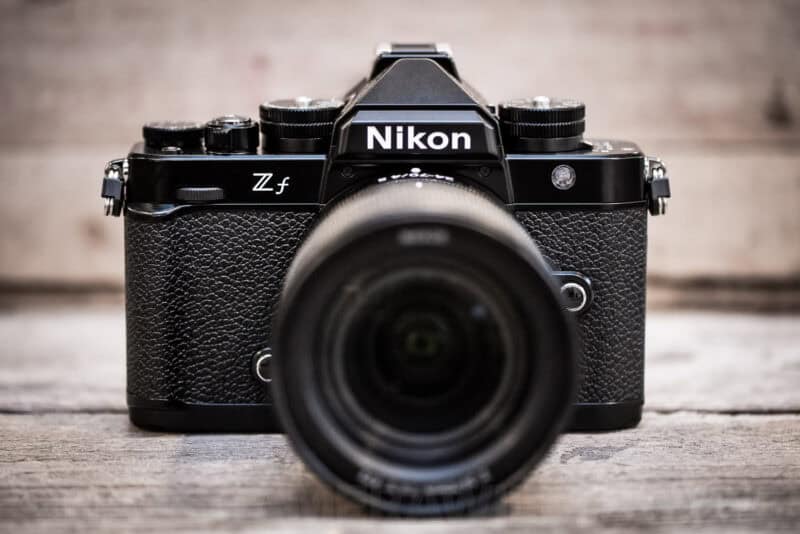
Memory card requirements & compatibility
The Nikon Zf has quite high bitrate video capabilities — up to 340 Mbps in some settings — as well as a high-speed frame capture photo mode of up to 30 frames per second.
A key thing to know is that if you don’t use memory cards that are fast enough, you run the risk of losing footage, dropping frames, or having the camera lock up while it tries to clear the buffer.
On compatibility, the Zf isn’t fussy about card type. Slot 1 takes SD, SDHC, and SDXC cards; Slot 2 takes microSD, microSDHC, and microSDXC. Nikon’s own advice is short: UHS Speed Class 3 (U3) or better for recording and playing back video, and a reminder that the microSD side is UHS-I only.
Nikon’s official recommendations
The Zf’s manual isn’t all that helpful when it comes to pointing to specific memory cards. It says you need a fast one, but it often refers to older speed class ratings rather than the newer Video Speed Class system (V30, V60, V90) that is prominent on modern cards.

So what I’m doing here is taking the information provided by Nikon and combining it with my own experience shooting with a Zf, as well as the findings from my own SD card speed tests and microSD card speed tests.
Recommendations in detail
Slot 1: Full-size SD cards
For Slot 1, you want a UHS-II card. While UHS-I cards physically fit, they are much slower. A UHS-II card (look for the extra row of pins on the back) is essential for clearing the buffer quickly after shooting a burst of photos.
That doesn’t mean you need the fastest card on the shelf. The Zf’s top video bitrate is 340 Mbps, which is about 43 MB/s — comfortably inside what a V60 card sustains, so V60 covers every video mode the camera has. Where a V90 card earns its extra cost is stills: it clears the buffer faster after a long burst at 14 fps.
V60 cards are the current lower-end of UHS-II cards. And they're designed for cameras that have UHS-II slots to take advantage of that faster BUS interface. There's a faster step above these -- the V90 cards -- but for the purposes of this camera, the V60 cards are often a more cost-effective option while still giving you full access to all your camera's features.
SanDisk Extreme PRO V60 UHS-II
- Type: SDXC
- Video Speed Class: V60
- UHS Bus Interface Type: UHS-II
- Maximum Read Speed: 300 MB/s
- Storage Capacities: 64GB, 128GB, 256GB, 512GB, 1TB, 2TB
Check current price and availability at:
SanDisk's Extreme Pro range is their top line, but, confusingly, they have Extreme Pro cards that carry V30, V60, and V90 ratings. And, as you move up in speed, the price increases. This is the V60 UHS-II version, and it's usually a little cheaper than the V90 version.
ProGrade Digital SDXC UHS-II V60 250R Gold
- Type: SDXC
- Video Speed Class: V60
- UHS Bus Interface Type: UHS-II
- Maximum Read Speed: 250 MB/s
- Storage Capacities: 128GB, 256GB, 512GB, 1TB
Check current price and availability at:
ProGrade Digital was born out of some corporate upheaval at Lexar several years ago. Since then, they've built solid name recognition for their higher-end cards, and I can speak from personal experience that they make very good memory cards (and other accessories). I routinely use ProGrade CFexpress and SD cards in several of my cameras, as well as their top-notch memory card readers. I've been impressed.
This is their V60 line (they also have a V90 card). It's available from 128GB up to 1TB, and you can often find good deals on 2-packs (very useful if shooting video!).
Lexar Professional SILVER PRO V60 UHS-II
- Type: SDXC
- Video Speed Class: V60
- UHS Bus Interface Type: UHS-II
- Maximum Read Speed: 280 MB/s
- Storage Capacities: 128GB, 256GB, 512GB, 1TB
Check current price and availability at:
Over many years of using Lexar memory cards, I've found them to be good, reliable performers, and they've remained so even after going through a change of ownership several years ago.
Somewhat confusingly, this Silver Pro branding replaces the older Silver 1667x cards.
PNY EliteX-PRO60 V60 UHS-II
- Type: SDXC
- Video Speed Class: V60
- UHS Bus Interface Type: UHS-II
- Maximum Read Speed: 280 MB/s
- Storage Capacities: 128GB, 256GB, 512GB
Check current price and availability at:
New Jersey-based PNY have been making very good flash memory for quite some time. While they don't have the name recognition of some of the other brands here, that's more of a product of their lower marketing budget than any reflection on the quality of their cards. To the contrary, having used several of their cards, I've found them to be excellent.
Recommendations checked: August 2026
Slot 2: microSD cards
Here is the quirk of the Nikon Zf: The microSD slot only supports the UHS-I interface.
This means that while you can put a super-fast UHS-II microSD card in there, the camera cannot use that extra speed. It will cap out at UHS-I speeds. So, there is really no reason to spend the extra money on a V60 or V90 microSD card for this camera.
SanDisk Extreme microSD V30 UHS-I
- Type: microSDXC
- Video Speed Class: V30
- UHS Bus Interface Type: UHS-I
- Maximum Read Speed: 245 MB/s
- Storage Capacities: 32GB–2TB
Check current price and availability at:
Fast, cost-effective, reliable, and widely available, the SanDisk Extreme cards are safe bets for a wide range of cameras. They're readily available at major retailers and quite cost-effective,
The latest version of the SanDisk Extreme comes in 32GB, 64GB, 128GB, 256GB, 512GB, 1TB, and 2TB versions.
As with most of its product names, SanDisk recycles them with newer, faster cards. So you can find "Extreme" cards that are actually several years old. It's therefore worth checking the model number (in this case it's SDSQXH9), although in practice you'll probably find that older versions of the Extreme cards will also work well.
SanDisk uses a three-part model numbering system in the format SDSQXH9-128G-GZ6MA. In this example, SDSQXH9 is the model number, 128G refers to the amount of memory, and the last 5 characters are used by the marketing department for different parts of the world but the cards are otherwise the same. So the first part is the crucial part if you're looking to see which model the card is, and you don't have to take much notice of the last 5 characters.
Lexar Professional SILVER PLUS microSDXC V30 UHS-I
- Type: microSDXC
- Video Speed Class: V30
- UHS Bus Interface Type: UHS-I
- Maximum Read Speed: 205 MB/s
- Storage Capacities: 64GB, 128GB, 256GB, 512GB, 1TB
Check current price and availability at:
Samsung PRO Plus microSDXC V30 UHS-I
- Type: microSDXC
- Video Speed Class: V30
- UHS Bus Interface Type: UHS-I
- Maximum Read Speed: 180 MB/s
- Storage Capacities: 128GB, 256GB, 512GB, 1TB
Check current price and availability at:
PNY PRO Elite Prime microSDXC V30 UHS-I
- Type: microSDXC
- Video Speed Class: V30
- UHS Bus Interface Type: UHS-I
- Maximum Read Speed: 200 MB/s
- Storage Capacities: 64GB–1.5TB
Check current price and availability at:
Recommendations checked: August 2026
Using two memory card slots on the Nikon Zf
My rule of thumb is that if a camera has two memory card slots, I want to fill both of them. It gives you options:
- Overflow: Automatically switch to the second card when the first fills up.
- Backup: Save every photo to both cards simultaneously for redundancy.
- RAW / JPEG: Save RAW files to Slot 1 and JPEGs to Slot 2.
You can adjust these settings under:
Menu > Photo shooting menu (camera icon) > Secondary slot functionI have a more detailed post specifically on using dual memory cards in the Nikon Zf.
Critical warning: The “Backup Mode” bottleneck
There is one specific scenario where the Zf’s mixed card slots can cause a headache.
If you set the camera to “Backup” mode (writing the same photo to both cards simultaneously) and you shoot fast bursts, the camera is limited by the speed of the slowest card. Backup applies to stills only — video always goes to a single card, the one you choose under [Destination] in the video recording menu.
Since the microSD slot is slower (UHS-I), it acts as a bottleneck. Even if you have a blazing-fast V90 card in Slot 1, the camera has to wait for the slower microSD card in Slot 2 to finish writing.
My Advice: If you shoot long bursts, avoid “Backup” mode unless you’ve tested your specific microSD card thoroughly — “Overflow” keeps the camera writing to the fast card. For 4K 60p or 10-bit video, the setting you want is [Destination] in the video recording menu, set to Slot 1 so the footage lands on the UHS-II SD card.
How to format the memory cards in the Nikon Zf
If you haven’t used a camera with two memory card slots before, the only difference is that you have to format each card individually.
On the Zf, it’s quick and easy. You find the option under:
SETUP MENU (Wrench Icon) > Format Memory CardThen specify which card slot you want to format (Slot 1 or Slot 2) and confirm. This performs a quick format. If you need to do a low-level format to wipe data completely, you’ll need to use a computer.
How to format SD cards on a computer
It’s always best practice to format memory cards in the camera you’re going to use them in. However, if you need to do it on a desktop, make sure you do it correctly to minimize the risk of corruption.
I’ve put together guides on how to format SD cards on Mac and how to use the free SD Card Formatter app for Windows or Mac, which is generally safer than using the default operating system tools.
Nikon Zf gear essentials
Batteries (EN-EL15c)
The Zf uses the EN-EL15c. While older versions fit, the “c” version offers the best performance and USB-C charging. Tip: Stick with the original Nikon OEM battery. I’ve run into problems when using third-party batteries in the Zf.Memory cards
The Zf uses a “split” slot system. See full speed tests here.- Slot 1 (SD UHS-II): SanDisk Extreme Pro V90 or Lexar Silver V60.
- Slot 2 (microSD): SanDisk Extreme or Lexar Silver.



Thank you so much.
You’re welcome! Hope you found it helpful!