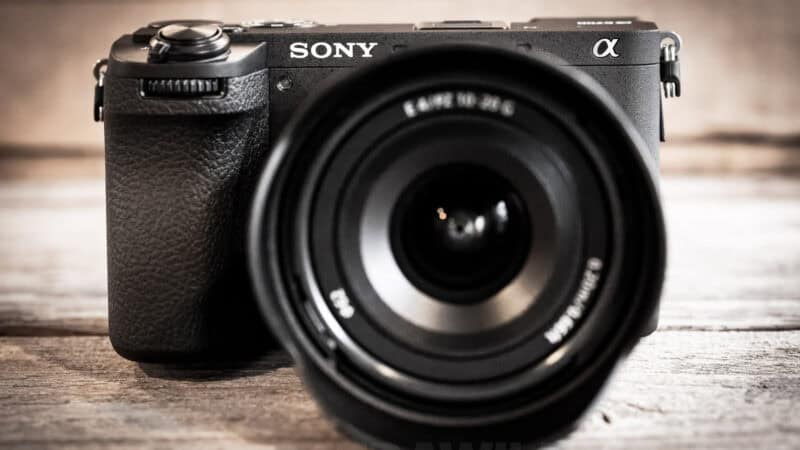
I’ve been out shooting with the Sony a6700.
It’s the top model in Sony’s APS-C Alpha series of interchangeable-lens mirrorless cameras, announced in July 2023 and still the flagship of that line, with no successor announced.
it has a 26-megapixel Exmor R APS-C BSI CMOS sensor and shoots at up to 11 frames per second in burst mode. It has built-in stabilization and tracking autofocus. On the video side, it can shoot at up to 4K120 or 1080p240 and has 10-bit 4:2:2 depth with S-Log3, S-Gamut3, S-Cinetone, and user LUTs.
In other words, it packs a powerful combination of stills and video capabilities into its small package.
If you’ve used any of the cameras in this range, going back to the venerable a6000, you’ll instantly recognize this one. It has very much the same pedigree.
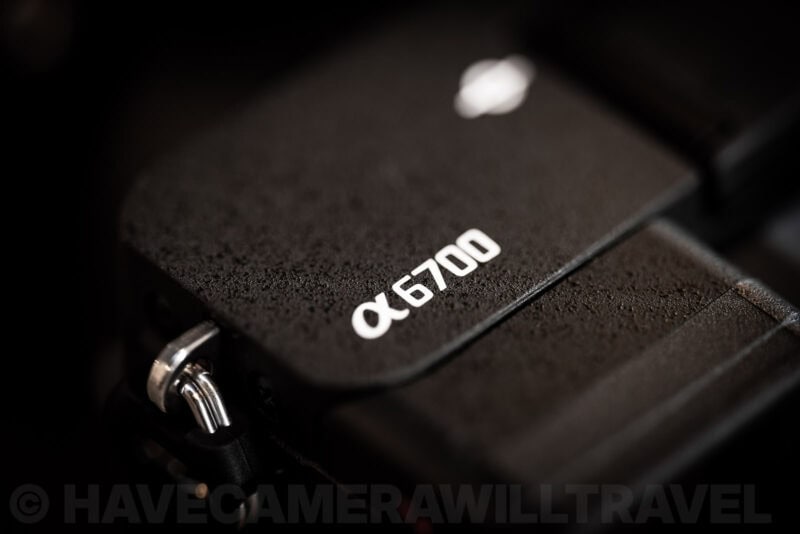
And they’re reliably good. I often recommend them when I get asked what cameras they should look at when getting more serious about photography or something more powerful than a smartphone. They’re reliable, versatile, straightforward to use, quite compact, reasonably priced, and there’s a good selection of lenses and accessories for them. And I’ve used several of them over the years.
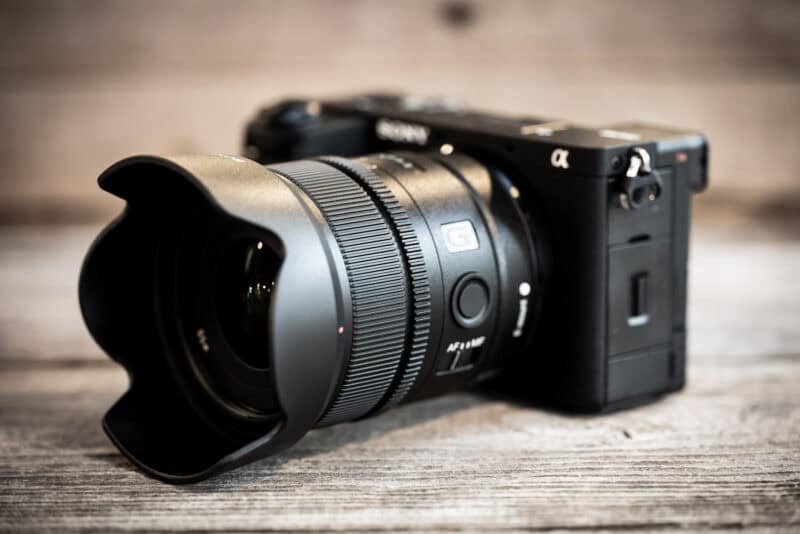
With the a6700, I’ve mainly been using some wide-angle lenses on it, including the Sony E 15mm f/1.4 G and the Sigma 16mm f/1.4 DN DC.
Sony’s Alpha cameras have consistently been strong in both stills and video, something that enhances their versatility. And that’s really an area where they shine, in their blend and balance of excellent photo and video capabilities. But I’ve been using the a6700 mostly for taking photos. And that’s where my emphasis is here.
So here are my thoughts after having been shooting with it for several weeks. This isn’t intended as comprehensive coverage of every feature and doodad on the camera. Instead, I’m going to focus mostly on some aspects that have stood out to me that might not always come through in other reviews.
What it’s like to use the Sony a6700
The Sony a6700 is probably not going to win any beauty pageants anytime soon. It’s not a bad-looking camera, but it’s clearly not in it for the style. It hasn’t bought into the retro aesthetic of cameras like the Fujifilm X-T5.


On the plus side, it has clean, sharp lines. But it’s also kind of boxy and utilitarian. And it’s also quite thick. Stocky, I guess, is how I’d describe it. A solid torso and not much else.

Controls & usage
If you’ve used a Sony Alpha camera before, you’ll feel immediately at home here. It clearly shares the same lineage as other Sony Alpha cameras going back to the a6000.
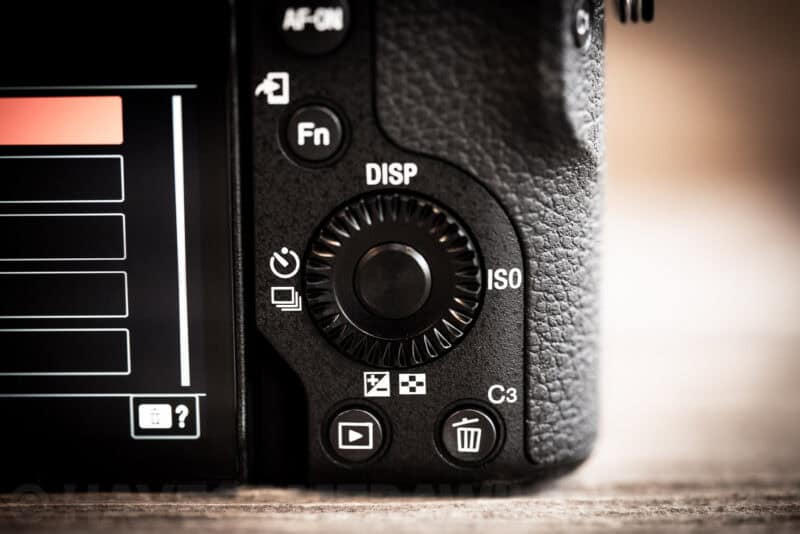
But that doesn’t necessarily mean everything’s intuitive or perfectly refined. I’ve used quite a few Sony Alpha cameras before, and there’s a certain consistency with their controls and interface. Nevertheless, there were aspects where I found interacting with the a6700 to not go as smoothly as I would have preferred.
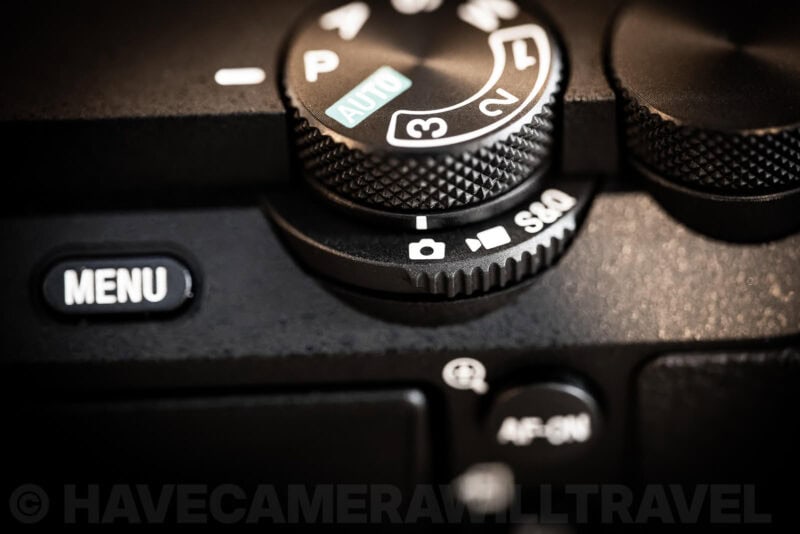
For instance:
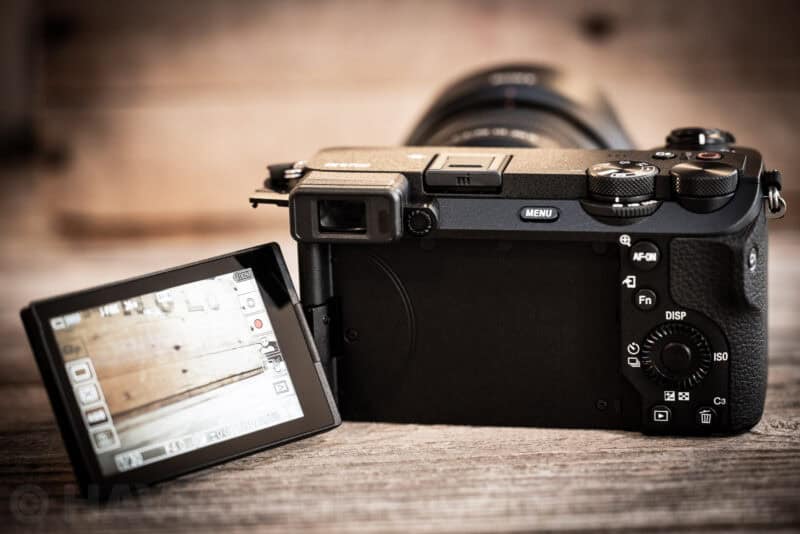
- Like many cameras, the Sony a6700 has a kind of dial rocker on the back panel. It’s not quite a joystick (some have that as well), but the idea is you can press left, right, up, down. And you can also rotate the dial. I found the one here somewhat hard to use reliably, often accidentally bumping things in the wrong direction or rotating it to change settings unintentionally.
- I don’t particularly like the positioning of the buttons and dials that you can operate with your right thumb when holding the camera for normal shooting. They just aren’t quite in the positions where I was naturally expecting them.
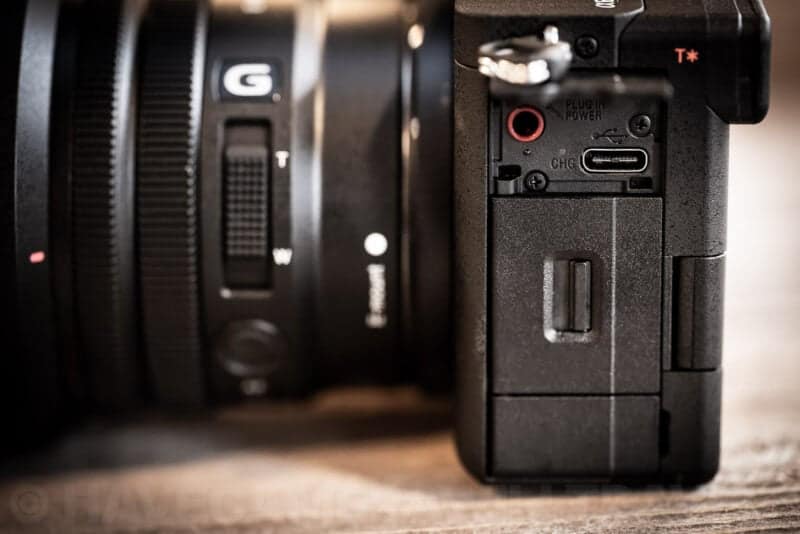
- I am not a fan of the way the side panel doors work. They don’t have any springs, and they don’t lock automatically. They’re also quite flimsy. The bottom two open by swinging laterally; the top one swing vertically. This is only something that comes up when you need to access the side panels, obviously, so not during normal shooting. But if you need to access the memory card, battery, or ports, it’s a little like one of those sliding puzzles where you need to move one piece to get to another.
One thing about the shutter that catches people out: the electronic shutter is the faster of the two. The mechanical shutter tops out at 1/4000 second, while the electronic one goes to 1/8000, which helps when you’re shooting a fast lens wide open in bright light. The catch is that the sensor isn’t stacked, so the electronic shutter can skew fast-moving subjects or leave banding under LED lighting, and flicker-free shooting doesn’t work with it at all.
Screen & menus
The look of the menu system has been refreshed somewhat, and I’m not sure I’m a fan of it, but it does what it needs to do. There are a lot of settings and information to pack onto a small screen here, and there are just limits on how to do that effectively.
In this case, the a6700 uses a kind of folding leaf menu system that kind of layers on top of each other. While I see what they’re trying to do, to me it just becomes more cluttered. There’s not a lot of space on the back screen or in the viewfinder, and having layers of tabs gets quite cluttered pretty quickly.

Viewfinder
The electronic viewfinder is fine but not great. But the reality is that it’s probably not going to be the primary way to frame shots with this camera. I suspect more photographers will be using the back screen for that, and that’s what I found myself doing most of the time.
That said, it does what it needs to do in a serviceable way. It is small, but it’s also quite bright and sharp (once I’d corrected the diopter, which was way off out of the box).
And the fact that there is a viewfinder, which isn’t a given with a smaller mirrorless camera like this, is a positive.
Image quality & output
Sony’s sensors are among the best in the business, and over the years they’ve turned up incognito in some of the best cameras out there produced by other manufacturers.
Being a cropped APS-C sensor, the quality isn’t going to be the same as with their full-frame cameras. And that’s particularly noticeable at high ISOs.
But the image quality is generally good without being exceptional. Or, put another way, it’s very good for an APS-C camera, but as you’d expect, it’s not quite up to the level of Sony’s full-frame (and more expensive) cameras.
If you’re upgrading from the a6600, it’s worth knowing that the newer sensor isn’t the reason to do it. Photons to Photos measures base-ISO photographic dynamic range at 10.93 EV on the a6700 against 10.97 EV on the a6600 — the same, in practice — and the a6600 is marginally ahead from ISO 400 to 1600. The real generational gains are in autofocus, readout speed, and video, not in the files.
Sample images
I’ve put together some larger collections of sample images from the a6700.
- Sony a6700 Sample Images / a general collection of sample images
- Sony a6700 High ISO Sample Images / a collection focusing specifically on high ISO (above ISO 3200)
- Sony a6700 High ISO Test Images / Similar to above, except focusing on sequences of the same scene at different ISOs to allow for side-by-side comparison
But here’s a few examples as well. These were originally shot in RAW and have been lightly processed in Lightroom Classic. You can click on each image for a full-size version for a closer look.


Memory card
I have a much more detailed post on memory card recommendations for the Sony a6700, but here’s the short version. I’m focusing here on memory cards that are fast enough to use all of the camera’s features without running into errors or getting an error warning screen.
- The Sony a6700 has a single SD card slot.
- Use an SD card with a V90 speed rating. Especially if you plan to use the high-end video modes (you can use a slower card if you only plan to shoot stills or lower video modes).
- Use a UHS-II card. Especially when shooting video. The camera will work with a UHS-I card, but some video modes will be unavailable.
Here are some quick recommendations:
- SanDisk Extreme Pro V90 UHS-II SDXC
- ProGrade Digital Iridium V90 UHS-II SDXC
- Lexar Professional 2000x Gold V90 UHS-II SDXC
- Type: SDXC
- Video Speed Class: V90
- UHS Bus Interface Type: UHS-II
- Maximum Read Speed: 310 MB/s
- Storage Capacities: 128GB, 256GB, 512GB, 1TB, 2TB
Check current price and availability at:
- Type: SDXC
- Video Speed Class: V90
- UHS Bus Interface Type: UHS-II
- Maximum Read Speed: 300 MB/s
- Storage Capacities: 128GB, 256GB, 512GB, 1TB
Check current price and availability at:
- Type: SDXC
- Video Speed Class: V90
- UHS Bus Interface Type: UHS-II
- Maximum Read Speed: 300 MB/s
- Storage Capacities: 64GB, 128GB, 256GB
Check current price and availability at:
Recommendations checked: August 2026
Miscellaneous thoughts & quibbles
- I found battery life to be pretty standard for this style of camera. Mirrorless cameras tend to chew through battery life more quickly than DSLRs, and if you’re moving from a DSLR to a mirrorless camera, that’s something you’ll probably notice pretty quickly. It’s good to have a charged spare on hand. The model is NPFZ100, the same battery as most current Sony bodies — my Sony camera battery compatibility guide covers which cameras share it.
- The camera doesn’t come with a separate battery charger. You can buy one as an optional extra, but that’s really only necessary if you’re looking to charge spare batteries. That’s because charging the battery in the camera is easy — just connect a USB power source, whether from an AC wall charger or a USB battery pack.
- There’s no sensor shield. So dust on the sensor is a recurring problem if you ever change lenses. This was something I ran into a lot because I like primes and tend to change lenses a lot. If you’re only leaving the one lens on all the time, this won’t be much of an issue.
- To keep things compact, there’s not much in the way of ergonomic design for the grip. So I didn’t always feel as though I had as firm a grip as I would have liked. A hand strap makes it better.
Two practical notes on that. There’s no USB cable in the box either, only the camera and battery, so you may need to supply your own. And Sony asks for a USB-C Power Delivery source of at least 18 watts (3 amps) — an old low-power phone charger may not charge the battery in the camera.
Wrap up
My list of quibbles above isn’t to suggest that this is a poor camera in any way. It’s not. It is another reliably good addition to Sony’s Alpha lineup.
Whether it counts as a professional camera depends on what you need from one. Its autofocus comes from the same dedicated AI processing unit Sony put in the full-frame a7R V, with 759 phase-detection points covering about 93% of the frame, and the top cover, front cover, and internal frame are magnesium alloy in a body that’s designed to resist dust and moisture — although Sony publishes no IP rating and says outright that the design doesn’t completely prevent dust or water droplets getting in. The limits are the ones that show up on paid work rather than in image quality: a single SD card slot, so there’s no in-camera backup, a mechanical shutter that stops at 1/4000 second, and flash sync at 1/160 second.
But with an unusually good balance between stills and video features, it’s very much a jack of all trades. If you’re shooting both kinds of media, or vlogging or shooting or social media or want one camera that can do almost all, it’s an excellent choice. It’s a wonderful choice to move up from smartphone shooting and get more serious about video.
But that versatility does come with compromises. And when I’m looking at this as a camera primarily for shooting photos, some of those compromises stand out.
It’s also worth mentioning here some context that is probably influencing my assessment. It’s not something I set out explicitly to test, but it is part of the broader context. I hadn’t even really consciously considered until just now when writing this wrap-up section.
And that is that I’ve seen a number of people mentioning this in the same breath as another camera that’s a similar size, also an APS-C camera, and similar price: the Fujifilm X100VI. With the X100VI so hard to get ahold of with months-long backorders, I’ve seen people suggesting the a6700 as an alternative.
I’ve shot with both and own the X100VI, but I’m probably not going to do a side-by-side comparison for the simple reason that I don’t think there’s too much confusion.
In my opinion, suggesting either of these cameras as an alternative for the other is a bit misguided. Despite some similarities, I really don’t think this is an apples-to-apples comparison or would even appeal to the same types of shooters.
The a6700 is an excellent, all-around workhorse of a camera. The X100VI is excellent, but in its own very distinct ways and has its own very distinct ways of doing things. There’s an inherent quirkiness to it, and if you embrace that quirkiness, it can be wonderful. But, by definition, that’s not everyone’s cup of tea.
If you want an alternative to the X100VI, I think there are better places to look (starting with other cameras in Fujifilm’s X-series), and I don’t think you’d necessarily be completely satisfied going with the a6700 instead just because it’s easier to get. The reverse is also true — if the a6700 appeals to you, you probably won’t enjoy the X100VI’s fixed lens or less-capable video options.
Price & availability
The a6700 is currently the highest model in Sony’s cropped-sensor APS-C Alpha lineup. It has an MSRP of $1500 (body only) and also comes in several configurations of bundled lenses.
Key specs
| Feature | Description |
|---|---|
| Clear Image Zoom | Still images: Approx. 2x Movies: Approx. 1.5x (4K), Approx. 2x (HD) |
| Exposure Control | Metering Sensitivity: EV-3 to EV20 (ISO100 equivalent with F2.0 lens attached) Metering Type: 1200-zone evaluative metering Exposure Compensation: +/- 5.0 EV (1/3 EV, 1/2 EV steps selectable) ISO Sensitivity (Recommended Exposure Index): Still images: ISO 100 – 32000 (expandable to ISO 50 – 102400), AUTO (ISO 100 – 6400, selectable lower limit and upper limit) Movies: ISO 100 – 32000 equivalent, AUTO (ISO 100 – 6400, selectable lower limit and upper limit) |
| Anti-Flicker Shoot. | Yes |
| Flash | Flash compensation: +/- 3.0 EV (switchable between 1/3 and 1/2 EV steps) Control: Pre-flash TTL External Flash Compatibility: Sony α System Flash compatible with Multi Interface Shoe, attach the shoe adaptor for flash compatible with Auto-lock accessory shoe |
| Focus System | Type: Fast Hybrid AF (phase-detection AF / contrast-detection AF) Focus Point: Still images: Max. 759 points (phase-detection AF) Movies: Max. 495 points (phase-detection AF) Other Features: AF Track Sens. (Still), AF Subj. Shift Sensitivity (Movie), AF Transition Speed (Movie), Switch V/H AF Area, AF Area Regist., Circ. of Focus Point, Focus Map (Movie), AF Assist (Movie) AF Illuminator: Yes (with Built-in LED type) Focus Sensitivity Range: EV-3 to EV20 (ISO100 equivalent with F2.0 lens attached) |
| LCD Screen | Touch Panel: Yes Number of Dots: 1 036 800 dots Adjustable Angle: Opening Angle: Approx. 176°, Rotation Angle: Approx. 270° Type: 7.5 cm (3.0-type) type TFT |
| Movie Functions | Slow & Quick Motion (S&Q): Yes Proxy Recording: Yes TC/UB: Yes Movie Recording Format (XAVC HS 4K): Various formats as detailed in the provided data |
| Power Consumption | With Viewfinder: Still images: Approx. 3.6 W, Movies: Approx. 5.2 W (with E PZ 16-50mm F3.5-5.6 OSS lens attached) With LCD screen: Still images: Approx. 3.5 W, Movies: Approx. 5.3 W (with E PZ 16-50mm F3.5-5.6 OSS lens attached) |
| Recording System | Memory Card Slot: Slot for SD (UHS-I/II compliant) Recording system (movie): Video Compression: XAVC S: MPEG-4 AVC/H.264 XAVC HS: MPEG-H HEVC/H.265 Audio Recording Format: LPCM 2ch (48 kHz 16 bit), LPCM 2ch (48 kHz 24 bit), LPCM 4ch (48 kHz 24 bit) Recording system (still image): JPEG (DCF Ver. 2.0, Exif Ver. 2.32, MPF Baseline compliant), HEIF (MPEG-A MIAF compliant), RAW (Sony ARW 4.0 format compliant) |
| Shutter | Shutter Type: Mechanical shutter / Electronic shutter Shutter Speed: Various speeds as detailed in the provided data Flash Sync. Speed: 1/160 s Electronic Front Curtain Shutter: Yes (ON/OFF) |
| USB Streaming | Video Data Format: MJPEG, YUV420 Video Resolution: Various resolutions as detailed in the provided data Audio Data Format: LPCM 2ch (16bit 48 kHz) |
| Viewfinder | Type: 1.0 cm (0.39 type) electronic viewfinder (XGA OLED) Magnification: Approx. 1.07x (35 mm camera equivalent: Approx. 0.70x) with 50 mm lens at infinity, -1 m⁻¹ Eye Point: Approx. 22 mm from the eyepiece lens, 19.4 mm from the eyepiece frame at -1 m⁻¹ (CIPA standard) Finder Frame Rate Selection: NTSC mode: STD 60fps / HI 120fps, PAL mode: STD 50fps / HI 100fps |
| Weight | Body only: Approx. 409 g Weight (with battery and memory card included): Approx. 1 lb 1.4 oz Body only (oz.): Approx. 0 lb 14.5 oz |
| Dimensions | Dimensions (W x H x D): Approx. 122.0 x 69.0 x 75.1 mm, Approx. 122.0 x 69.0 x 63.6 mm (FROM GRIP TO MONITOR) Dimensions (W x H x D) (in.): Approx. 4 7/8 x 2 3/4 x 3 inches, Approx. 4 7/8 x 2 3/4 x 2 5/8 inches (FROM GRIP TO MONITOR) |
| Drive | Continuous Drive Speed (approx. max.): Hi+: 11 fps No. of recordable frames (approx.): Various quantities as detailed in the provided data |
| Image Stabilization | Type: Image sensor-shift mechanism with 5-axis compensation (compensation depends on lens specifications) Mode: Still images: On / Off Movie: Active / Standard / Off Compensation Effect: 5.0 stops (based on CIPA standard. Pitch/yaw shake only. With FE 50mm F1.2 GM lens mounted. Long exposure NR off.) |
| Operating Temperature | 0 – 40 ℃ / 32 – 104 °F |
| Audio | Microphone: Built-in, stereo Speaker: Built-in, monaural |
| Camera Section | Number of Pixels (Effective): Still images: Approx. 26.0 megapixels max. Movies: Approx. 19.9 megapixels max. Number of Pixels (total): Approx. 27.0 megapixels Type: APS-C type (23.3 x 15.5 mm), Exmor R CMOS sensor |
| Interface | HD Output: HDMI micro connector (Type-D), various formats as detailed in the provided data Multi Interface Shoe: Yes (with Digital Audio Interface) PC Interface: Mass Storage / MTP Multi / Micro USB Terminal: – NFC™: – Sync terminal: – Wireless LAN (Built-In): Yes (Wi-Fi Compatible, IEEE 802.11a/b/g/n/ac (2.4 GHz band/5 GHz band)) Bluetooth: Yes (Bluetooth Standard Ver. 4.2 (2.4 GHz band)) Mic Terminal: Yes (3.5 mm Stereo minijack) Headphone Terminal: Yes (3.5 mm Stereo minijack) Remote Control (Wireless): Yes (Bluetooth remote control) LAN Terminal: – USB Type-C® Terminal: Yes (SuperSpeed USB 5 Gbps (USB 3.2) compatible) |
| Functions | Send to smartphone, Remote control via smartphone, PC Remote |
| Playback | Modes: Enlarged display mode, Protect, Rating, Shot Mark (Movie), Divider Frame, Crop, Photo Capture |
| Power | USB Power Supply: Yes (Available with USB Type-C Terminal. USB Power Delivery compatible) Supplied Battery: One rechargeable battery pack NP-FZ100 Battery Life (Movie, continuous recording): Approx. 190 min (Viewfinder) / Approx. 185 min (LCD monitor) (CIPA standard) Internal Battery Charge: Yes (Available with USB Type-C Terminal. USB Power Delivery compatible) Battery Life (Still Images): Approx. 550 shots (Viewfinder) / Approx. 570 shots (LCD monitor) (CIPA standard) Battery Life (Movie, actual recording)⁴⁹: Approx. 95 min (Viewfinder) / Approx. 100 min (LCD monitor) (CIPA standard) |
| Accessibility | Functions: Screen Reader, Focus Magnifier, Focus Map (Movie), Peaking Display, Subject Recognition in AF, Touch Focus, Touch Tracking, Touch Shutter, Touch AE, Vari-angle LCD screen, Custom function |
| What’s In The Box | Supplied Accessory: Rechargeable Battery NP-FZ100, Shoulder strap, Body cap, Accessory shoe cap, Eyepiece cup |
| Other Features | Soft Skin Effect, Creative Look, Custom function, Picture Profile, Time-lapse, Auto Framing, My Image Style |


