
A dome port is a clear acrylic half-sphere that sits in front of the GoPro’s lens and pushes the waterline away from it — which is what makes over/under “split” shots (half above the surface, half below) actually achievable instead of a fluke.
They cost under $50, they’re not dive gear (they’re for the surface, not depth), and they scratch and leak if you treat them carelessly.
But they can be a lot of fun and create an effect that can be almost impossible to do with the tiny lens port of the GoPro.
But the key thing when buying one is that the bracket is shaped for a specific camera generation, so you’ll need to match it to your model.
Which dome port fits which GoPro
Domes are sold by camera generation, and the split is fairly simple. The HERO3, HERO3+ and HERO4 share one bracket. The HERO5 Black, HERO6 Black, HERO7 Black and HERO (2018) share another — that’s the one in the photos here. The HERO8 Black’s body shape is different enough that it needs a dome of its own. And the HERO9 through HERO13 Black all share the same body, so one dome covers that whole run. Whatever you buy, check that the listing names your camera by model.
| Camera | Dome port to look for | My experience |
|---|---|---|
| HERO13 Black, HERO12, HERO11, HERO10, HERO9 | Domes made for the HERO9–13 body — e.g., Telesin’s 6-inch dome for HERO13/12/11/10/9 (the maker’s listing names the HERO13 explicitly); several other brands sell the same bracket | Same design as the domes I’ve used, but a different bracket for the newer, larger body. I haven’t tested one on the HERO13 myself yet — buy one that lists your model by name |
| HERO8 Black | A dome listed specifically for the HERO8 (its body is its own shape) | Not tested |
| HERO7 Black, HERO6 Black, HERO5 Black, HERO (2018) | Telesin 6-inch (GP-DMP-T05) — the one in the photos on this page | Used extensively; my favorite of the several I tried |
| HERO4 Black / Silver | HERO4-specific dome (won’t fit HERO5 and later) | Used; the Arctic iceberg shot above is a HERO4 Silver in a dome |
| HERO (2024), HERO11 Black Mini, MAX | Different body shapes; only buy a dome that names the model | Not tested |
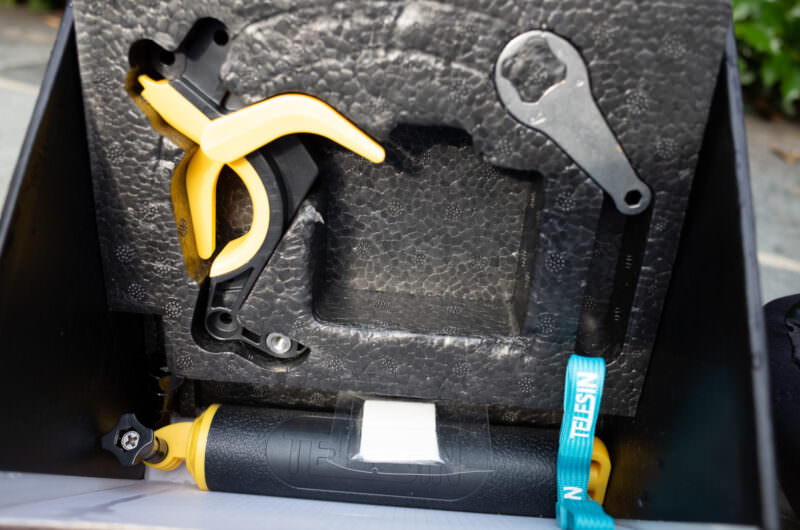
Most of these kits bundle a floating handle and a pistol trigger, which is a good combination: the float keeps the rig on the surface and the trigger lets you fire the shutter one-handed while you watch the waterline. (The trigger can also be separated and used standalone, which I really like.)

Have Camera Will Travel Newsletter
Practical field notes, hands-on gear tests, and the fun of exploring the world with a camera in hand.

Where a dome fits among the other things worth buying is in my GoPro accessories guide; depth ratings for the cameras themselves are in are GoPros waterproof.
If you’re looking to get split photos of above and below the waterline, a dome port is what you want.
Technically, it’s possible to do it without a dome port, but in practice, it’s very, very difficult because of how hard it is to perfectly align the water line with the center of the lens. I’ve tried it, and even on calm ocean water the failure rate is extraordinarily high.
A dome port effectively pushes the waterline out away from the lens, vastly increasing the working size. And that makes it much, much easier to work with.
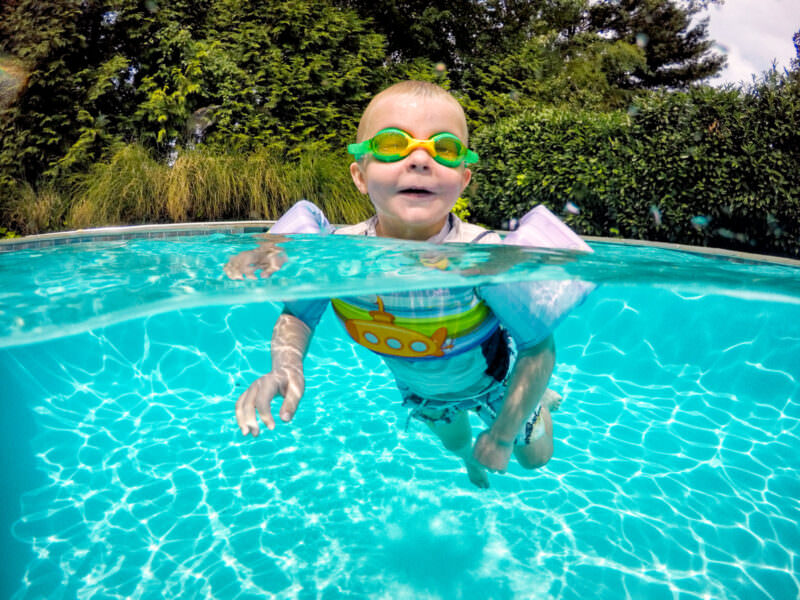
The dome ports for GoPros are typically 6-inch domes. They’re generally not designed for diving and aren’t hardened against water pressure the way that higher-end dome ports and underwater camera housings are.
They’re also not the most convenient accessories to lug around — there’s no way around the fact that they’re cumbersome, the acrylic is easily scratched, and they’re easy to damage in transit.
Those things aside, though, dome ports can be very useful for getting some distinctive and unique water shots from your GoPro.
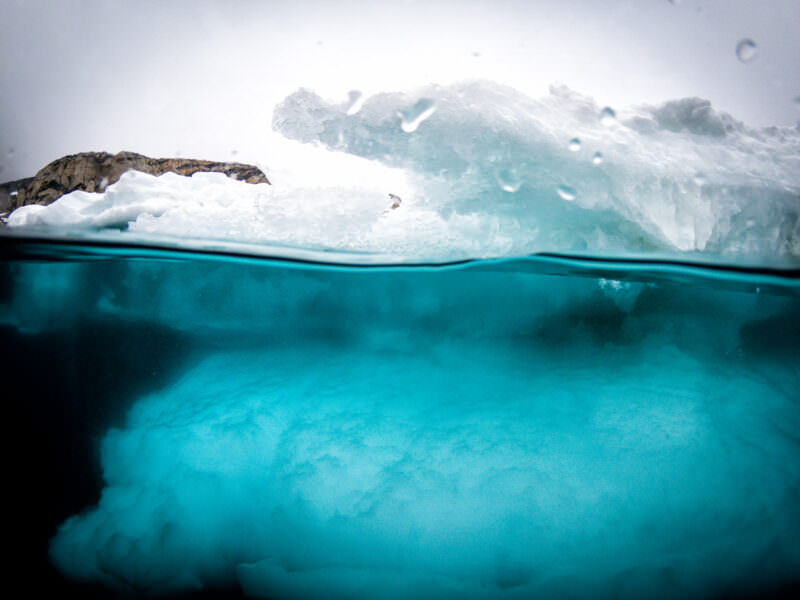
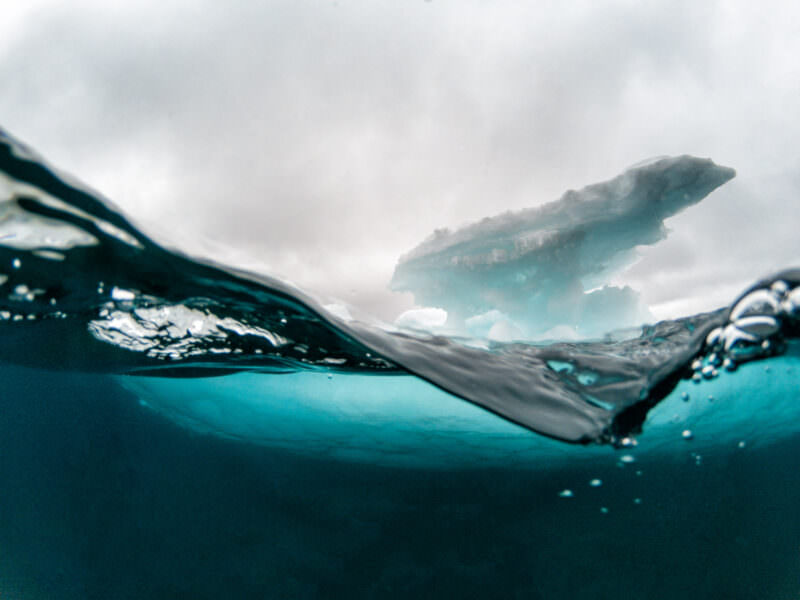
Above and below of a small iceberg in the Arctic off the coast of Svalbard. Shot with a GoPro HERO5 Black in a dome port.
How GoPro dome ports work
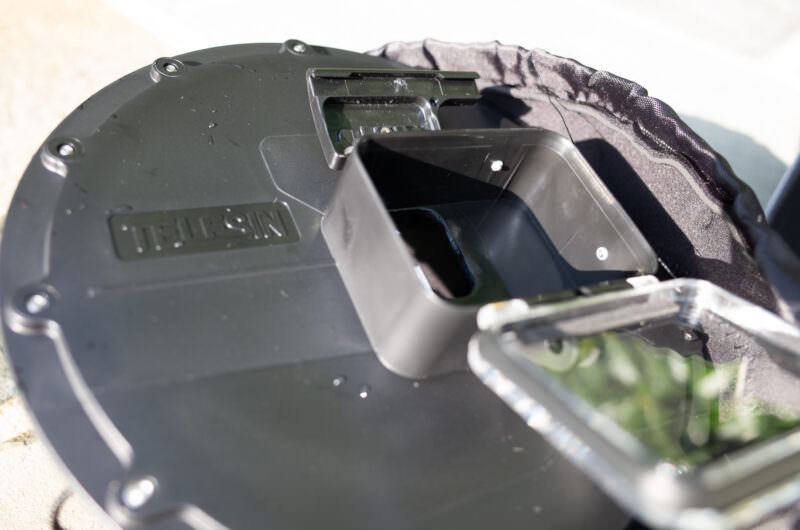
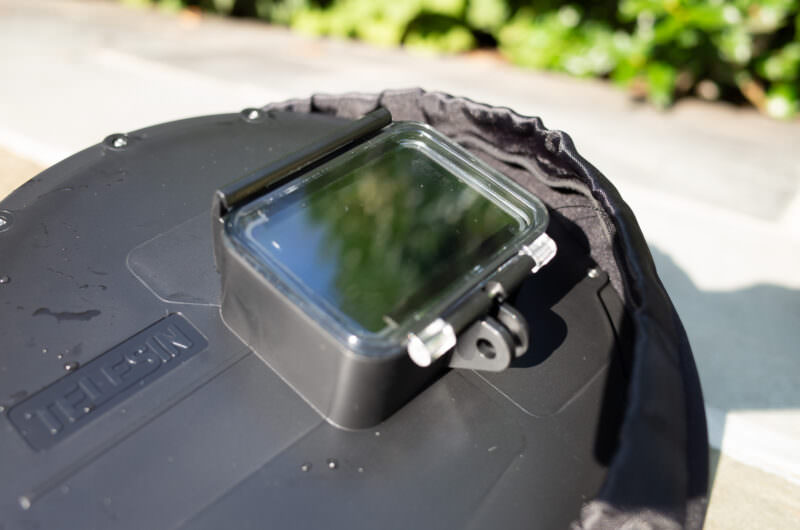
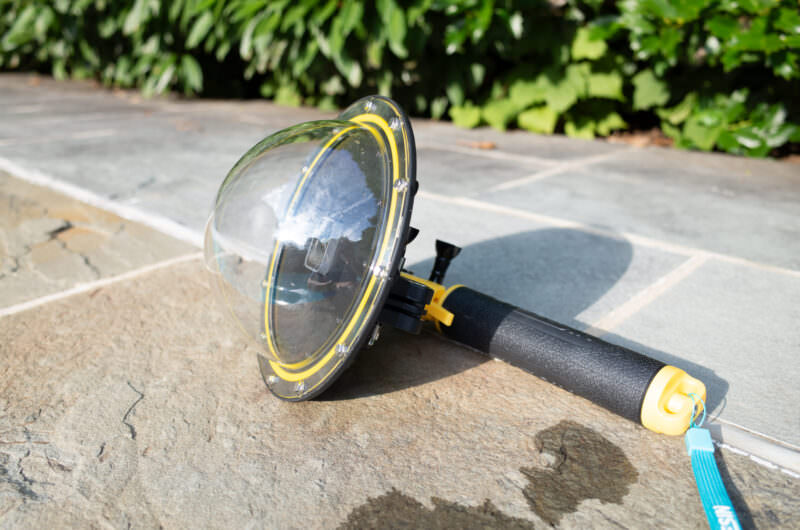
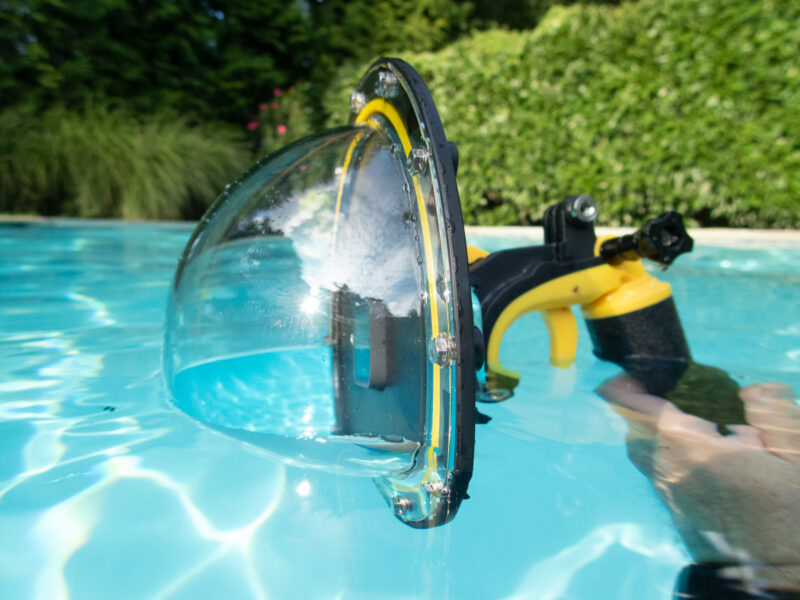
Here’s a quick rundown of how they assemble and work in the water.
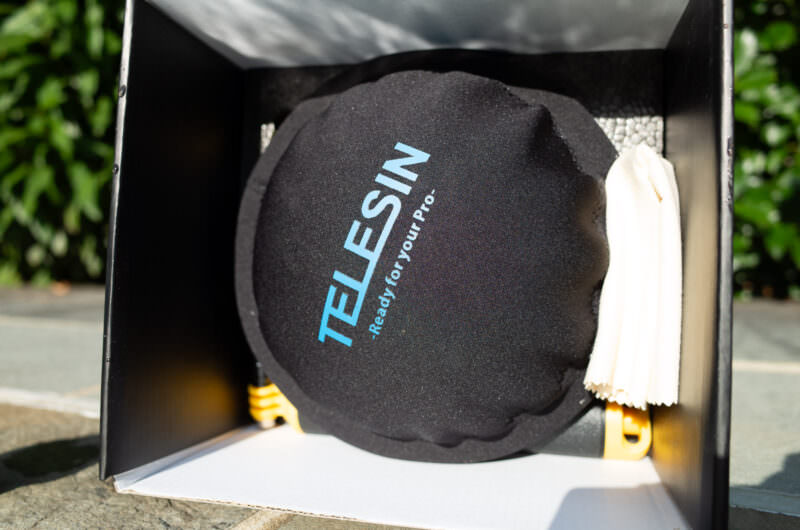
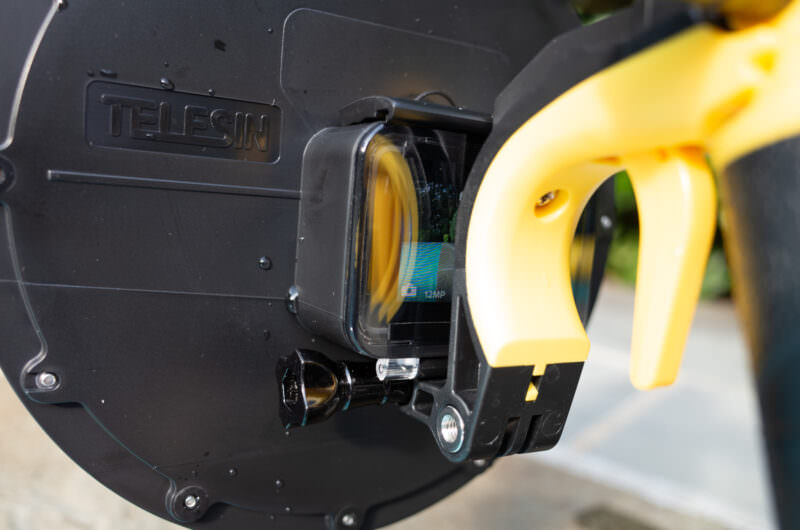
In this example, I’m using the Telesin 6-inch (Model GP-DMP-T05) paired with a GoPro HERO5 Black. After having tried a few different dome ports for the HERO5 Black and HERO4 Silver and Black, this is my favorite. It’s compatible with the HERO7 Black, HERO6 Black, HERO5 Black, and HERO (2018); for the HERO9 through HERO13 Black you want the newer-body version of the same dome (see the list above).
It includes the dome, a handle grip, and a mechanical pistol trigger. It’s marketed under different brand names at some retailers. Make sure to get a dome port for your specific model of camera — a dome for the HERO4 models won’t work on the HERO5 and vice versa. But the model for the HERO5 Black will also work with the HERO7 Black, HERO6 Black, and HERO (2018).
Getting a good split shot
Dome ports are easiest to work with in still conditions where the water line isn’t moving. Waves and ripples can make it harder to get a good shot.
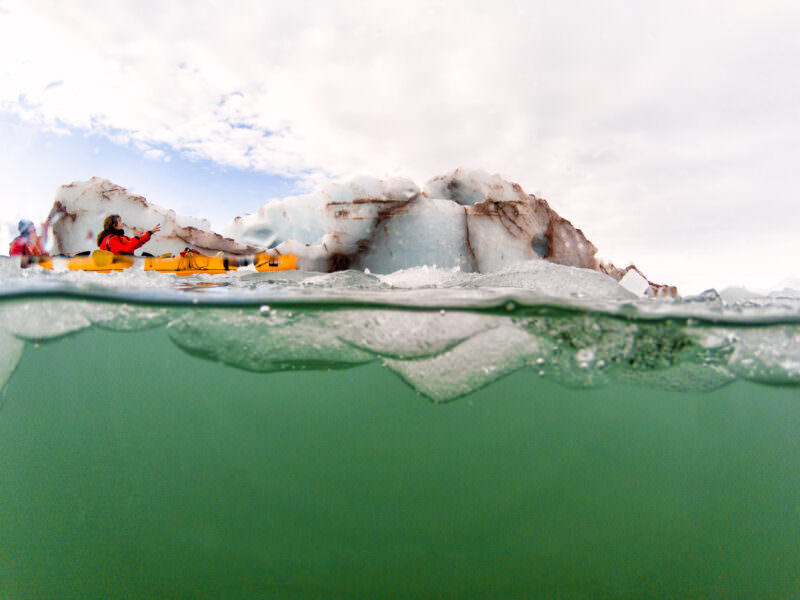
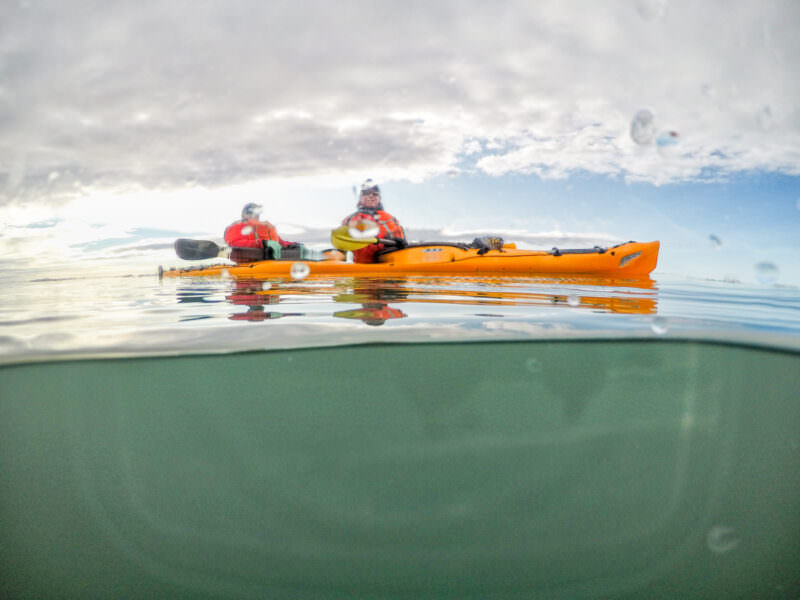
That holds true when you’re moving, too, but sometimes you can mitigate it to some extent. When I use a dome port when kayaking, for example, I’ll reach forward and gently move the port back as I’m shooting, in an effort to keep the camera in the same place relative to the water. It’s not always easy or effective, but you’ll often end up with a better shot than if the camera is moving through the water. Of course, that’s not always true. Sometimes you can end up with something unusual in less-than-ideal conditions.
The other thing that ruins split shots is water beading on the top half of the dome. Those drops sit right in front of the lens, and with the GoPro’s deep depth of field they come out sharp and obvious. The trick underwater shooters use is to dunk the whole dome under and then lift it steadily back into position — the water sheets off instead of beading, and you get a few clear seconds to shoot in. Repeat it between frames, and consider a water-repellent treatment on the acrylic.
Dome port problems: Scratches, leaks, and reflections
If you’re used to using high-end dome ports for DSLRs or mirrorless rigs — and I’ve used those pretty extensively — there are some key differences here you should watch out for with these GoPro-compatible version.
They’re conceptually the same thing, but the key difference is in the quality control. These sub-$50 ports simply don’t have the same quality control or refinement as the lens ports many times that price. And some of the quirks are related to the unusually deep depth of field of the fixed-focus lenses GoPros have.
Scratches. One is scratching the plastic. That’s always an issue with dome ports, but the materials used here aren’t strengthened to be more scratch-resistant in the same way that some more expensive ports are. And because of the camera’s unusually deep depth of field, those scratches will show up sharp and in focus in your images.

Leaking. The second is leaking. Having been through several dome ports now, I’ve found that some are better than others when it comes to withstanding leaks, even when using them at the water’s surface.
Now you might think that doesn’t matter because the newer GoPros are themselves waterproof. And that’s true.
But a leaking port creates a few thorny problems. Even a slight leak is likely to result in water droplets sticking to the inside of the lens port. And they’ll be marvelously in focus and prominent in your shots. I’ve included an example below. Drying it out takes some time because the only airflow can come through the relatively small opening where the camera goes. And even when it’s dry, there’s likely to be some residue marking the inside the port, something I found especially true with salt water and salt marks.
So it’s well worth testing for leaks before you take it out for a real shoot.
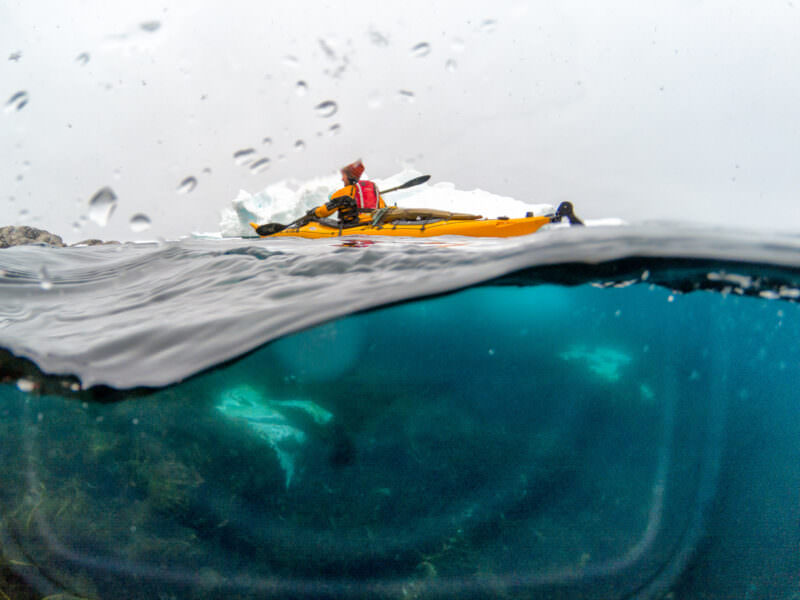
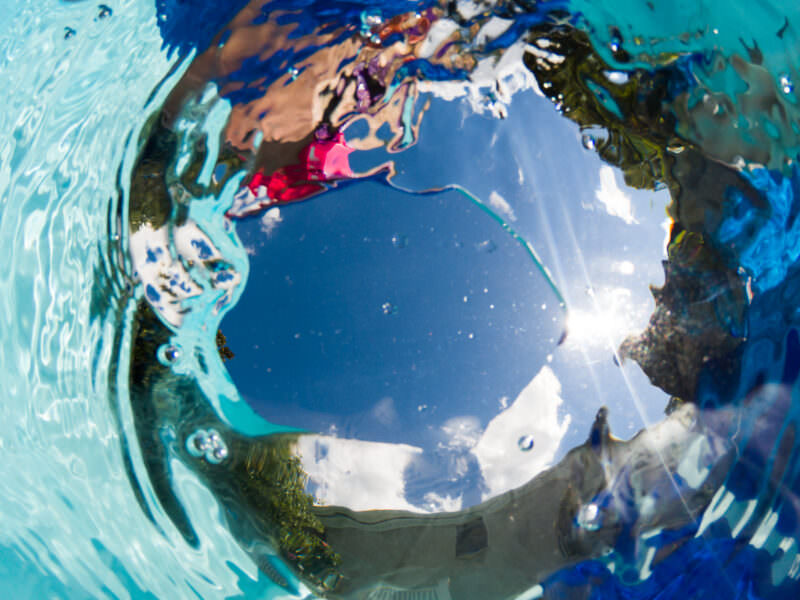
Reflections. Something else to watch is that in some circumstances the reflection of the camera itself shows up in the frame. This happens when there’s bright light from the top (as is normal during daytime) and a particularly dark section below. It’s not something I’ve found to be an issue in conditions like the beach, pool, or shallow reefs. But I did run into it while kayaking in the Arctic where the water is exceptionally clear but can also be very dark under the shadows of ice floes. Again, I’ve included some examples here.
Common questions
Is there a dome port for the HERO13 Black?
Yes — the HERO9 through HERO13 share a body shape, and makers such as Telesin sell a 6-inch dome with a bracket for that generation, listed for the HERO13 by name. It’s the same idea as the domes in my photos; I haven’t tested that version myself, so buy from a listing that names your model.
Can I dive with a GoPro dome port?
Not really. These inexpensive domes are built for the surface — snorkeling, pools, kayaks, beaches. Some makers quote a depth rating, but the seals aren’t in the same league as a proper Protective Housing, and a leak puts droplets on the inside of the dome where they’re impossible to wipe and perfectly in focus.
Why are my split shots blurry on the underwater half?
Usually water or salt residue on the dome, or a scratched dome — the GoPro’s deep depth of field renders both sharply. Keep the cover on in transit, rinse in fresh water, and dry before packing.


VERY useful post – thank you!
Glad it’s helpful!
I have gopro 5 and first I bought Telesin dome but I have problem with buttons, it doesn’t fit well so when I press power to change mode or just turn it on or off most of the time it doesnšt press actual button on camera so nothing happens. Then I saved som money and bought Shot dome first impression it’s great you put gopro inside with it’s own case and everything work fine, BUT it leaks not every time but nost of the time and dome gets filled with water and photos suck :(
So do you have any advice what to do abouis there any dome that you can put gopro inside with it’s owt leaking?
I haven’t run into that issue, but have definitely run into the issue of them leaking in both Telesin and Shot versions. Short of some DIY silicon sealing around the rim join, I don’t have a good solution, I’m afraid. There doesn’t seem to be enough of a market for these to prod manufacturers to make higher-quality versions with better seals, unfortunately.
Hi, just got a GoPro Hero 6 and a Telesin dome and was hoping to take it with me when diving. Now I find out that domes are not good for diving. What a dissapointment!
Thank you – this post was everything I wanted to know about GoPros and domes and the example pics for the issues was great. Honestly appreciative of your efforts here.
Glad you found it helpful!