
I’d become frustrated recently when I couldn’t switch back to the optical viewfinder on my Fujifilm X100VI.
There’s a dedicated lever for switching the viewfinder mode between optical viewfinder and electronic viewfinder, but it wasn’t doing anything.
And I didn’t find the solution in the instruction manual.1
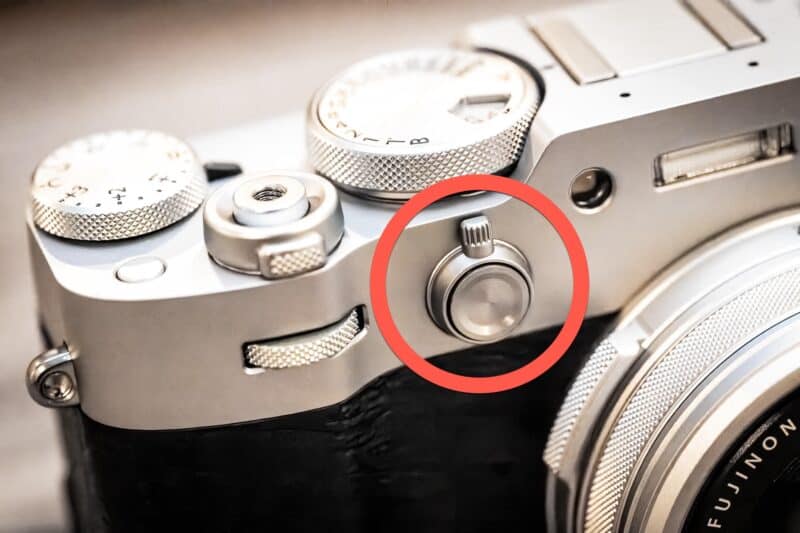
I thought I might have messed something up in the custom controls when I set the button in the middle of that lever to exposure lock. But exploring through the custom controls settings showed that you can’t actually reassign the lever itself even if you wanted to.
The Symptom: Viewfinder lever does nothing; stuck in EVF mode
The Culprit: “3D” Electronic Level Setting
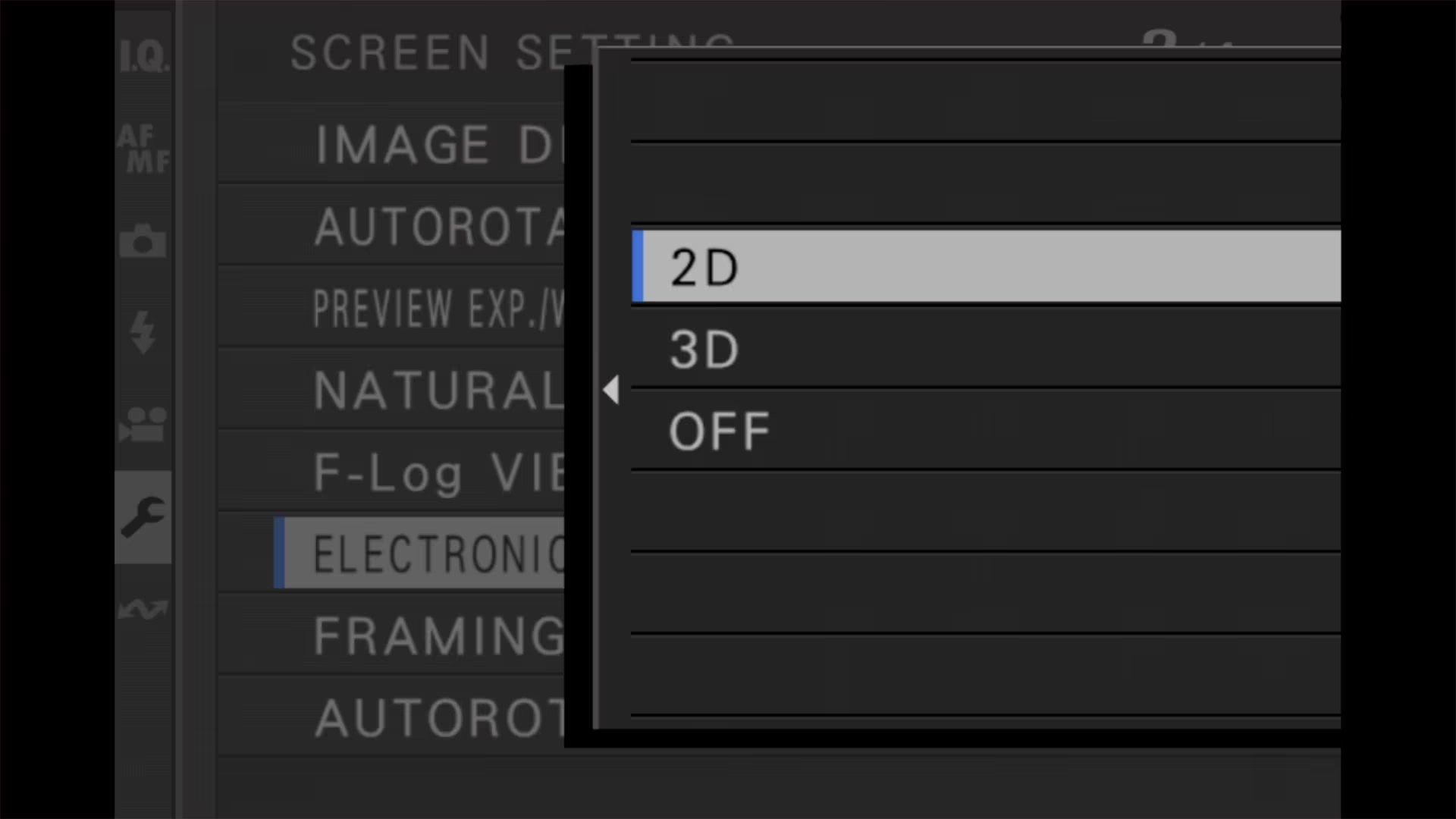
The Fix: Change Electronic Level to “2D” or “Off”
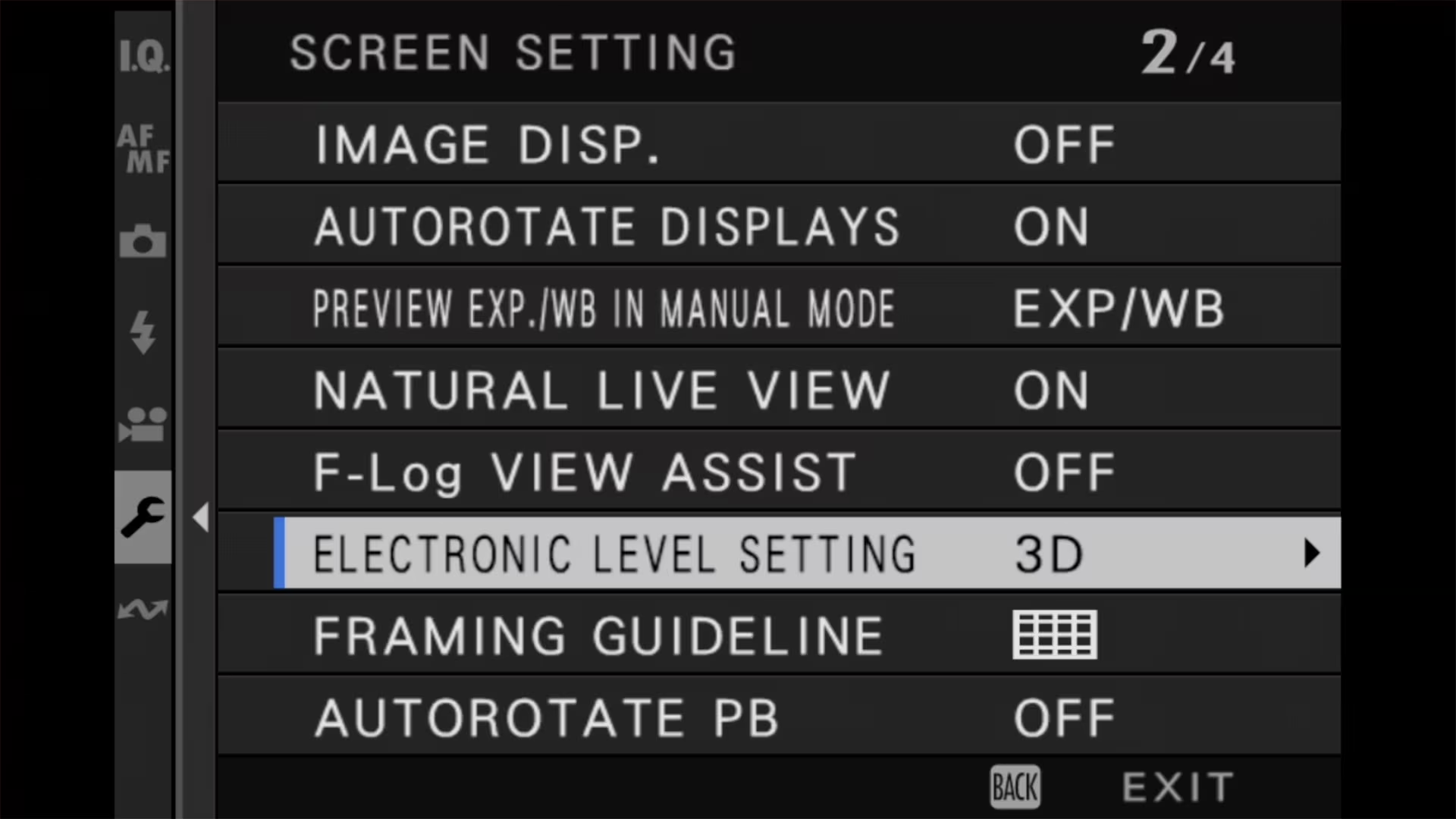
Menu Location: Setup > Screen Setting > Electronic Level Setting
Why: The OVF cannot project the complex 3D horizon graphic
Eventually, after more research, I found the culprit: the 3D electronic level setting. It’s incompatible with the optical viewfinder. If you have that enabled, it turns off the optical viewfinder, and there’s no way to turn it back on again. It seems like something that could be addressed in firmware, and it seems a somewhat counterintuitive limitation, but it is what it is.
So the only way to re-enable the optical viewfinder is to change the level display setting to one of the other options: 2D or Off. 3D is the only option that prevents the optical viewfinder from being available.
If you still want a level indicator, pick 2D rather than Off. The 2D display is a single white line showing how far the camera is tilted left or right, and it turns green when you’re level. What you give up is the fore-and-aft axis — 3D shows pitch as well as roll, and the 2D line can vanish if you tilt the camera forward or back. One other thing to watch: ELECTRONIC LEVEL SWITCH can be assigned to a function button to flip between the 2D and 3D displays, so if you’ve set that up, a single accidental press is enough to knock out the optical viewfinder again.

You can find this under settings:
SET UP > Screen Setting 2/4 > Electronic Level Setting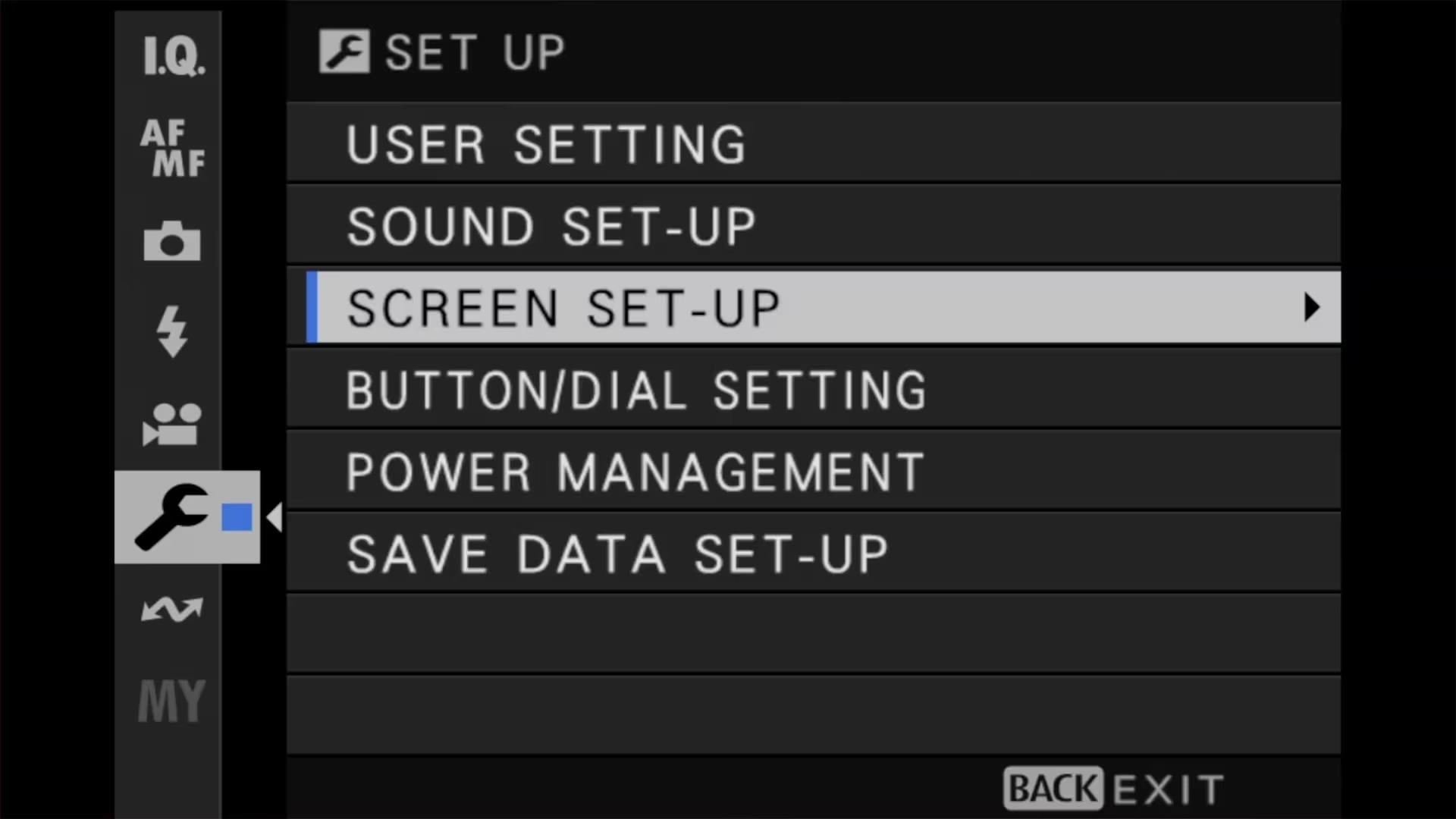
Things worth knowing
- If your viewfinder works but feels incredibly slow or takes a second to save each photo, check your Clarity setting. Anything other than 0 can add up to two seconds of processing to every shot.
- The 3D level uses a complex graphical overlay that covers the entire screen. The OVF’s projection system can only display simple 2D overlays (like frame lines and basic info), so the camera forces you into the electronic viewfinder where it can render the 3D graphics.
There’s a faster way out of that than editing your recipe: switching to the low-speed continuous burst setting (CL) turns Clarity off automatically. It’s worth knowing that Clarity is also ignored in burst and in every bracketing mode — the camera quietly resets it to zero — so a film recipe built around Clarity stops being applied the moment you bracket.
Explore the Fujifilm X100VI
Here’s a tool I created to help identify which buttons and dials are where — and what they’re called, because every brand has their own dialect and jargon.

Notes & References:
- It turns out, it is there in the fine print, but I didn’t see it. A note appended to the Virtual Horizon section says: “When set to 3D, the camera automatically switches to the EVF, and the OVF is not available.” [↩︎]


