
How to Change the Frame Rate of an Existing Project Quickly in Final Cut Pro X
Here's a quick and dirty way to modify the framerate of an existing project in Final Cut Pro X.
Here's a quick and dirty way to modify the framerate of an existing project in Final Cut Pro X.

The Ricoh GR III is mostly a stills photo camera. But it does have some basic video capabilities. Here's a rundown of what they are and how to use them.
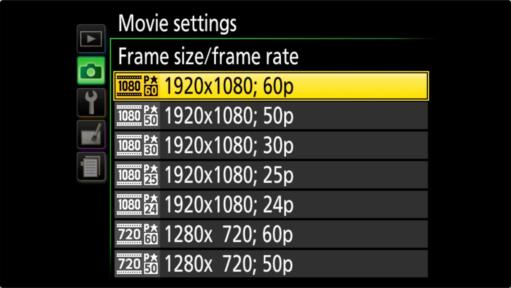
The Nikon D3400 shoots video, and it has surprisingly good video quality at the price point, but it also comes with real limits: 1080p at up to 60fps, low bitrates, a 20-minute recording cap, and no external mic input. Here's exactly what it can and can't do, plus how to start recording.
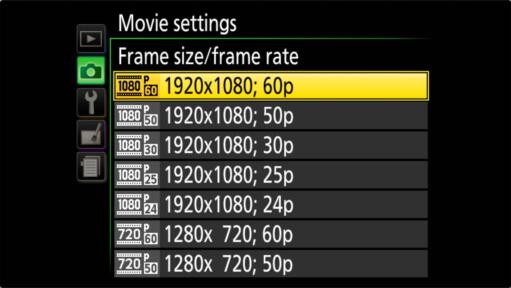
The D3500 shoots 1080p at up to 60fps, but at 12–36 Mbps with no mic port and no stabilization. Here's what each setting does, the clip limits, and why the record button seems dead until LiveView is on.

Discover three simple and free methods for capturing a still image from a video on your Mac.
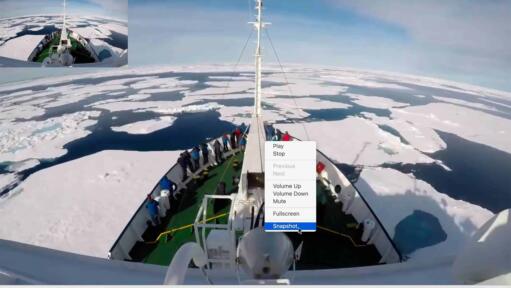
One free, simple option for video frames capture to save it as a JPG is to use the free, cross-platform app VLC. Here's a quick guide on how to do it.
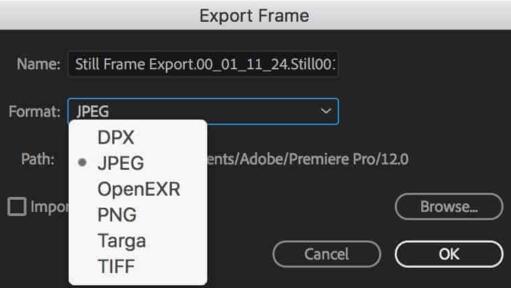
There are two methods for exporting an individual frame from a Premiere Pro project. One is quick and simple but doesn't give you much control. The other involves more steps but gives you more control over things like size and compression amount.

Want to stream live video without dealing with the usual complications or expenses? The Mevo Plus is like having a simple TV studio you can carry with you.
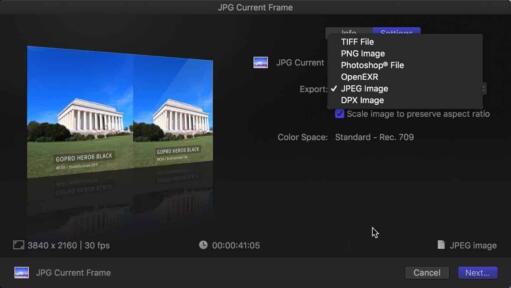
Exporting a still frame from a video in Final Cut Pro is a simple and straightforward process. Here's a step-by-step guide on how to do it.
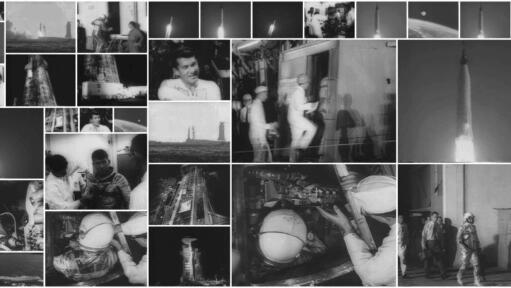
Need to pull exactly one frame every five seconds from a video? Here is the fastest, lowest-overhead workflow to extract sequential still images.

My name is David Coleman, and this is my site. I take photos for a living. Seven continents. Dozens of countries. Up mountains. Underwater. And a bunch of places in between. I'm based in Washington, D.C.
This site is where I post practical photography help, tips, and troubleshooting.
All posts and reviews on this site are written by me. And I only review gear with which I have personal hands-on experience. By a photographer, for photographers. More about me.


© 2009-2026 David Coleman | Have Camera Will Travel LLC
Photos by David Coleman. Please contact me for licensing images. Images are registered with the U.S. Copyright Office.
Have Camera Will Travel LLC | 901 N Glebe Rd, Arlington, VA 22203 | +1.703.942.9245

