
Virtual horizons, or virtual levels, are one of my favorite overlays that a made possible by the live view screens and electronic viewfinders of modern cameras.
They’re incredibly useful for landscape and architectural work, and the better ones can tell you not only whether the horizon is level, but also the pitch (ie. whether it’s tilted up or down).
And they’re much easier and more accurate than the old-school approach of putting a bubble level in the camera’s hot shoe.
You can see some of the photos I’ve taken with the Sony a7R IV in these posts:
– Sony a7R IV Sample Images (a general collection of sample images taken under a variety of conditions)
– Sony a7R IV High ISO Sample Images (focusing on shots taken at high ISOs in low-light conditions)
– Sony a7R IV ISO Range Sample Images (a sequence of images taken throughout the ISO range for comparing ISO image quality)
Where to find the virtual level on the Sony a7R IV
There are two areas in the Sony a7R IV’s information displays where you can find the virtual horizon.
One is part of the everything-but-the-kitchen sink display screen. If you haven’t altered the default information displays, you can get to this by pressing the DISP button on the back of the camera. That’s the top of the dial on the back panel. Each time you press that, it cycles to the next display screen.

The drawback of that screen is that you can’t see what you’re shooting. It’s also only available on the back screen, not through the viewfinder. But it can be particularly useful for tripod shooting, especially at night to show you all the settings you’re using.
For live composition framing, there’s another option that you can use. That’s a true overlay, in that you can see the live view as well. And it works on both the back screen and the viewfinder. So for most users, this is probably going to be the more useful option more often.

Reading the virtual horizon
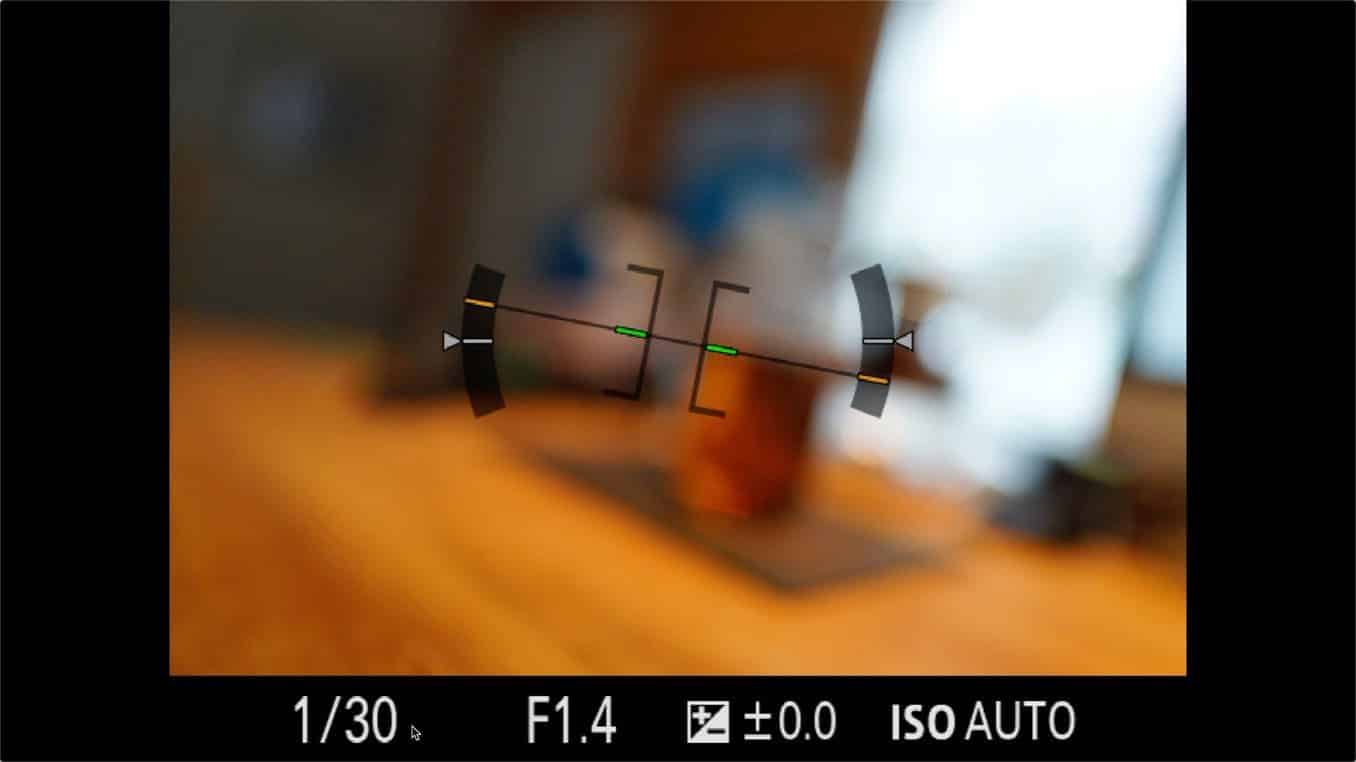
The virtual horizon is pretty intuitive. When the camera is level, the markers turn green. This, for example, is what it looks like when the camera is level and flat. Both sets of markers, in the center and on the sides, are green.

This is with the camera level sideways (ie. not rolling) but pointed down. The side markers are green, but the vertical markers in the center at orange and towards the top of the gauge.

This is pointed up.

And this is the camera not tilted up or down but rolling to the right.
If you switch the camera to portrait orientation (ie. vertical), the virtual horizon gauge will automatically adjust (there’s a glitch with the HDMI output where it doesn’t display properly, so I haven’t gotten a screenshot of it, but it adjusts correctly on the back screen and the electronic viewfinder.
Enabling the overlays
These overlay screens are enabled by default, but it is possible they’ve been deactivated at some point. That’s because the a7R IV lets you choose which informational display screens are available.
You can find this option under:
Settings (the toolbox icon) > Page 7/11: Display/Auto Review1 > DISP Button
You can then choose whether you’re customizing the viewfinder overlays or the back screen (monitor) overlays. The options are similar, but you don’t have the “For viewfinder” option when viewfinder (that’s the everything-and-the-kitchen-sink display that blacks out the live view and therefore doesn’t make much sense for the viewfinder).
For the overlay with the live view, you want to make sure that the Level option is checked.


Use with the grid lines
The virtual horizon complements another screen overlay well: the gridlines.
The gridlines are static–that is, they don’t move–but they’re very useful for lining things up in the frame. You can enable them on the same page:
Settings (the toolbox icon) > Page 7/11: Display/Auto Review1 > Grid Line
They’re turned off by default, but you can choose from markings dividing the frame into thirds, a square grid, or a square grid and diagonals; I usually use the last one.

Sony a7R IV price & availability
You can find it in various configurations and bundles, including the body only or with lenses and other accessories.
Buy new
Sony initially set the MSRP for the a7R IV at $3499.99, but with newer models out since then, you can find it for significantly below that.
Note: There’s now an “A” version (as in, a7R IV A) that features two incremental updates: a higher-resolution back LCD screen and USB 3.2 connectivity. The cameras are otherwise identical.
Buy used
With newer models out now, there’s a healthy supply of a7R IV’s on the used market. Some good places to look are:



the level is on both my viewfinder and monitor …driving me crazy…have been to the disp screen and tried to turn off everything on the view finder and the monitor screens but just cant figure it out. I want to simple have nothing in the way of viewing my subjects. I know it must be an easy solution but… thanks for any help. some day sony will come to its senses and clean up their mess of controls.
I want to de-activate my virtual horizon from my screen cant find it in the instructions for my a9 sony camera. please can you help
Hi,
I recently bought a Sony A7r Mk 3, I would like to know if possible, how I can activate, and de-activate the Virtual Horizon facility.
Regards.
Hi, just got Sony Alpha 7ivr. Brand new from Amazon. Packaging it came in was flimsy.
The virtual horizon display is tilted to the left side most of the time. Occasionally it is accurate. Reinitializing did not help.
Appreciate your comments.
That doesn’t seem right on either score. While the packaging isn’t as fancy as with some cameras, it’s also not what I’d call flimsy. For the permanently tilted horizon, it’s not an issue I’ve come across, and I’d recommend reaching out to Sony support directly.